microsoft / microsoft/vscode-cpptools
Slow Autocomplete for translation units including bulky header files
Dieses Issue hat noch niemand übernommen.
- Vorherrschende Sprache
- TypeScript
- Sterne
- 6.2k
- Forks
- 1.7k
- Ø Merge
- 14 Std. 46 Min.
- Gemergte PRs (30 T.)
- 61
Beschreibung
Type: LanguageService
Describe the bug
- OS and Version: macOS Mojave (10.14.5), MBP Mid 2015
- VS Code Version: 1.36.0
- C/C++ Extension Version: 0.24.0
- Other extensions you installed (and if the issue persists after disabling them): CMake Tools, Git lens
- Autocompletion for source files including bulky header files like the ones given below. Auto complete sometimes takes 5 seconds to return result. Most of the time it steadily takes 2-3 seconds to return results.
Tried disabling/enabling IntelliSense cache yet 4-5 seconds lag was visible.
To Reproduce
Source Sample:
#include <algorithm>
#include <atomic>
#include <chrono>
#include <cstdio>
#include <cstdlib>
#include <iomanip>
#include <iostream>
#include <random>
#include <thread>
#include <vector>

#include <boost/intrusive/list.hpp>
#include <boost/lockfree/queue.hpp>
#include <boost/program_options.hpp>
Preprocessed file has 1.3 lakh lines (4.4 MB).
c_cpp_properties.json:
{
    "configurations": [
        {
            "name": "Mac",
            "includePath": [
                "${workspaceFolder}/**",
                "${vcpkgRoot}/x64-osx/include"
            ],
            "defines": [],
            "macFrameworkPath": [
                "/Applications/Xcode.app/Contents/Developer/Platforms/MacOSX.platform/Developer/SDKs/MacOSX10.14.sdk/System/Library/Frameworks"
            ],
            "compilerPath": "/usr/bin/clang",
            "cStandard": "c11",
            "cppStandard": "c++17",
            "intelliSenseMode": "clang-x64",
            "configurationProvider": "vector-of-bool.cmake-tools",
            "compileCommands": "${workspaceFolder}/build/compile_commands.json"
        }
    ],
    "version": 4
}
Expected behavior
Autocompletion returning results within a second always (too much to ask for?).
Screenshots
Instead autocomplete taking 5 seconds to complete

Profiler Output
Just in case, if you may require, I've attached Instruments profile output of server for autocomplete operation.
Run 1 -> IntelliSense caching disabled.
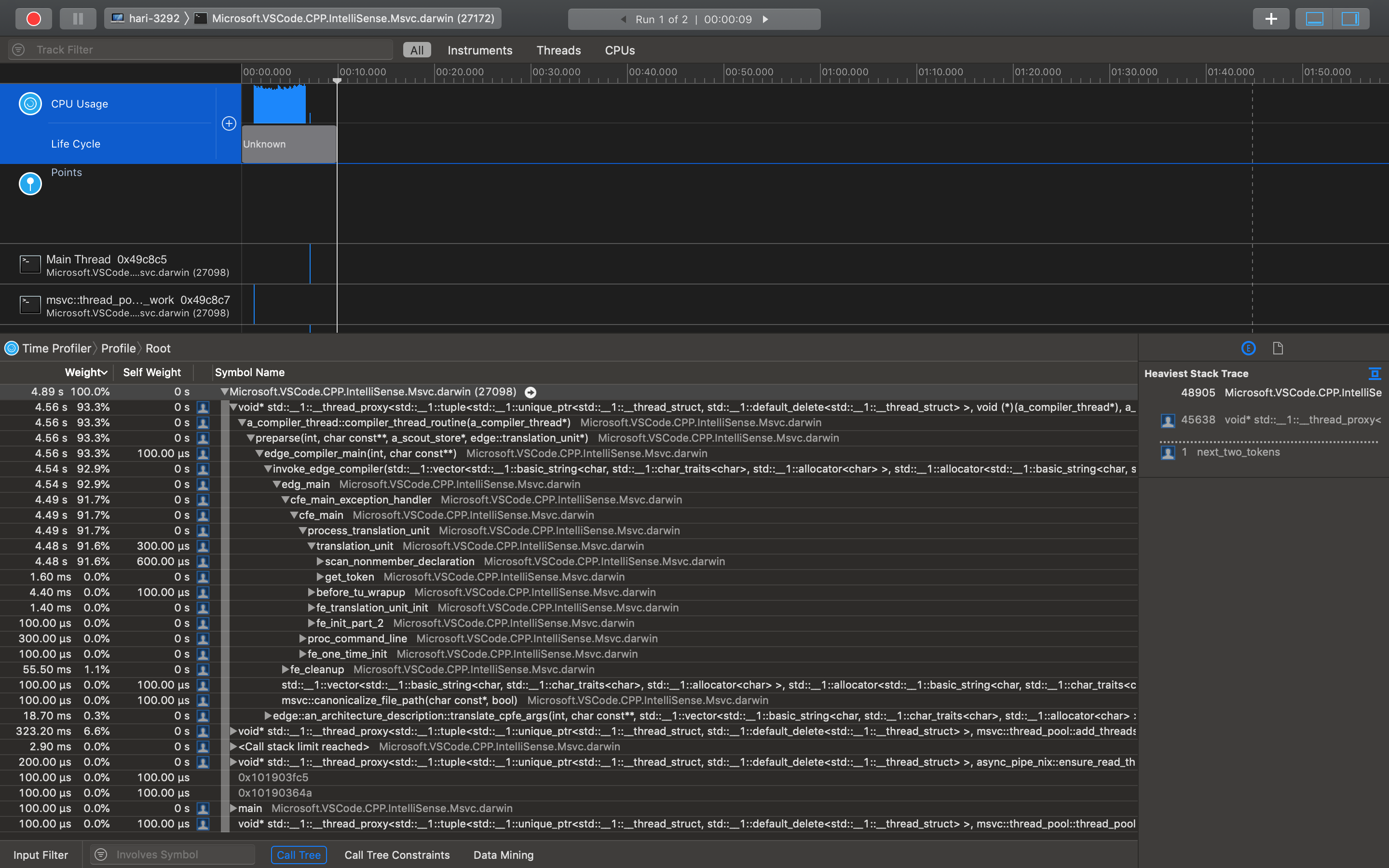
Run 2 -> IntelliSense caching enabled.

Complete Browsable Instruments Trace:
Msvc.Autocomplete.trace.zip
Beitragsleitfaden
Erste Schritte
- Lies das ganze Issue und danach den Beitragsleitfaden des Projekts.
- Schreib ins Issue, dass du es übernimmst — das erspart doppelte Arbeit.
- Forke das Repository und arbeite in einem Branch.
- Öffne einen Pull Request, der die Issue-Nummer nennt.
Rechercherichtung
Beginne mit dem C++-Quellbeispiel, c_cpp_properties.json und der angehängten Profiler-Ausgabe Msvc.Autocomplete.trace.zip. Reproduziere die Autovervollständigung bei den aufgeführten Standard- und Boost-Headern und vergleiche anschließend die beobachtete Latenz von 2–5 Sekunden mit der erwarteten Antwort innerhalb einer Sekunde.
Vom Indexierungsmodell aus dem Issue-Text verfasst.
Bewertung
- Tech-Stack
- cpp, vscode
- Bereich
- developer-experience, performance, tooling
- Issue-Typ
- Bug
- Schwierigkeit
- 4/5
- Geschätzter Aufwand
- 3-5 Tage
- Aktivitätsstatus
- Veraltet
- Klarheit
- Muss geklärt werden
- Anfängerfreundlichkeit
- 25/100