microsoft / microsoft/TypeScript
Feat: Non-Detail view for Error Messages
Dieses Issue hat noch niemand übernommen.
- Vorherrschende Sprache
- Go
- Sterne
- 111k
- Forks
- 14.3k
- Ø Merge
- 2 T. 4 Std.
- Gemergte PRs (30 T.)
- 132
Beschreibung
Suggestion
The following is a case where I'm missing a single field from an object:
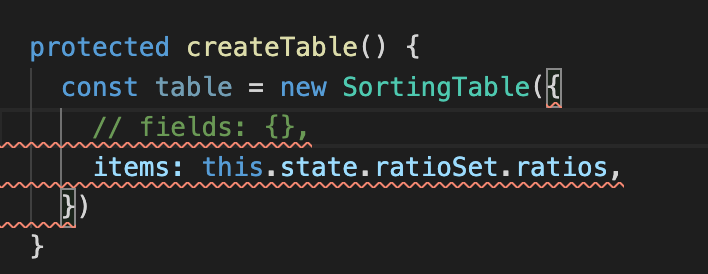
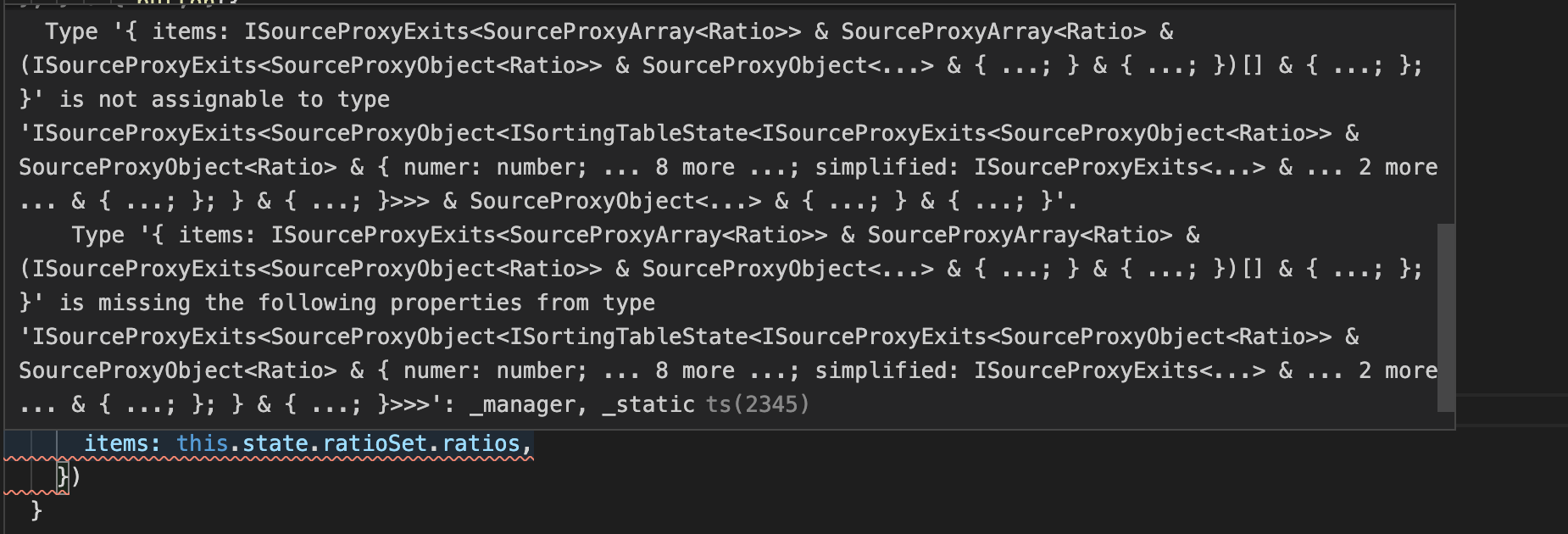
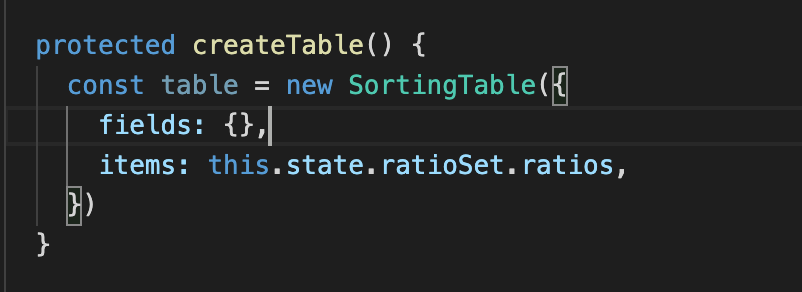
The amount of detail in this error message is very useful for extreme scenarios, but in a general day to day scenario, it's a bit overwhelming.
It would be really nice to have detailed messages like this hidden behind a "See More" item, and instead show the simplest form of the error. In this case the error could be
missing prop "fields" of type "object"
I don't need to know what the object type is, or what the parent type is. I can just get that error message later.
Use Cases
Almost 100% of the errors I get in TypeScript would be improved by this. It's very rare that I want to know all the information, and almost always that I just want a simple reminder of what tiny slip up it is.
Checklist
My suggestion meets these guidelines:
- This wouldn't be a breaking change in existing TypeScript/JavaScript code
- This wouldn't change the runtime behavior of existing JavaScript code
- This could be implemented without emitting different JS based on the types of the expressions
- This isn't a runtime feature (e.g. library functionality, non-ECMAScript syntax with JavaScript output, etc.)
- This feature would agree with the rest of TypeScript's Design Goals.
Beitragsleitfaden
Erste Schritte
- Lies das ganze Issue und danach den Beitragsleitfaden des Projekts.
- Schreib ins Issue, dass du es übernimmst — das erspart doppelte Arbeit.
- Forke das Repository und arbeite in einem Branch.
- Öffne einen Pull Request, der die Issue-Nummer nennt.
Rechercherichtung
Beginne damit, die Screenshots des Issues, die vorgeschlagene vereinfachte Nachricht und die in der Checkliste verlinkten TypeScript-Designziele zu prüfen. Die Arbeit ist abgeschlossen, wenn Fehlermeldungen eine kompakte Form anzeigen können und die detaillierten Informationen hinter einem Element „See More“ erhalten bleiben, ohne das Laufzeitverhalten zu ändern.
Vom Indexierungsmodell aus dem Issue-Text verfasst.
Bewertung
- Tech-Stack
- javascript, typescript
- Bereich
- compilers
- Issue-Typ
- Feature
- Schwierigkeit
- 5/5
- Geschätzter Aufwand
- Über eine Woche
- Aktivitätsstatus
- Veraltet
- Klarheit
- Größtenteils klar
- Anfängerfreundlichkeit
- 25/100