microsoft / microsoft/TypeScript
IntelliSense Parses JSDoc Namepath Part "module" as a Actual Module File Path
@sandersn arbeitet bereits daran.
Seit 16.4.2019.
- Vorherrschende Sprache
- Go
- Sterne
- 111k
- Forks
- 14.3k
- Ø Merge
- 2 T. 4 Std.
- Gemergte PRs (30 T.)
- 132
Beschreibung
- VSCode Version: 1.34.0-insider
- OS Version: 10.14.3 (18D109)
- Does this issue occur when all extensions are disabled?: Yes
Background
JSDoc uses namepaths to link variables in documentation. If you use the @module block to contain variables, then referencing those variables requires using the module: part in your namepaths.
Problem
When using JSDoc namepaths involving the 'module' part, VSCode displays the module's file path within IntelliSense. I think as a result the signature's return value is also wrong, instead displaying the module's exported functions.
Screenshot of issue:
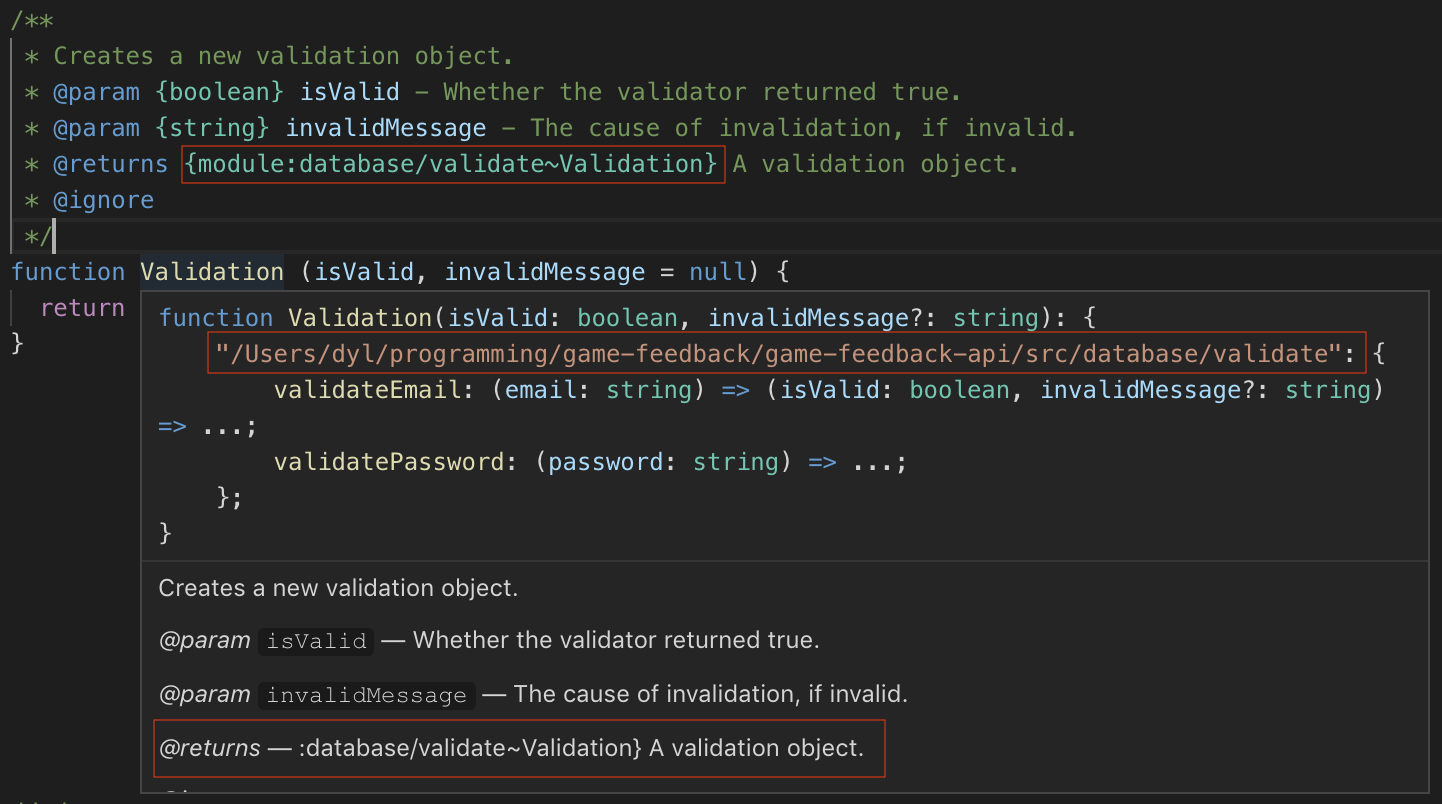
Is there a way to escape that module keyword? Or some way to write it so it works with VSCode? Using the full module namepath in JSDoc is required to reference types defined within module blocks, as described here https://github.com/jsdoc3/jsdoc/issues/969 and here https://github.com/jsdoc3/jsdoc/issues/1533.
Beitragsleitfaden
Erste Schritte
- Lies das ganze Issue und danach den Beitragsleitfaden des Projekts.
- Schreib ins Issue, dass du es übernimmst — das erspart doppelte Arbeit.
- Forke das Repository und arbeite in einem Branch.
- Öffne einen Pull Request, der die Issue-Nummer nennt.
Bewertung
Dieses Issue wurde noch nicht bewertet.