ionic-team / ionic-team/ionic-framework
bug: pushing and popping views can unmount entering view when done quickly
- Dominant language
- TypeScript
- Stars
- 52.7k
- Forks
- 13.3k
- Avg merge
- 1d 15h
- Merged PRs (30d)
- 51
Description
### Prerequisites
- [X] I have read the [Contributing Guidelines](https://github.com/ionic-team/ionic-framework/blob/main/.github/CONTRIBUTING.md#creating-an-issue).
- [X] I agree to follow the [Code of Conduct](https://ionicframework.com/code-of-conduct).
- [X] I have searched for [existing issues](https://github.com/ionic-team/ionic-framework/issues) that already report this problem, without success.
### Ionic Framework Version
v8.x
### Current Behavior
On the iOS platform, the destination page/route seemingly doesn't render when I navigate quickly between two routes within a tab.
In the repo I have linked below, there is a landing page, and 3 tabs. After the tabs are displayed, I can press the 'go to detail' button on tab 2, navigate back by pressing the 'Back' button, then press the 'go to detail' button again, and the destination page occasionally doesn't render. Most of the time, the app works perfectly fine, and the destination page is rendered, but on occasion, the bug occurs, and the page doesn't render. To trigger the error, I think these steps have to be done very quickly (but they can be done by a human).
Tab 2 home/default page:

What the destination page should look like when the 'go to detail' button is pressed:
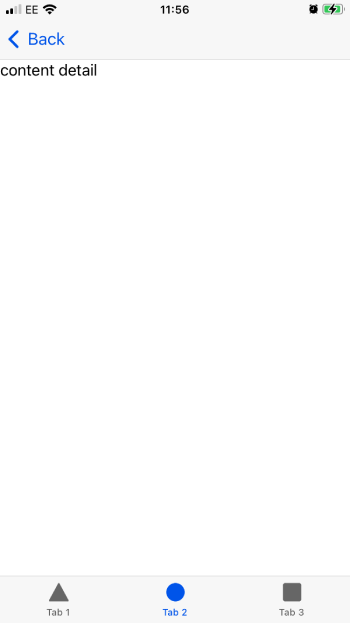
What the destination page occasionally looks like when the bug occurs:

### Expected Behavior
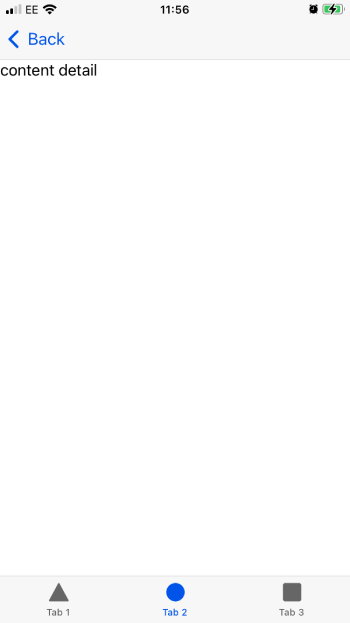
The app should navigate to the destination page every time, rendering the correct content as seen here:
### Steps to Reproduce
1. Build and run the app (https://github.com/FabianTauriello/ionic-demo) on an iOS device or simulator
2. Tap the 'go to tabs' button on the 'Landing' page
3. Tap the Tab 2 button in the bottom tab bar.
4. Tap the 'go to detail' button
5. Tap the 'Back' button
6. Tap the 'go to detail' button again
7. **Quickly** repeat steps 5 and 6 until the issue occurs. Speed is important here, so these steps should be done quickly to trigger the bug.
### Code Reproduction URL
https://github.com/FabianTauriello/ionic-demo
### Ionic Info
Ionic:
Ionic CLI : 7.2.0 (/usr/local/lib/node_modules/@ionic/cli)
Ionic Framework : @ionic/react 8.0.1
Capacitor:
Capacitor CLI : 6.0.0
@capacitor/android : not installed
@capacitor/core : 6.0.0
@capacitor/ios : 6.0.0
Utility:
cordova-res : 0.15.4
native-run : 2.0.1
System:
NodeJS : v18.18.2 (/usr/local/bin/node)
npm : 8.5.0
OS : macOS Unknown
### Additional Information
- I have only been able to replicate this issue on iOS so far, but it may occur on other platforms (web and Android).
- The console doesn't display any errors when the page fails to render.
- The example repo is using Ionic v8, but I've found that the issue exists for Ionic v7 as well
Contributor guide
Assessment
This issue has not been assessed yet.