Code blocks not rendered properly in smaller screens
Nobody has claimed this yet.
- Dominant language
- CSS
- Stars
- 373
- Forks
- 325
- Avg merge
- 4d 18h
- Merged PRs (30d)
- 1
Description
I noticed an issue in which the code block in the "git log --oneline improvements" section renders badly in smaller screen. Further it also breaks the single-pagedness of the website. As a consequence, one might have to zoom in to read the post and scrolling might take you to empty space in the right. Screen shots:
-
Desktop view:

-
Mobile view (iPhone SE resolution)
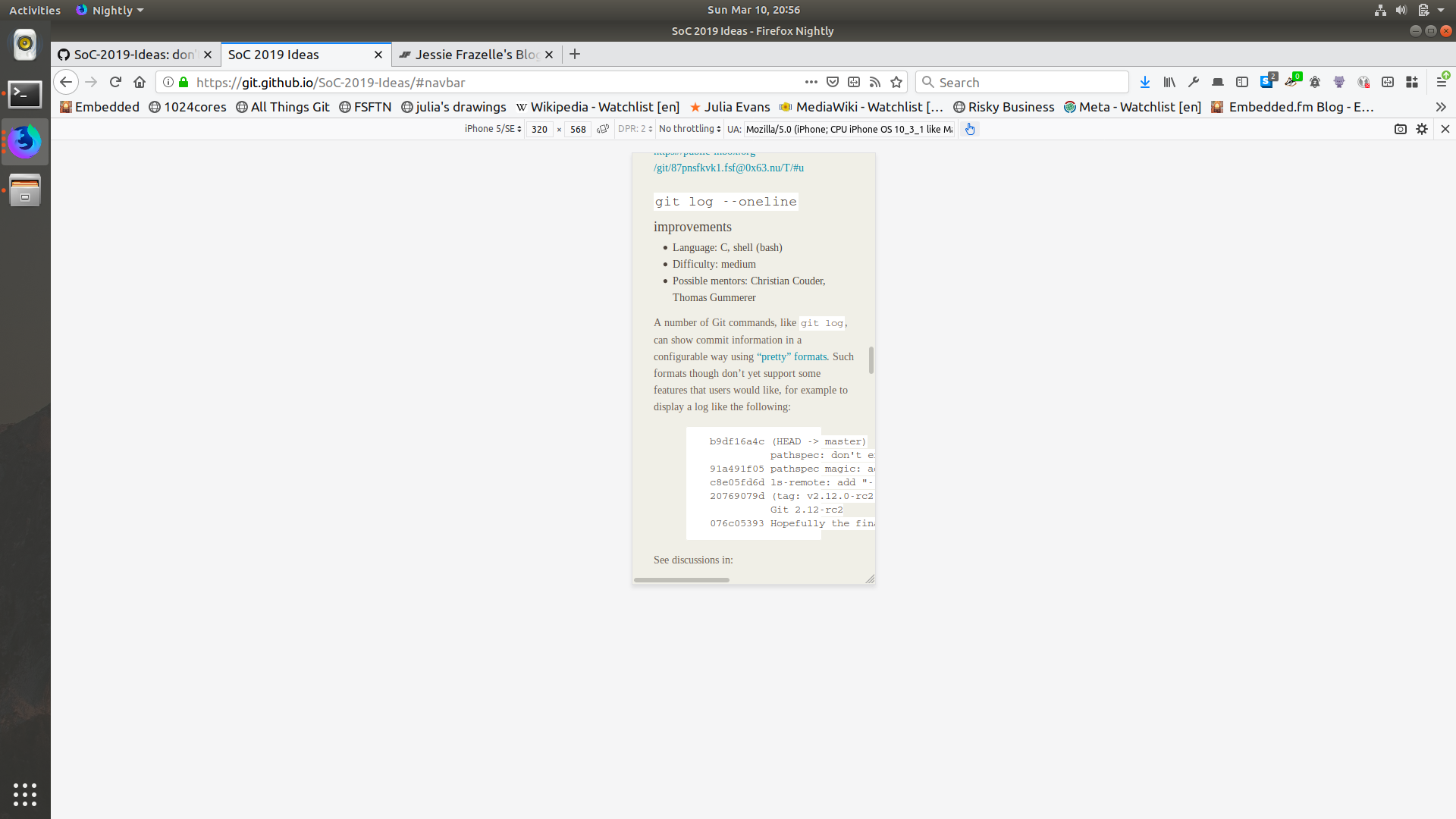

Note the scroll bar in the bottom of the page.
It would be nice to fix this by making the code blocks render in such a way that the code within the block is scrollable rather than the whole page being scrollable.
Note: Initially mentioned in https://github.com/git/git.github.io/pull/366#issuecomment-471316738
Contributor guide
No contributing guide indexed for this repository
First steps
- Read the whole issue, then the project's contributing guide.
- Comment on the issue to say you are picking it up — it saves two people doing the same work.
- Fork the repository and make your change on a branch.
- Open a pull request that references the issue number.
Research direction
Start with the “git log --oneline improvements” section on the linked Git Developer Pages site and reproduce the layout at the iPhone SE resolution shown in the screenshots. Inspect the responsive styles affecting code blocks; done means the code itself scrolls horizontally without creating page-wide overflow or empty space.
Written by the indexing model from the issue text.
Assessment
- Tech stack
- css
- Domain
- frontend, web-dev
- Issue type
- Bug
- Difficulty
- 3/5
- Estimated time
- 1-2 days
- Activity status
- Stale
- Clarity
- Mostly clear
- Newbie friendliness
- 35/100