formulahendry / formulahendry/vscode-code-runner
ts-node cannot load tsconfig.json correctly [Bug]
- Lingua principale
- TypeScript
- Stelle
- 2.4k
- Fork
- 351
- Metriche di merge delle PR
- Nessuna PR unita negli ultimi 30g
Descrizione
- VS Code Version: 1.44.0
- OS Version: macOS 10.15.4
- Code Runner Version: 0.9.17
**Describe the bug**
I encountered this problem in my typescript project.
In order to clearly illustrate this bug, I made a similar file structure in an empty folder.
Normally, the directory of tsconfig.json is the root directory of a typescript Project.
This is my config file:
```json
{
"compilerOptions": {
"module": "CommonJS",
"noImplicitReturns": true,
"noUnusedLocals": true,
"outDir": "lib",
"sourceMap": true,
"strict": true,
"target": "ES2018"
},
"compileOnSave": true
}
```
1.However, if code-runner.cwd is not set and code-runner.fileDirectoryAsCwd is false, it will use the path of root folder that is open in VS Code. And in this case, if tsconfig.json is in a subfolder, ts-node cannot load this configuration file automatically. (Notice, I have already set the target to ES2018)
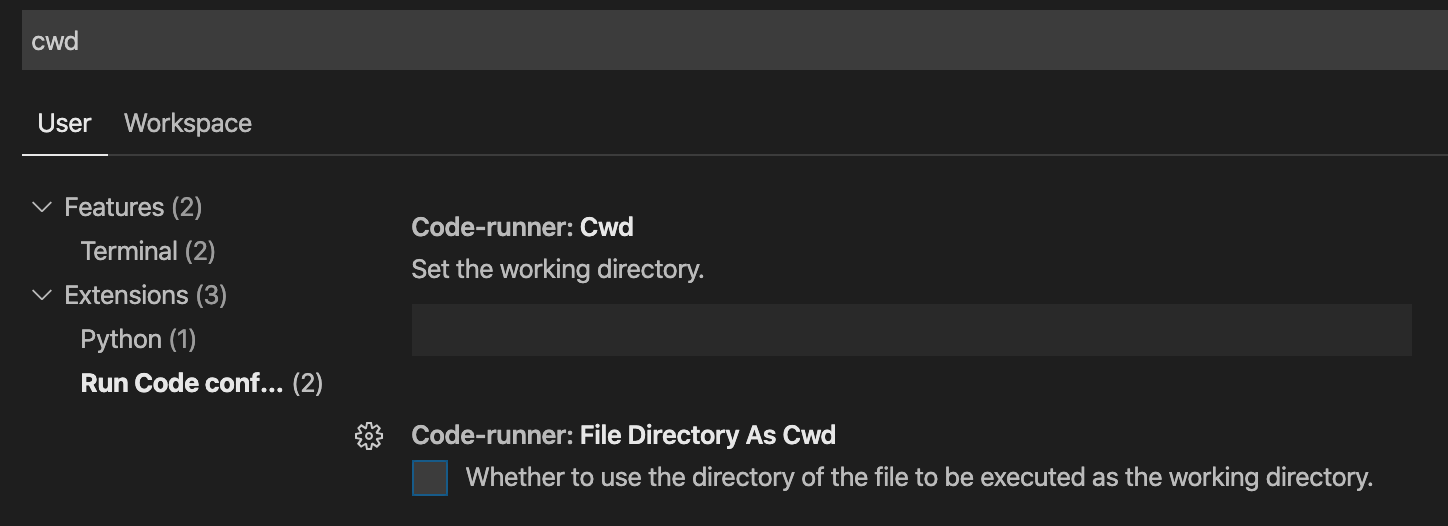

And I figured out this is maybe ts-node only load tsconfig.json from Cwd. But see the second case.
2.If code-runner.cwd is not set and code-runner.fileDirectoryAsCwd is true, and move tsconfig.json to the root directory instead of a subfolder, ts-node can still load the tsconfig.json even it is in the parent directory of Cwd when you run the .ts file in the subfolder.


So maybe when .fileDirectoryAsCwd is true, ts-node can automatically search tsconfig.json in the parent directory?? However, things aren't this easy.
3.If code-runner.cwd is not set and code-runner.fileDirectoryAsCwd is false, and tsconfig.json is in the root directory, now open the subfolder in the vscode and run the code, ts-node can still load tsconfig.json even Cwd is the directory of this subfolder and this config file is out of sight.
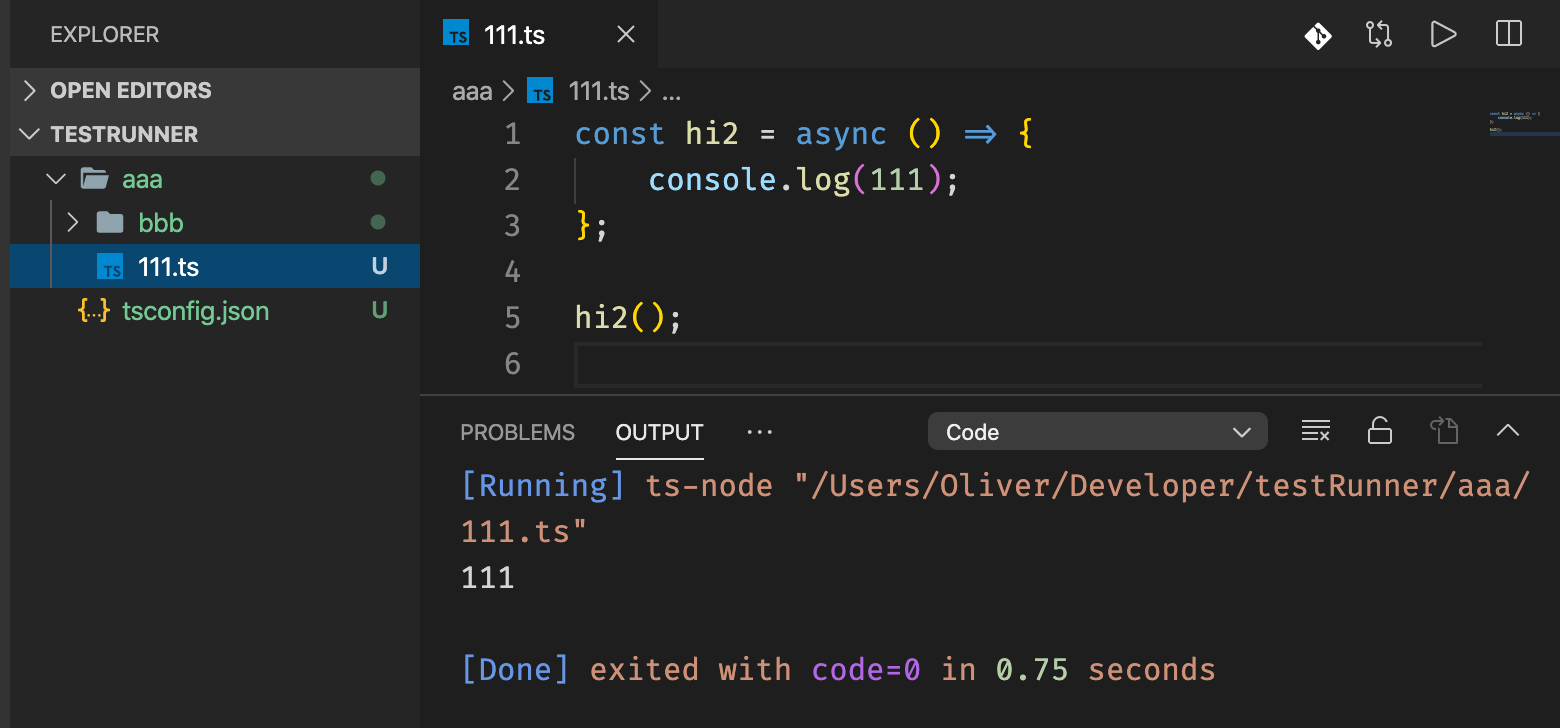

So please tell me, what is going on?
Guida per i contributori
Nessuna guida per i contributori indicizzata per questo repository
Direzione di ricerca
Riproduci le tre configurazioni descritte utilizzando le impostazioni di Code Runner, il progetto TypeScript annidato e il relativo tsconfig.json. Confronta il comportamento di ts-node quando code-runner.cwd e code-runner.fileDirectoryAsCwd variano; il lavoro è completo quando il comportamento di caricamento della configurazione è spiegato e l’incoerenza segnalata è risolta.
Scritto dal modello di indicizzazione a partire dal testo della issue.
Valutazione
- Stack tecnologico
- typescript, vscode
- Ambito
- developer-experience, devtools
- Tipo di issue
- Bug
- Difficoltà
- 4/5
- Tempo stimato
- 3-5 giorni
- Stato di attività
- Ferma
- Chiarezza
- Da chiarire
- Idoneità per principianti
- 35/100