firefox-devtools / firefox-devtools/vscode-firefox-debug
Extensions disabled
- Vorherrschende Sprache
- TypeScript
- Sterne
- 447
- Forks
- 76
- PR-Merge-Kennzahlen
- Keine gemergten PRs in 30 T.
Beschreibung
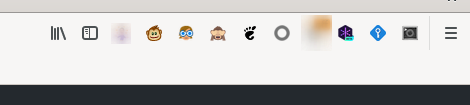
I have configured Firefox with `"firefox.profile": "default-release"`, which is my main profile. I have a bunch of extensions. When I start a debugging session from vscode, all those extensions disappear from the UI bar, although they seem enabled when I go to configuration:
Main firefox:
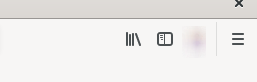
Copied profile:
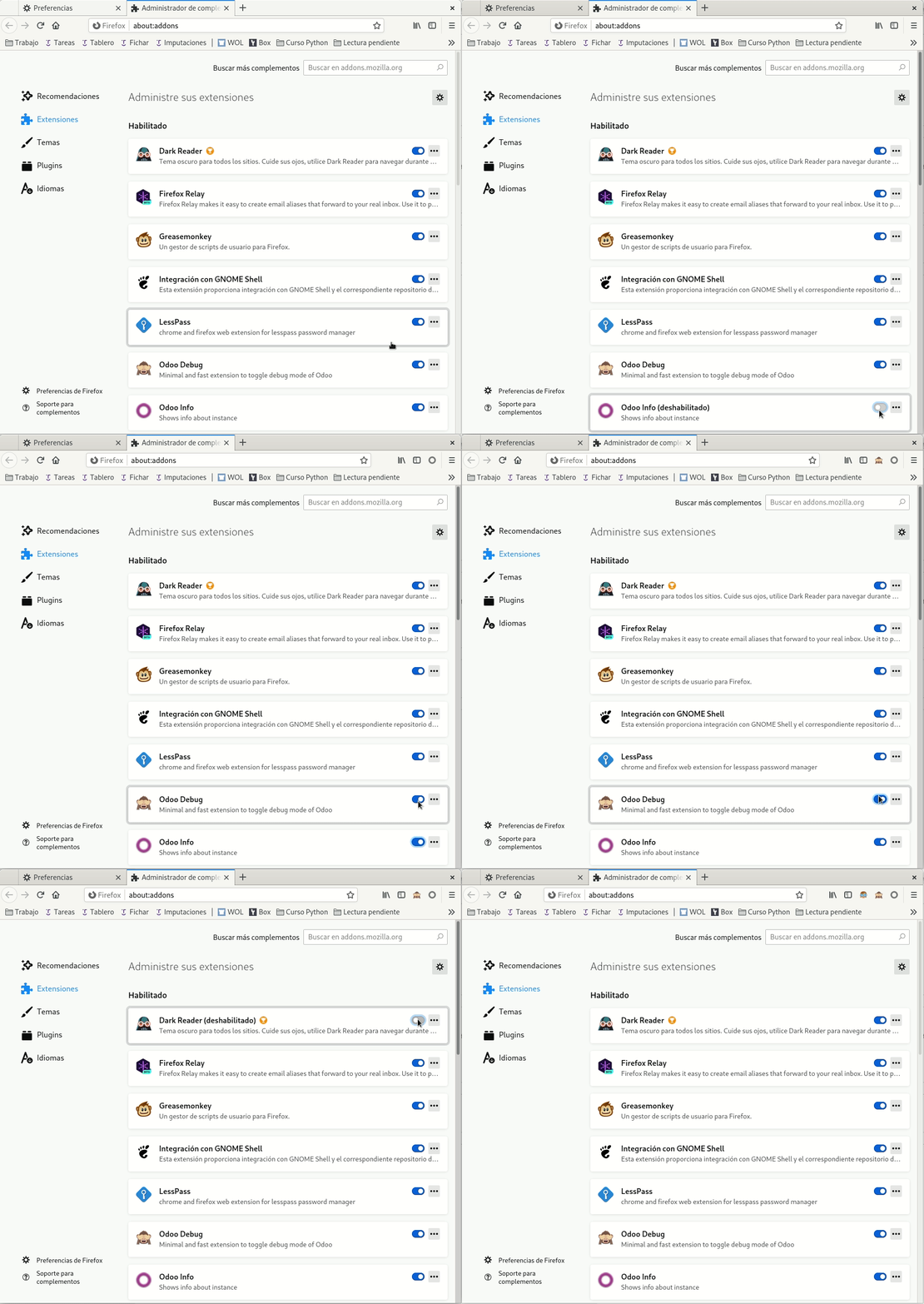
And when I go to extensions on that profile, they seem enabled, but they are not. If I toggle them twice, they start appearing:
I use those extensions for easier debugging, so I'd appreciate it a lot if they can be kept when copying the profile.
Note: when the copied Firefox appears, those extension icons appear there for a blink. Then they disappear.
Beitragsleitfaden
Rechercherichtung
Es werden im Issue keine Dateien, Tests oder Einstiegspunkte genannt. Reproduziere das Problem, indem du eine VS Code-Debugging-Sitzung mit dem konfigurierten Firefox-Profil startest, und verfolge anschließend den Startup-Pfad zum Kopieren des Profils; als erledigt gilt die Aufgabe, wenn das kopierte Profil seine aktivierten Erweiterungen und deren UI-Symbole beibehält, ohne dass ein Umschalten erforderlich ist.
Vom Indexierungsmodell aus dem Issue-Text verfasst.
Bewertung
- Tech-Stack
- typescript, vscode
- Bereich
- devtools, tooling
- Issue-Typ
- Bug
- Schwierigkeit
- 4/5
- Geschätzter Aufwand
- 3-5 Tage
- Aktivitätsstatus
- Veraltet
- Klarheit
- Größtenteils klar
- Anfängerfreundlichkeit
- 38/100