firefox-devtools / firefox-devtools/vscode-firefox-debug
Extensions disabled
- Dominant language
- TypeScript
- Stars
- 447
- Forks
- 76
- PR merge metrics
- No merged PRs in 30d
Description
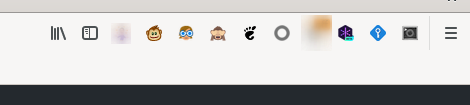
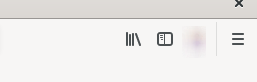
I have configured Firefox with `"firefox.profile": "default-release"`, which is my main profile. I have a bunch of extensions. When I start a debugging session from vscode, all those extensions disappear from the UI bar, although they seem enabled when I go to configuration:
Main firefox:
Copied profile:
And when I go to extensions on that profile, they seem enabled, but they are not. If I toggle them twice, they start appearing:
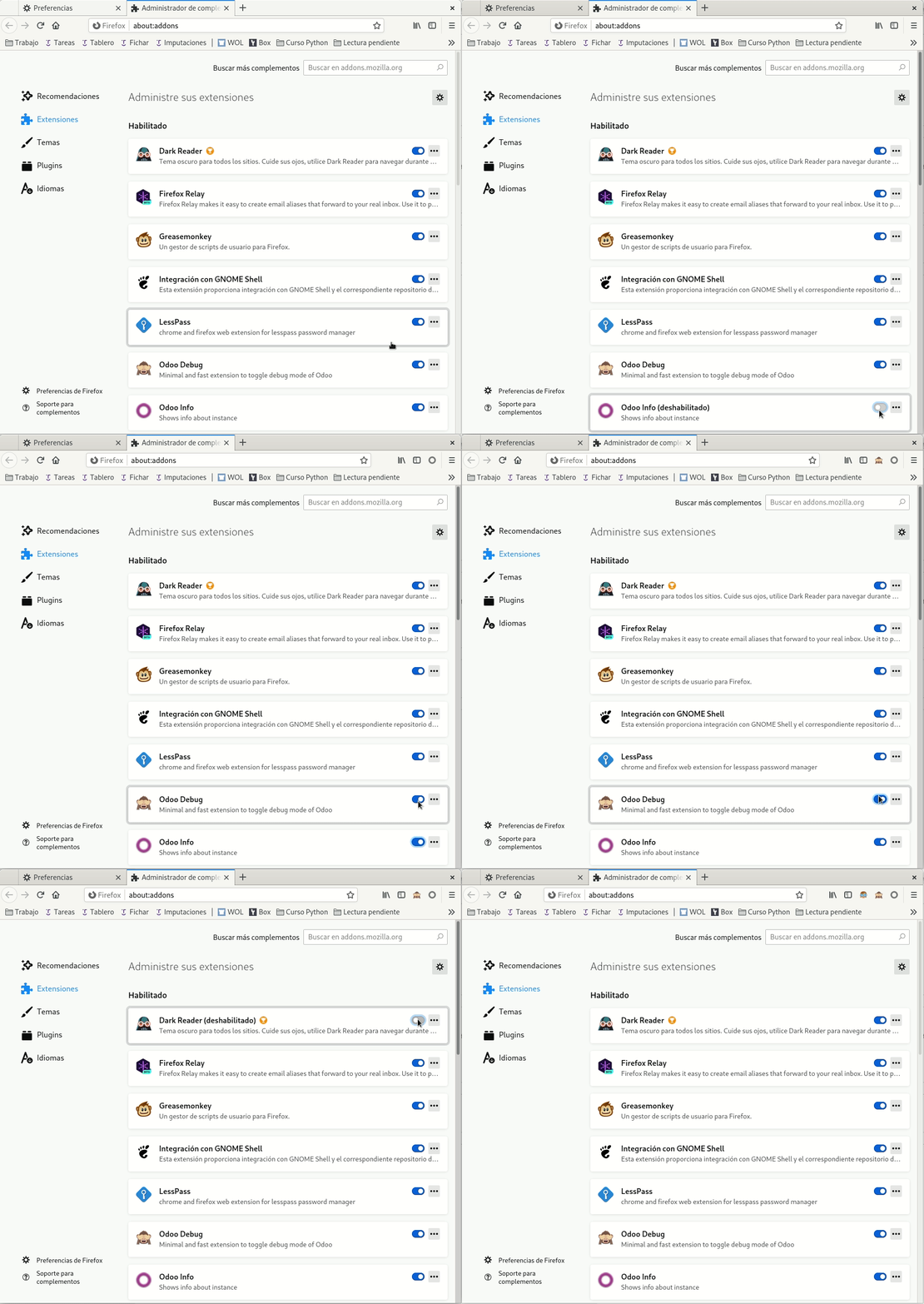
I use those extensions for easier debugging, so I'd appreciate it a lot if they can be kept when copying the profile.
Note: when the copied Firefox appears, those extension icons appear there for a blink. Then they disappear.
Contributor guide
Research direction
No files, tests, or entry points are named in the issue. Reproduce the problem by starting a VS Code debugging session with the configured Firefox profile, then trace the profile-copy startup path; done means the copied profile keeps its enabled extensions and their UI icons without requiring a toggle.
Written by the indexing model from the issue text.
Assessment
- Tech stack
- typescript, vscode
- Domain
- devtools, tooling
- Issue type
- Bug
- Difficulty
- 4/5
- Estimated time
- 3-5 days
- Activity status
- Stale
- Clarity
- Mostly clear
- Newbie friendliness
- 38/100