commitizen / commitizen/cz-cli
fonts on terminal appear as []
- 主要语言
- JavaScript
- 星标
- 17.5k
- 派生
- 566
- 平均合并
- 8 小时 16 分钟
- 30 天内合并 PR
- 1
描述
Not sure where to fit this in and spent the last few hours installing unholy amount of fonts to fix it.
I'm usuaully on a macOS machine but recently moved to Ubuntu 19.04. My system language and terminal encoding are:
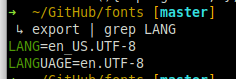
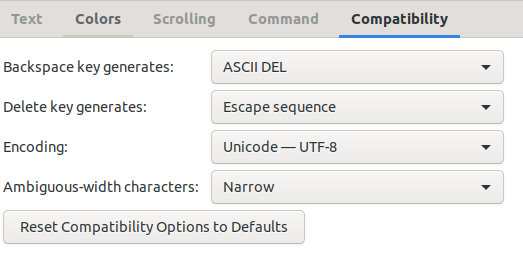
Yet when I run ```npx git-cz``` it appears as:
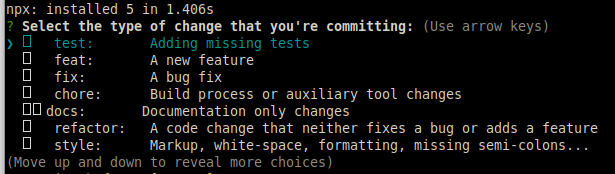
What could I be missing? What more information would be needed to help support this?
Thank you in advance for your time.
贡献指南
评估
这个 Issue 还没有评估数据。