apache / apache/dolphinscheduler-sdk-python
[impv] Auto create the whole task workspace to make the task the same workspace when running locally and on the DolphinScheduler platform
- Dominant language
- Python
- Stars
- 71
- Forks
- 26
- PR merge metrics
- No merged PRs in 30d
Description
For example, If I have the workspace like this: https://github.com/pytorch/examples/tree/main/word_language_model
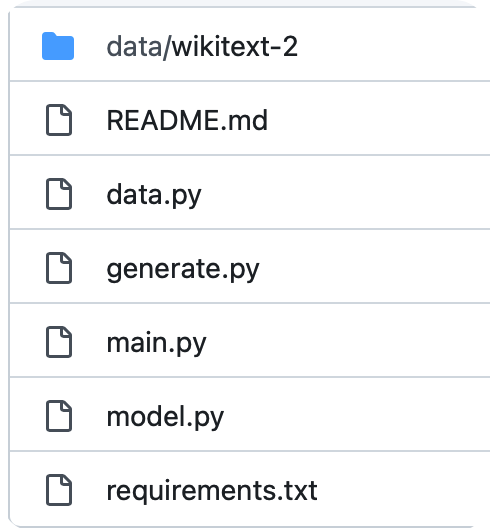
We can submit the task
```python
# [start workflow]
from pydolphinscheduler.core import Workflow
from pydolphinscheduler.core.resource import Resource, LocalResource
from pydolphinscheduler.tasks import Shell
with Workflow(
name="auto_resources_example",
) as workflow:
# [start use_exists_resources]
task_use_resource = Shell(
name="example",
command=f"python main.py --cuda",
auto_resource=True
)
# [end use_exists_resources]
workflow.run()
# [end workflow]
```
Then, all the files will be uploaded to the resource center.
And there is another best way to track the file version, If this is the git repository, we only record the git repository, version, and diff.
Then, we can reproduce the workspace in dolphinscheduler. (Inspired by ClearML)
So, After developing a project locally, we can directly submit it to DolphinScheduler and run it directly. Except for some inconsistent environment variables.
Contributor guide
Assessment
This issue has not been assessed yet.