tooltip: buggy when deployed as an Angular Element
- Lenguaje dominante
- TypeScript
- Estrellas
- 25k
- Forks
- 6.8k
- Merge medio
- 1 d 8 h
- PR fusionados (30 d)
- 91
Descripción
#### What is the expected behavior?
That tooltips are not buggy.
#### What is the current behavior?
Tooltips are buggy.
#### What are the steps to reproduce?
_app.module.ts_
`import { MatTooltipModule } from '@angular/material/tooltip';`
_somecomponent.component.html_
`
ÅPNE`
And then deploy the whole project as an Angular Element.
#### Which versions of Angular, Material, OS, TypeScript, browsers are affected?
Angular CLI: 7.3.6
Node: 10.15.2
OS: win32 x64
Angular: 7.2.10
@angular/material 7.3.5
typescript 3.1.1
Chrome Version 73.0.3683.86 (Official Build) (64-bit)
#### Is there anything else we should know?
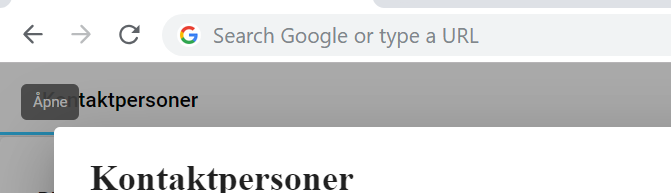
Every time i hover on the button, a small grey "blob" is added to a "row" under the address-field in my browser.

When i click the button, a "tick()" is triggered (because angular elements needs that without ngZone) and the row of grey blobs is replaced with the tooltip. It's in the wrong spot, but it's there. I suspect this has something to do with how "Angular Elements" work? Since the grey blobs were only "converted" to the tooltip after a "tick()"?
@levgaas posted the same issue a year ago, but did not specify how he managed to fix it: https://github.com/angular/material2/issues/11361
Guía de contribución
Línea de trabajo
Reproduce el problema usando app.module.ts, somecomponent.component.html, MatTooltipModule y matTooltip mientras implementas el proyecto como Angular Element. Empieza observando el comportamiento al pasar el cursor y al hacer clic en la configuración indicada de Angular 7.2.10 y Material 7.3.5. Se considera terminado cuando al pasar el cursor se produce un único tooltip correctamente posicionado, sin que se acumulen manchas grises ni sea necesario un tick() manual.
Escrito por el modelo de indexación a partir del texto del issue.
Evaluación
- Stack tecnológico
- angular, typescript
- Área
- frontend
- Tipo de issue
- Error
- Dificultad
- 4/5
- Tiempo estimado
- 3-5 días
- Estado de actividad
- Estancado
- Claridad
- Necesita aclaración
- Aptitud para principiantes
- 25/100