android / android/camera-samples
Aspect ratio not considering custom sized views / AutoFitSurfaceView is stretched
- Lingua principale
- Kotlin
- Stelle
- 5.5k
- Fork
- 2.4k
- Metriche di merge delle PR
- Nessuna PR unita negli ultimi 30g
Descrizione
Hi!
I'm developing an abstraction over the Camera2 API and found this sample to be very useful, so thanks!
I'm currently stuck with one issue though, and I can't seem to resolve that (since 2 days now), I keep finding old Camera (v1) related S/O threads and no answers in this repo's Issues/PRs.
My Preview (SurfaceView/TextureView) is stretched. Here's how it looks:
Preview (using the `AutoFitSurfaceView`)
Actual Photo with resizeMode/scaleType "cover"
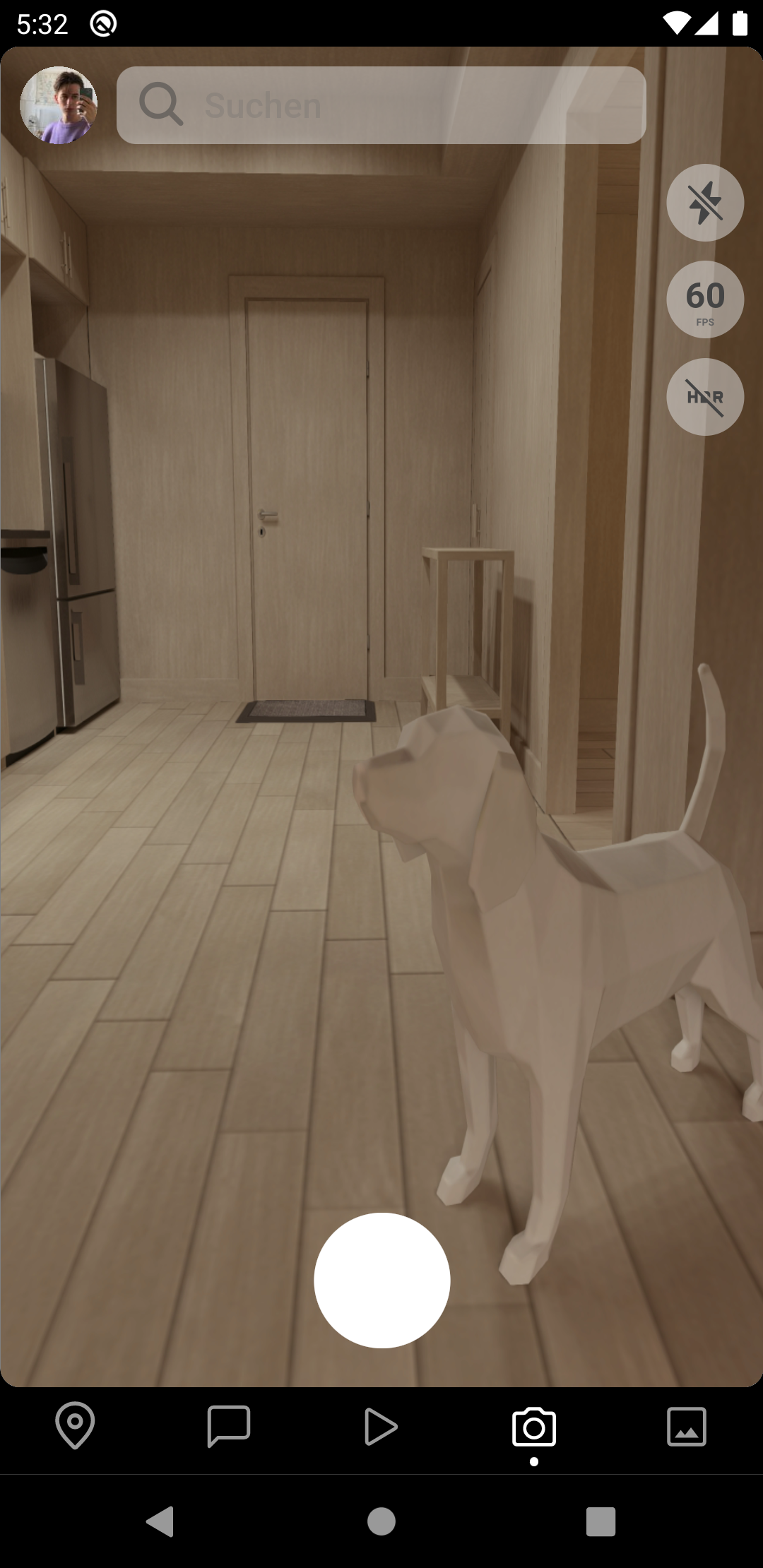

as you can see, the first image is really weirdly stretched while the photo being shot is actually in correct dimensions.
I'm _pretty_ sure that the cause of the problem is the `AutoFitSurfaceView` which only uses the display size for aspect ratio calculation, but that obviously doesn't work if the `SurfaceView` is not the same size as the phone display, as seen in my screenshot. (Bottom Bar & Status Bar takes away some space)
I thought maybe someone here would be so kind to help me out here. 😄
Thanks!
**EDIT**
Some extra context: I create the `AutoFitSurfaceView` in my custom view's `init`, but I also tried the `onAttachedToWindow` and got the same result. I don't have a Fragment or Activity in this context, since I'm writing a react native library.
Anyways, here's how I initialize the `AutoFitSurfaceView`:
```kt
class CameraView(context: Context) : FrameLayout(context) {
// ...
init {
// ...
surfaceView = AutoFitSurfaceView(context)
surfaceView.layoutParams = LayoutParams(
LayoutParams.MATCH_PARENT,
LayoutParams.MATCH_PARENT)
surfaceView.holder.addCallback(object: SurfaceHolder.Callback {
override fun surfaceDestroyed(holder: SurfaceHolder) = Unit
override fun surfaceChanged(holder: SurfaceHolder, format: Int, width: Int, height: Int) = Unit
override fun surfaceCreated(holder: SurfaceHolder) {
// Selects appropriate preview size and configures view finder
val previewSize = getPreviewOutputSize(surfaceView.display, characteristics, SurfaceHolder::class.java)
Log.d(REACT_CLASS, "View finder size: ${surfaceView.width} x ${surfaceView.height}")
Log.d(REACT_CLASS, "Selected preview size: $previewSize")
surfaceView.setAspectRatio(previewSize.width, previewSize.height)
// To ensure that size is set, initialize camera in the view's thread with the found previewSize
surfaceView.post { configureSession(previewSize) }
}
})
addView(surfaceView)
// ...
```
Also, I found [this answer on a similar Stackoverflow question](https://stackoverflow.com/a/22758359/5281431) which creates a custom subclass of the SurfaceView which should automatically resize with the Camera - but this doesn't use the Camera2 API, I think that's the old Camera 1 API which won't work for me.
Guida per i contributori
Apri la guida per i contributori
Direzione di ricerca
Inizia con AutoFitSurfaceView e l’inizializzazione di CameraView mostrata nell’issue, quindi segui getPreviewOutputSize e la chiamata a setAspectRatio. Riproduci l’anteprima deformata con una view di dimensioni personalizzate e confronta le sue dimensioni con quelle della dimensione di anteprima selezionata; il lavoro è completato quando l’anteprima mantiene le proporzioni dell’immagine della fotocamera in quel layout.
Scritto dal modello di indicizzazione a partire dal testo della issue.
Valutazione
- Stack tecnologico
- android, kotlin
- Ambito
- mobile
- Tipo di issue
- Bug
- Difficoltà
- 3/5
- Tempo stimato
- 1-2 giorni
- Stato di attività
- Ferma
- Chiarezza
- Da chiarire
- Idoneità per principianti
- 35/100