PySimpleGUI / PySimpleGUI/PySimpleGUI
[Enhancement] PySimpleGUI does not work in native Android APK applications
Nessuno ha ancora preso questa issue.
- Lingua principale
- Python
- Stelle
- 13.8k
- Fork
- 1.8k
- Metriche di merge delle PR
- Nessuna PR unita negli ultimi 30g
Descrizione
Type of Issue (Enhancement, Error, Bug, Question)
Enhancement
Operating System
Windows 10 (working fine) Same code on Android 12 (native APK not working, but PyDroid runs it fine)
PySimpleGUI Port (tkinter, Qt, Wx, Web)
PySimpleGUI on Tkinter
Versions
Python version: 3.10.5 (tags/v3.10.5:f377153, Jun 6 2022, 16:14:13) [MSC v.1929 64 bit (AMD64)]
port: tkinter
tkinter version: 8.6.12
PySimpleGUI version: 4.60.4
GUI Version (tkinter (sg.tclversion_detailed), PySide2, WxPython, Remi)
No matter what I tried, I could not get the tkinter version call to work, but with the nature of the issue, probably irrelevant anyway.
Your Experience In Months or Years (optional)
Years Python programming experience - 5+ (many thousands of lines of code as part of the software build archival system at Qualcomm, now retired and coding for pleasure - thankfully no more deadlines!!!)
Years Programming experience overall - 33+ (M$oft Windows, Linux, many flavors of *nix, VAX/VMS, high level as well as device drivers in embedded systems, X Windows running on proprietary hardware, proprietary language running inside a proprietary embedded graphics environment, even 6502 and 8088 assembly language hardware drivers)
Have used another Python GUI Framework? (tkinter, Qt, etc) (yes/no is fine) no
Anything else you think would be helpful? no
Troubleshooting
These items may solve your problem. Please check those you've done by changing - [ ] to - [X]
- [x ] Searched main docs for your problem www.PySimpleGUI.org
- [ x] Looked for Demo Programs that are similar to your goal. It is recommend you use the Demo Browser! Demos.PySimpleGUI.org
- If not tkinter - looked for Demo Programs for specific port
- For non tkinter - Looked at readme for your specific port if not PySimpleGUI (Qt, WX, Remi)
- [ x] Run your program outside of your debugger (from a command line)
- [ x] Searched through Issues (open and closed) to see if already reported Issues.PySimpleGUI.org
- [ x] Have upgraded to the latest release of PySimpleGUI on PyPI (lastest official version)
- Tried using the PySimpleGUI.py file on GitHub. Your problem may have already been fixed but not released
Detailed Description
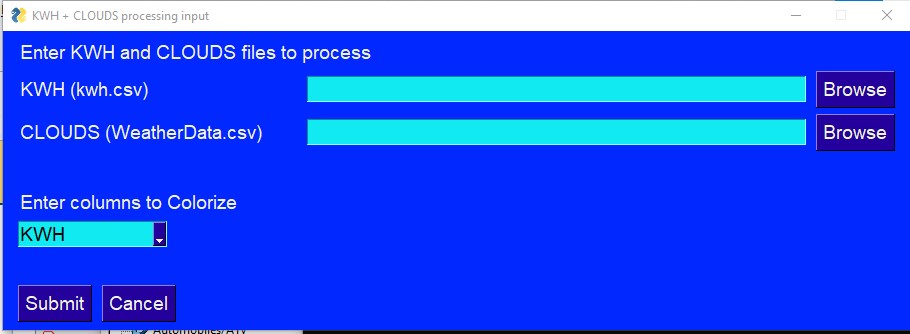
PySimpleGUI very simplistic program to get user input data using File Browser Input and dropdown menu chooser and "Loading" widget while processing years worth of input data works perfectly on Windows 10 and also works perfectly on Android if launched from within PyDroid. When built as a standalone APK executable it crashes with a Traceback showing that it could not resolve "import tkinter". If I added tkinter as a requirement in buildozer.spec file, buildozer fails to even create an executable because it cannot resolve the tkinter package. All of this was proven with a very simplified PSG program pared down to one call of "sg.popup('Vanilla popup', any_key_closes=True)" and nothing else in the program.
Code To Duplicate
Code not necessary. Mike said it was not yet implemented in an email to me.
Watcha Makin?
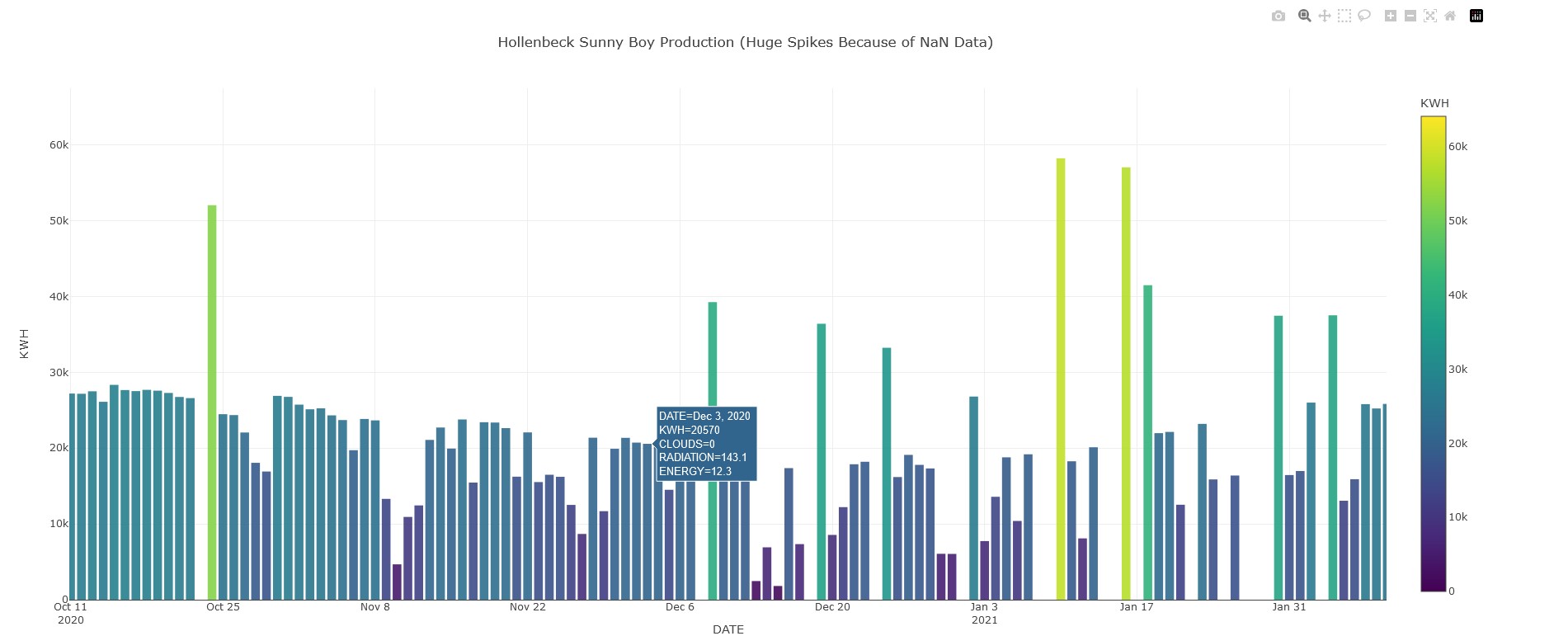
I have been taking the PySimpleGUI course via Udemy. The end goal is to produce an Android App that takes a CSV file of output of a solar inverter plus a corresponding date range of weather data and produces an output of a plot using plotly and pandas, with PySimpleGUI providing the user interface to choose the data files and uses a "Loading" widget while processing several years worth of input data. I have this running on Windows 10 and on Android running the python in PyDroid IDE. I am ecstatic about the result and having found PySimpleGUI.


Guida per i contributori
Apri la guida per i contributori
Come iniziare
- Leggi tutta la issue e poi la guida ai contributi del progetto.
- Commenta sulla issue per dire che te ne occupi tu — evita che due persone facciano lo stesso lavoro.
- Fai un fork del repository e lavora su un branch.
- Apri una pull request che faccia riferimento al numero della issue.
Direzione di ricerca
Start with the minimal sg.popup('Vanilla popup', any_key_closes=True) reproduction and the buildozer.spec requirement mentioned in the report. Compare the working PyDroid case with the native APK failure, especially the unresolved tkinter import. Done would require a defined and tested path for PySimpleGUI on native Android APKs, but the issue does not name repository files or tests.
Scritto dal modello di indicizzazione a partire dal testo della issue.
Valutazione
- Stack tecnologico
- android, python
- Ambito
- frontend, mobile-dev
- Tipo di issue
- Funzionalità
- Difficoltà
- 5/5
- Tempo stimato
- Più di una settimana
- Stato di attività
- Ferma
- Chiarezza
- Da chiarire
- Idoneità per principianti
- 25/100