NVIDIAGameWorks / NVIDIAGameWorks/kaolin
DIB-R mesh visualization issue
Nobody has claimed this yet.
- Dominant language
- Python
- Stars
- 5.2k
- Forks
- 629
- Avg merge
- 53m
- Merged PRs (30d)
- 2
Description
Hi @Caenorst,
I'm working on a 3D mesh reconstruction task and until now I was working with the SoftRasterizer renderer. I've tried some months ago the DIB-R renderer without having great success and I decided to leave it there since I've noticed you and your team were heavily updating the Kaolin library during that period. In the past two weeks, I've started using the Kaolin library and the DIB-R renderer together with a 3d reconstruction framework we developed recently. We are using icosaspheres as starting shapes and deform them into a particular object category. Unfortunately, in the visualization process I noticed that the shape has some strange effects just like the shape is transparent and so in some viewing angles we see the back faces of the object that should be not visible. In the images below you can see an example of our result on the car class:
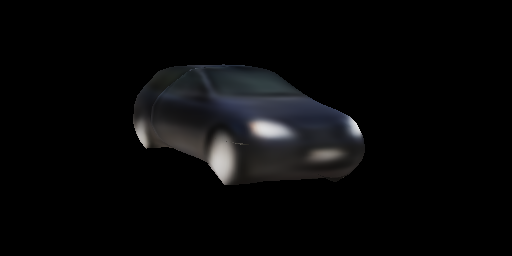
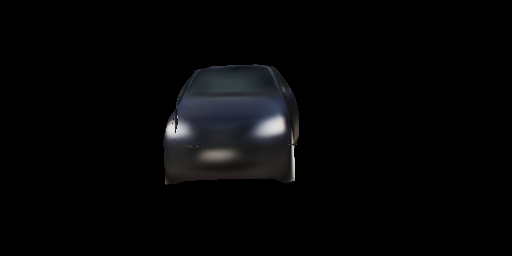
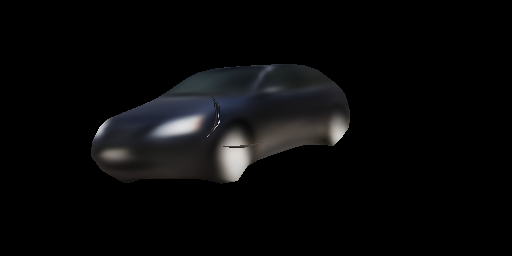
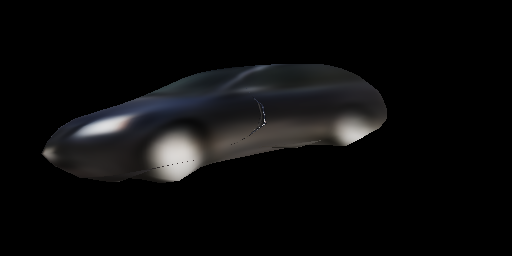

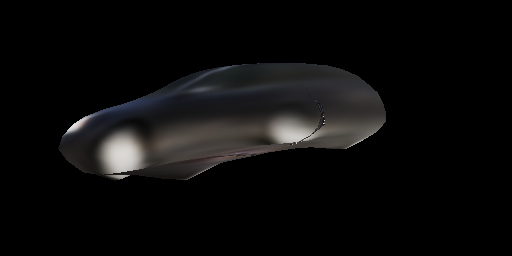
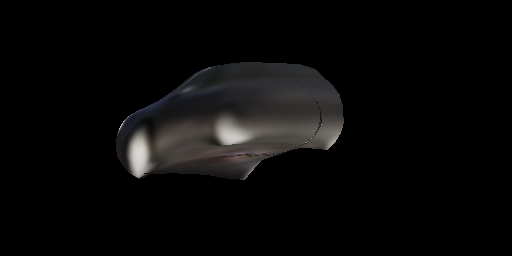
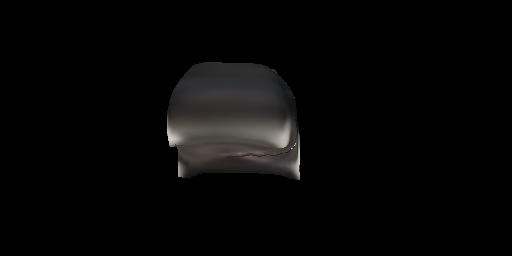


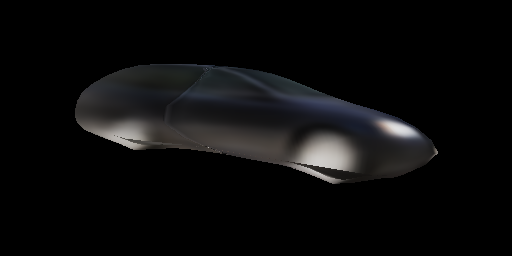
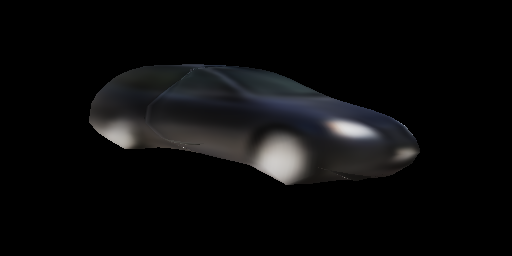
You can see the visualization issue from the second image.
I couldn't find a specific cause of this problem (with SoftRas it's all fine) even after trying different values of sigmainv or boxlen parameters in the dibr_rasterization function. Below I share the code I use for rendering the deformed objects:
face_uvs = index_vertices_by_faces(self.uv, fs)
face_vertices_camera, face_vertices_image, face_normals = prepare_vertices(vs, fs, self.R, self.t, self.K, self.orig_size)
face_attributes = [torch.ones((*face_uvs.shape[:-1], 1), device=face_uvs.device, dtype=face_uvs.dtype),
                             face_uvs]
(texmask, texcoord), improb, imfaceidx = dibr_rasterization(self.height, self.width,
                                                            face_vertices_camera[:, :, :, 2],
                                                            face_vertices_image,
                                                            face_attributes,
                                                            face_normals[:, :, -1],
                                                            boxlen=0.1)
texcolor = texture_mapping(texcoord, textures, mode='bilinear')
img_rgb = torch.clamp(texcolor * texmask, 0, 1)
I've implemented by myself a perspective camera projection instead of the field of view based one for the prepare_vertices function and I share also the two functions I modified in your library in order to use the same perspective projection used with SoftRas:
# In /kaolin/render/camera.py
def rotate_translate_points_extrinsic(points, camera_rot, camera_trans):
    r"""rotate and translate 3D points on based on rotation matrix and transformation matrix.
    Formula is  :math:`\text{P_new} = (R * \text{P_old}) + T`
    Args:
        points (torch.FloatTensor): 3D points, of shape :math:`(\text{batch_size}, \text{num_points}, 3)`.
        camera_rot (torch.FloatTensor): rotation matrix, of shape :math:`(\text{batch_size}, 3, 3)`.
        camera_trans (torch.FloatTensor): translation matrix, of shape :math:`(\text{batch_size}, 3, 1)`.
    Returns:
        (torch.FloatTensor): 3D points in new rotation, of same shape than `points`.
    """
    camera_rot = camera_rot.permute(0, 2, 1)
    output_points = torch.matmul(points, camera_rot) + camera_trans
    return output_points

def perspective_camera_intrinsic(points, camera_proj, orig_size=256.):
    r"""Projects 3D points on 2D images in perspective projection mode.
    Args:
        points (torch.FloatTensor):
            3D points in camera coordinate, of shape :math:`(\text{batch_size}, \text{num_points}, 3)`.
        camera_proj (torch.FloatTensor): projection matrix of shape :math:`(3, 3)`.
    Returns:
        (torch.FloatTensor):
            2D points on image plane of shape :math:`(\text{batch_size}, \text{num_points}, 2)`.
    """
    x, y, z = points[:, :, 0], points[:, :, 1], points[:, :, 2]
    x_ = x / (z + 1e-9)
    y_ = y / (z + 1e-9)
    verts = torch.stack([x_, y_, torch.ones_like(z)], dim=-1)
    verts = torch.matmul(verts, camera_proj.transpose(1, 2))
    u, v = verts[:, :, 0], verts[:, :, 1]
    v = orig_size - v
    # map u,v from [0, img_size] to [-1, 1] to use by the renderer
    u = 2 * (u - orig_size / 2.) / orig_size
    v = 2 * (v - orig_size / 2.) / orig_size
    projected_2d_points = torch.stack([u, v], dim=-1)
    return projected_2d_points

# In /kaolin/render/mesh/utils.py
def prepare_vertices(vertices, faces, camera_rot, camera_trans, camera_proj, orig_size):
    r"""Wrapper function to move and project vertices to cameras then index them with faces.
    Args:
        vertices (torch.Tensor):
            the meshes vertices, of shape :math:`(\text{batch_size}, \text{num_vertices}, 3)`.
        faces (torch.LongTensor):
            the meshes faces, of shape :math:`(\text{num_faces}, \text{face_size})`.
        camera_rot (torch.Tensor):
            the camera rotation matrices,
            of shape :math:`(\text{batch_size}, 3, 3)`.
        camera_trans (torch.Tensor):
            the camera translation vectors,
            of  shape :math:`(\text{batch_size}, 3)`.
        camera_proj (torch.Tensor):
            the camera projection vector, of shape :math:`(3, 1)`.
    Returns:
        (torch.Tensor, torch.Tensor, torch.Tensor):
            The vertices in camera coordinate indexed by faces,
            of shape :math:`(\text{batch_size}, \text{num_faces}, \text{face_size}, 3)`.
            The vertices in camera plan coordinate indexed by faces,
            of shape :math:`(\text{batch_size}, \text{num_faces}, \text{face_size}, 2)`.
            The face normals, of shape :math:`(\text{batch_size}, \text{num_faces})`.
    """
    # vertices_camera = camera.rotate_translate_points(vertices, camera_rot, camera_trans)
    vertices_camera = camera.rotate_translate_points_extrinsic(vertices, camera_rot, camera_trans)
    # vertices_image = camera.perspective_camera(vertices_camera, camera_proj)
    vertices_image = camera.perspective_camera_intrinsic(vertices_camera, camera_proj, orig_size)
    face_vertices_camera = ops.mesh.index_vertices_by_faces(vertices_camera, faces)
    face_vertices_image = ops.mesh.index_vertices_by_faces(vertices_image, faces)
    face_normals = ops.mesh.face_normals(face_vertices_camera, unit=True)
    return face_vertices_camera, face_vertices_image, face_normals
Thank you in advance for your time and response.
Alessandro
Contributor guide
First steps
- Read the whole issue, then the project's contributing guide.
- Comment on the issue to say you are picking it up — it saves two people doing the same work.
- Fork the repository and make your change on a branch.
- Open a pull request that references the issue number.
Research direction
Start with the DIB-R call to dibr_rasterization and the modified functions in kaolin/render/camera.py and kaolin/render/mesh/utils.py. Reproduce the supplied rendering sequence and compare it with SoftRasterizer, including the custom perspective projection and parameters shown. Done would require identifying the cause of the transparent-looking views and confirming that the back faces no longer appear in the provided camera sequence.
Written by the indexing model from the issue text.
Assessment
- Tech stack
- python, pytorch
- Domain
- computer-graphics
- Issue type
- Bug
- Difficulty
- 4/5
- Estimated time
- 3-5 days
- Activity status
- Stale
- Clarity
- Needs clarification
- Newbie friendliness
- 30/100