MaterialDesignInXAML / MaterialDesignInXAML/MaterialDesignInXamlToolkit
Display Problem in DataGrid Rows When i set AlternatingRowBackground
未关闭
还没有人认领这个 Issue。
bug
up-for-grabs
- 主要语言
- C#
- 星标
- 16.3k
- 派生
- 3.5k
- 平均合并
- 1 天 22 小时
- 30 天内合并 PR
- 8
描述
Hi Guys.
Thanks a lot for this brilliant UserControl Set.
That was awesome for my usage.
There is an issue in mouse over on DataGrid Style when i set AlternatingRowBackground:
Here is my Code:
        DataGrid.AutoGenerateColumns = true;
        DataGrid.AlternationCount = 2;
        DataGrid.SelectionMode = DataGridSelectionMode.Single;
        DataGrid.SelectionUnit = DataGridSelectionUnit.FullRow;
        DataGrid.IsReadOnly = true;
        DataGrid.AlternatingRowBackground = new SolidColorBrush(Color.FromRgb(240, 240, 240));
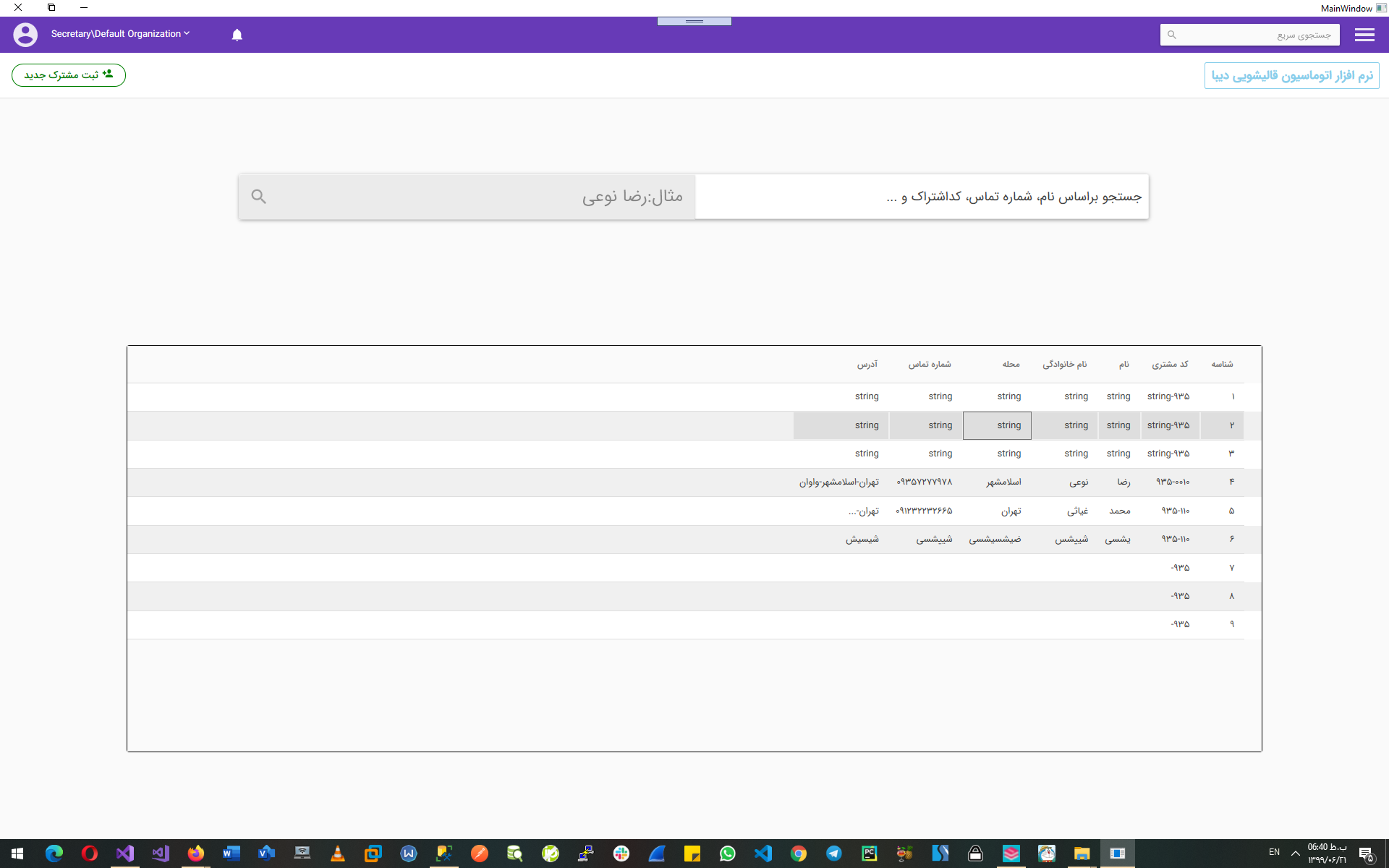
Please resolve this problem. Thanks Again.
贡献指南
从这里开始
- 先读完整个 Issue,再读项目的贡献指南。
- 在 Issue 下留言说明你要接手 —— 这能避免两个人做同样的事。
- Fork 仓库,在一个分支上完成修改。
- 提交 Pull Request,并在描述里引用这个 Issue 编号。
调研方向
报告提供了 WPF DataGrid 配置和屏幕截图,但没有指出仓库文件或测试。启用 AlternatingRowBackground 后重现鼠标悬停行为,然后跟踪 DataGrid 样式的入口点,并验证交替行是否保留预期的悬停外观。
由索引模型根据 Issue 内容生成。
评估
- 技术栈
- csharp
- 领域
- design, desktop
- Issue 类型
- 缺陷
- 难度
- 3/5
- 预计耗时
- 1-2 天
- 活跃度
- 停滞
- 描述清晰度
- 基本清楚
- 新手友好度
- 35/100