MaterialDesignInXAML / MaterialDesignInXAML/MaterialDesignInXamlToolkit
DatePicker DPI Awareness Issue
Nobody has claimed this yet.
- Dominant language
- C#
- Stars
- 16.3k
- Forks
- 3.5k
- Avg merge
- 1d 22h
- Merged PRs (30d)
- 8
Description
Hello,
I'm using the lib in a WPF app with PerMonitorV2 DPI awareness enabled. Things all seem fine, until I use the DatePicker control.
The popup appears blurry and has not been scaled properly. The textbox on the main page displays fine.
I have two DatePickers. I've set the first one to use the standard WPF style, and the second one to use the material style. The standard one is fine, the material style is not.
My code is:
`
`
Without the popups open:
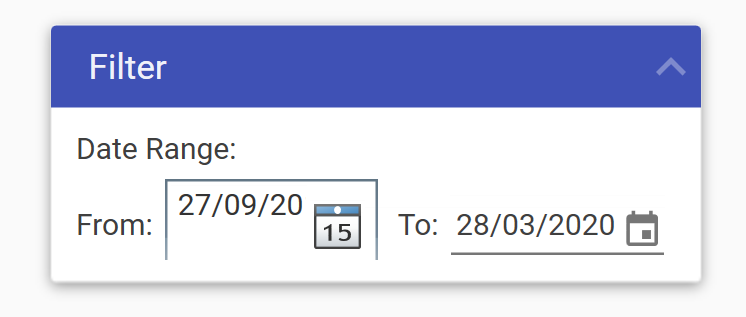
WPF Style:
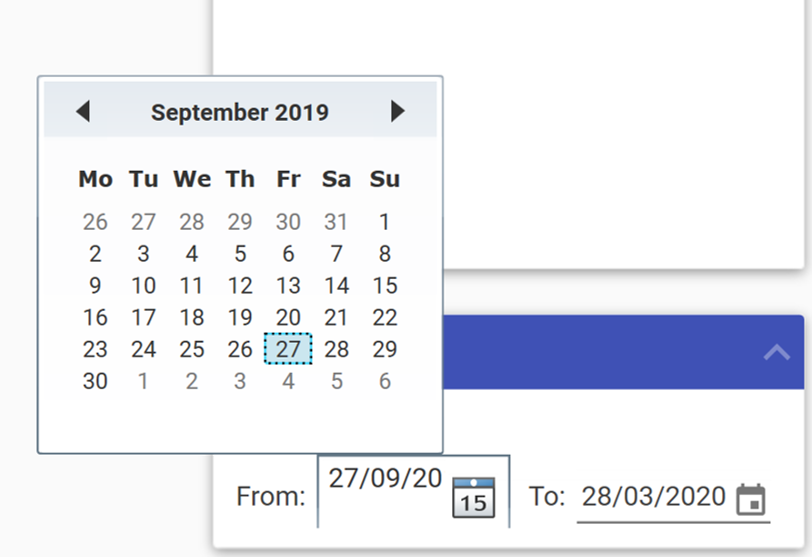
Material Style:
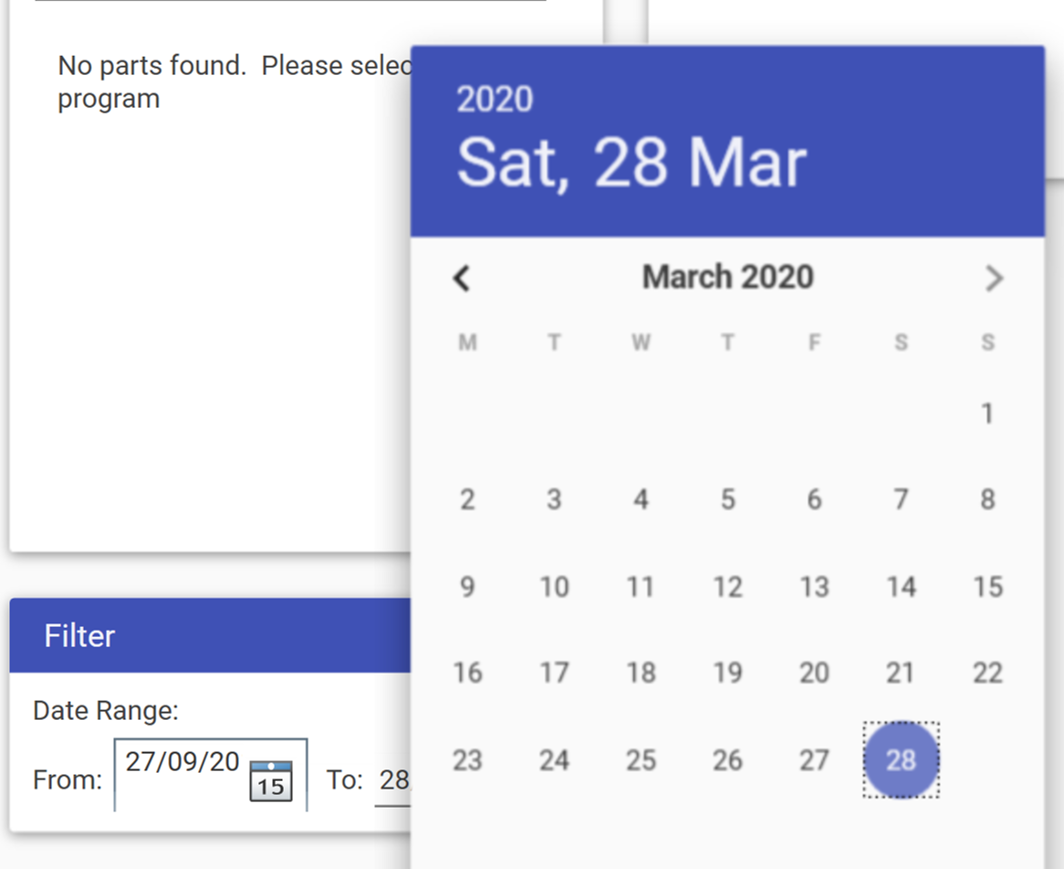
Please forgive me, I don't know if this is something I've done, or is a bug in the theme!
Thanks
Contributor guide
First steps
- Read the whole issue, then the project's contributing guide.
- Comment on the issue to say you are picking it up — it saves two people doing the same work.
- Fork the repository and make your change on a branch.
- Open a pull request that references the issue number.
Research direction
Start with the provided WPF XAML reproducer and compare the standard and material DatePicker popup behavior under PerMonitorV2 DPI awareness. Done means the material-style popup is scaled correctly and is no longer blurry; the issue does not name a source file or test to run.
Written by the indexing model from the issue text.
Assessment
- Tech stack
- csharp
- Domain
- desktop
- Issue type
- Bug
- Difficulty
- 4/5
- Estimated time
- 3-5 days
- Activity status
- Stale
- Clarity
- Needs clarification
- Newbie friendliness
- 30/100