本地开发无法通过本机配置的域名访问
- Dominant language
- No language data
- Stars
- 1
- Forks
- 0
- PR merge metrics
- No merged PRs in 30d
Description
**bug描述**
本地启动项目,只能通过ip访问项目,无法通过 hosts 中配置的域名访问
**步骤复现**
出现问题的前置步骤
1. 在 hosts 中配置 `127.0.0.1 xxx.com`
2. 启动项目
3. 通过 xxx.com:3005 访问项目
4. 提示 `Invalid Host header`
**期望的改进效果**
通过 hosts 中配置的域名可访问项目
**屏幕截图**
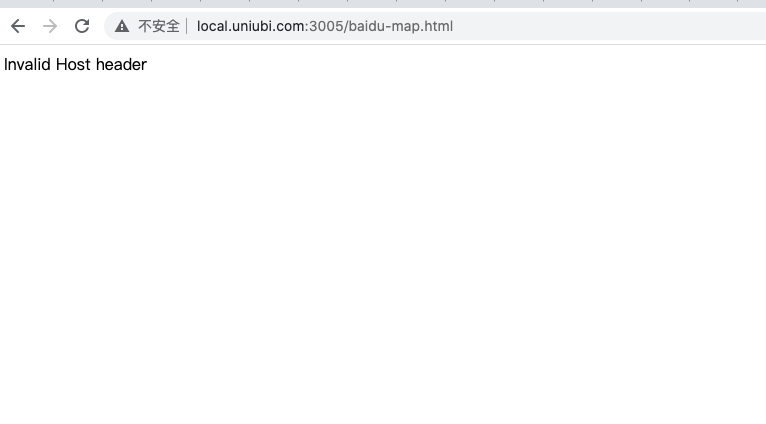
**运行环境 (务必填写以便于我们复现):**
- OS: [macOS 11.3]
- Browser [chrome]
- Version [91]
**开发工具版本 (easyv -V查看):**
- @easyv/cli: [1.4.0]
- @easyv/react-component-builder: [0.11.9]
**其他信息**
在此处添加有关该问题的任何其他上下文。
Contributor guide
No contributing guide indexed for this repository
Research direction
Start by reproducing the issue with the @easyv/cli 1.4.0 development setup, using a hosts entry for xxx.com and port 3005. Locate the host validation that produces “Invalid Host header”; done means the configured local domain loads successfully while direct IP access still works.
Written by the indexing model from the issue text.
Assessment
- Tech stack
- react
- Domain
- cli
- Issue type
- Bug
- Difficulty
- 3/5
- Estimated time
- 1-2 days
- Activity status
- Stale
- Clarity
- Mostly clear
- Newbie friendliness
- 35/100