Not obvious to user that Fusion Login not available when not on site or connected to VPN
- Dominant language
- Scala
- Stars
- 301
- Forks
- 76
- PR merge metrics
- No merged PRs in 30d
Description
**Describe the bug**
BBP's OpenID Connect auth server is only available onsite or on the VPN. However, in Fusion the Login dropdown button with the BlueBrain auth provider is still listed and clicking on it has no visible effect to the user. In the background the network request is pending and only when it times out will an error message be displayed to the user (after ~20 seconds).
**What part of Nexus is affected**
- [x] Fusion
- [ ] Delta
- [ ] CLI
- [ ] Documentation
**To Reproduce**
Steps to reproduce the behavior, e.g. for Fusion:
1. Go to Nexus Fusion whilst offsite and not connected to the VPN
2. Click on 'Login'->'BlueBrain'
3. Observe how the dropdown closes but there is not indication to the user that anything is happening
4. Continue waiting
5. Observe how eventually an error message appears as seen in the screenshot below
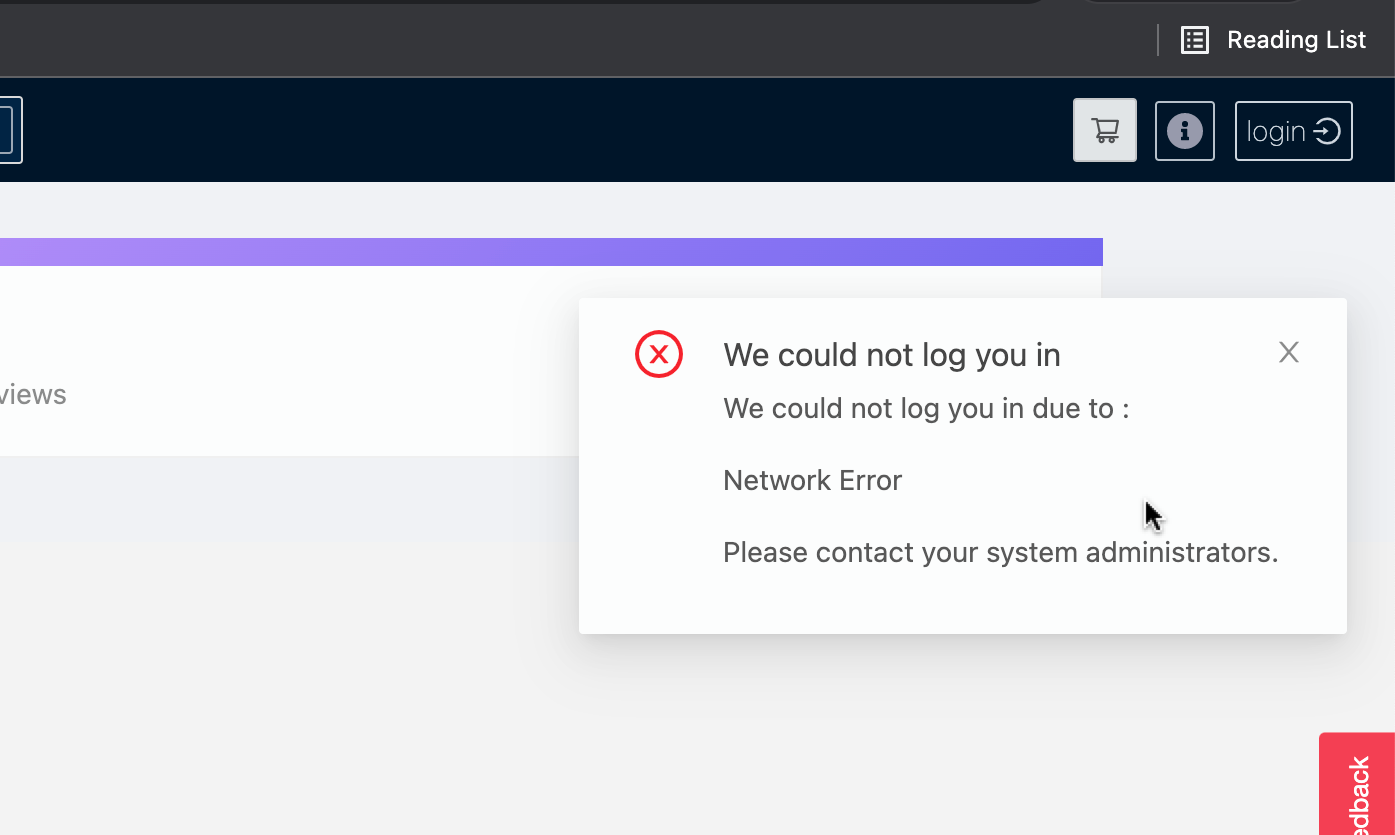
**Expected behavior**
1. When user clicks to login to auth provider, the login button will indicate that something that it is 'loading'
2. If no response from the server in 5 seconds, display message stating that it is taking longer than expected to connect to the authentication provider, check you are connection.
"This is taking a while...
It is taking longer than expected to connect to your authentication provider...."
3. Show error message after timeout similar to before indicating that there was an error but hint about connection to VPN.
"We could not log you in
We didn't hear back from your authentication provider. Check you network connection, you may need to be on the VPN to access."
**API calls (requests/responses)**
If applicable, add the minimum requests/responses to help explain your problem.
**Screenshots**
If applicable, add screenshots to help explain your problem.
**Additional context**
Add any other context about the problem here.
Contributor guide
Research direction
Start in the Fusion login dropdown and trace the BlueBrain authentication-provider flow when the request receives no response. Reproduce while offsite and disconnected from the VPN, then verify that loading feedback, the five-second slow-connection message, and the final VPN-related timeout error appear as described.
Written by the indexing model from the issue text.
Assessment
- Domain
- frontend
- Issue type
- Bug
- Difficulty
- 3/5
- Estimated time
- 1-2 days
- Activity status
- Stale
- Clarity
- Mostly clear
- Newbie friendliness
- 35/100