5sControl / 5sControl/5s-frontend
[6h] Изменить механику выделения области
- 主要语言
- TypeScript
- 星标
- 3
- 派生
- 1
- PR 合并指标
- 30 天内没有已合并 PR
描述
Когда пользователь задает область для подсчета он должен кликнуть на экран, чтобы появился прямоугольник, который он потом может изменить в масштабе или переместить.
Изменить на привычную пользователю механику:
пользователь видит на экране крестик, удерживает левую кнопку мыши и растягивает в нудной ему области прямоугольник.
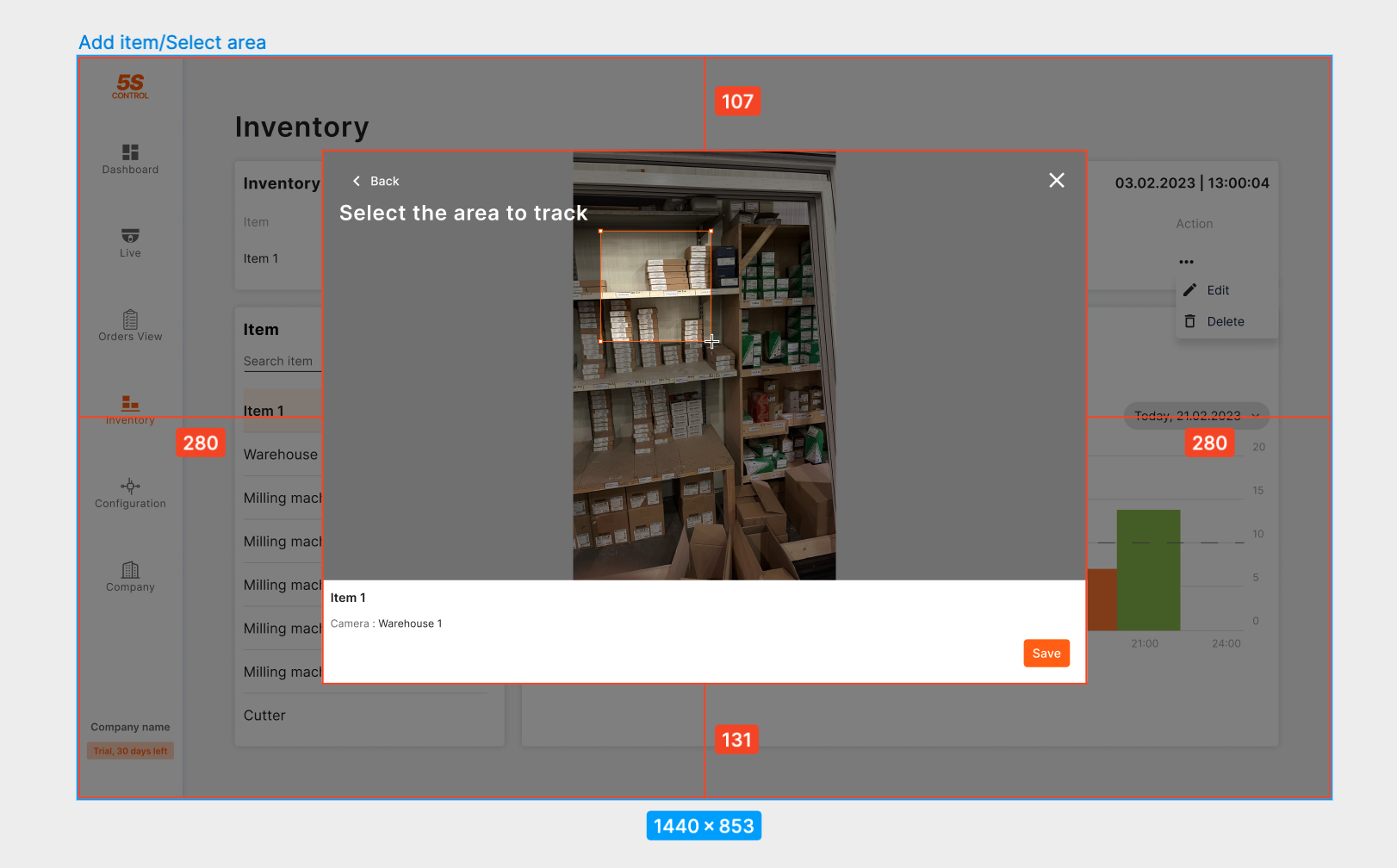
[ссылка на фигму](https://www.figma.com/file/Iu4zvVDOUrHU97vUhPz1bC/5S-Control?node-id=4516-76940&t=Fns54D0Frr7aoXQV-4)
贡献指南
调研方向
The issue describes changing the area selection UI from a click-to-place rectangle to a click-and-drag interaction. The Figma link provides the design. Look for the component handling the selection overlay or drawing on the canvas, likely in a map or image interaction module. Start by finding where the current rectangle creation logic is implemented, then modify the mouse event handlers (onMouseDown, onMouseMove, onMouseUp) to support drag-to-draw. Verify the change works with the existing scaling and moving functionality.
由索引模型根据 Issue 内容生成。
评估
- 技术栈
- react, typescript
- 领域
- frontend
- Issue 类型
- 功能
- 难度
- 3/5
- 预计耗时
- 1-2 天
- 活跃度
- 停滞
- 描述清晰度
- 描述清楚
- 新手友好度
- 50/100