zhanghai / zhanghai/MaterialFiles
Shortcuts don't work on Android 10
Nobody has claimed this yet.
- Dominant language
- Kotlin
- Stars
- 9k
- Forks
- 736
- PR merge metrics
- No merged PRs in 30d
Description
When creating shortcuts on my Sony XZ2C running stock Android 10 and Material Files 1.5.2, I only get a shortcut with no name and default android icon (see attached screenshot).
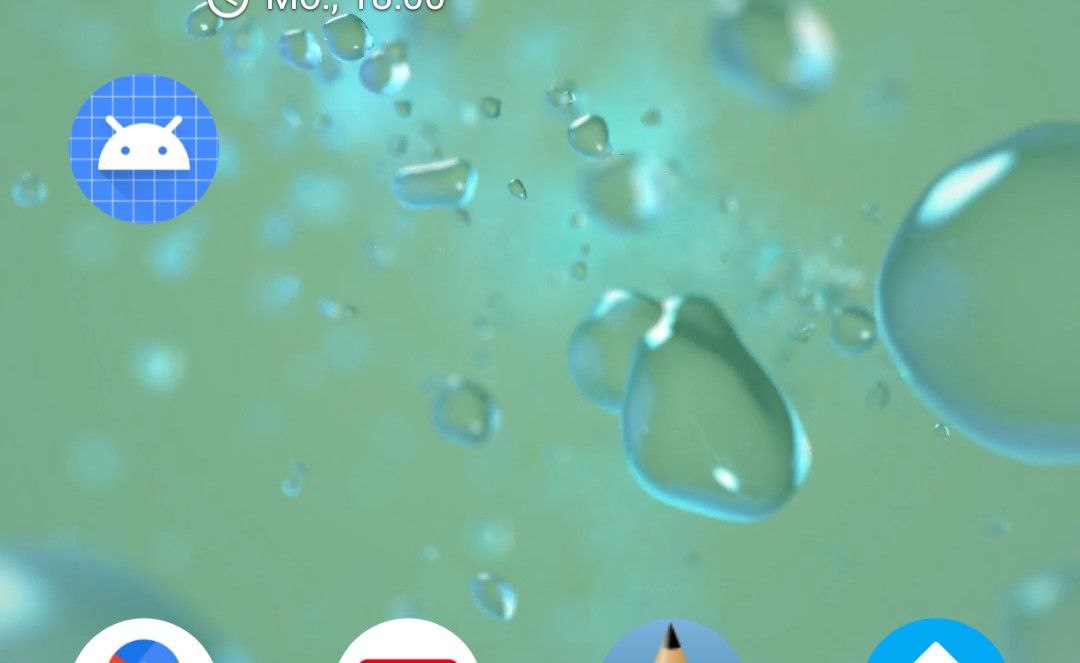
When I click this shortcut, it says something like "App not found". When I try to move it per drag and drop, it simply disappears.
This happens no matter what file type I create a shortcut for or where the original file is located (tried interal storage, SD card and WebDAV drive).
If it matters: I installed Material Files via F-Droid.
Contributor guide
No contributing guide indexed for this repository
First steps
- Read the whole issue, then the project's contributing guide.
- Comment on the issue to say you are picking it up — it saves two people doing the same work.
- Fork the repository and make your change on a branch.
- Open a pull request that references the issue number.
Research direction
Reproduce shortcut creation on Android 10 with a Sony XZ2C and Material Files 1.5.2, including internal storage, SD card, and WebDAV. Then inspect the shortcut creation flow; done when shortcuts have a name and icon, open the selected file, and remain available after being moved.
Written by the indexing model from the issue text.
Assessment
- Tech stack
- android, kotlin
- Domain
- mobile
- Issue type
- Bug
- Difficulty
- 4/5
- Estimated time
- 3-5 days
- Activity status
- Stale
- Clarity
- Mostly clear
- Newbie friendliness
- 35/100