yonaskolb / yonaskolb/XcodeGen
Question: Embed a Bundle containing macOS code into a Catalyst framework target
Open
Nobody has claimed this yet.
- Dominant language
- Swift
- Stars
- 8.8k
- Forks
- 908
- Avg merge
- 17d 14h
- Merged PRs (30d)
- 2
Description
Previously, before using XcodeGen, I have two targets has this kind of relationship:
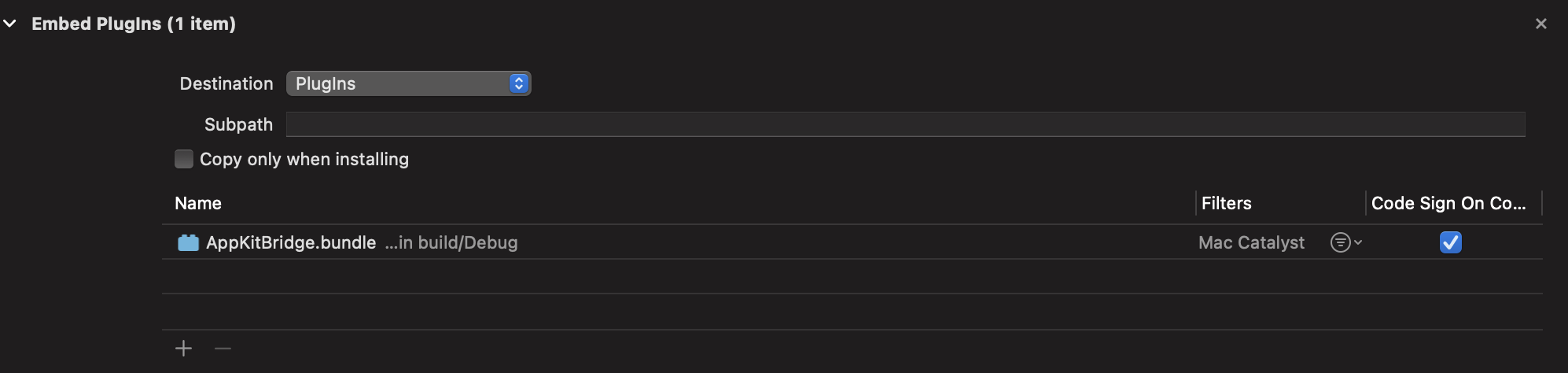
during migration, I defined it as
  AppKitCatalyst:
    type: framework
    platform: iOS
    sources:
      - AppKitCatalyst
    configFiles:
      Debug: xcconfigs/AppKitCatalyst-Debug.xcconfig
      Release: xcconfigs/AppKitCatalyst-Release.xcconfig
    dependencies:
      - target: LoggerKit
      - target: AppKitBridge
        platformFilter: macOS
        embed: true
        codeSign: true
        copyFiles:
          - destination: plugins
However, it generates:
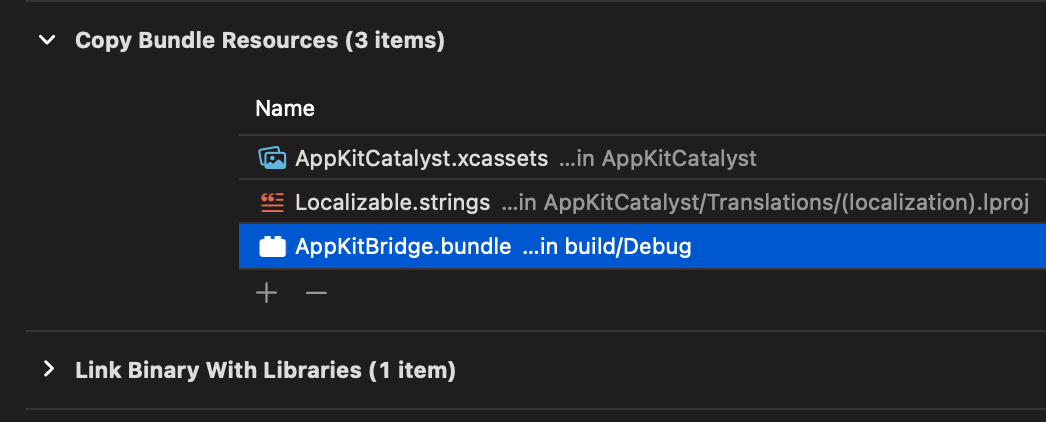
Anything I can do to fix it?
Contributor guide
First steps
- Read the whole issue, then the project's contributing guide.
- Comment on the issue to say you are picking it up — it saves two people doing the same work.
- Fork the repository and make your change on a branch.
- Open a pull request that references the issue number.
Research direction
Start by reproducing the AppKitCatalyst target and its AppKitBridge dependency from the YAML configuration, including the macOS platform filter, embedding, code signing, and plugins destination. Compare the generated project with the earlier target relationship; done means the Catalyst framework embeds the macOS bundle in the intended plugins location with the requested signing behavior.
Written by the indexing model from the issue text.
Assessment
- Tech stack
- swift, yaml
- Domain
- build-system
- Issue type
- Bug
- Difficulty
- 4/5
- Estimated time
- 3-5 days
- Activity status
- Stale
- Clarity
- Needs clarification
- Newbie friendliness
- 25/100