Local & Outbound Authentication Configuration is missing in Identity provider section
Nobody has claimed this yet.
- Dominant language
- CSS
- Stars
- 99
- Forks
- 708
- Avg merge
- 1d 7h
- Merged PRs (30d)
- 22
Description
Description:
- In Configuring Identity Server as IDP for SSO doc, in Step-3, it is mentioned,
Check Assert identity using mapped local subject identifier option. Note that it is mandatory to enable this option to authorize scopes for provisioned federated users.
But when adding an Identity provider, Assert identity using mapped local subject identifier option is not able to be selected as Local & Outbound Authentication Configuration is missing in the list of configurations.
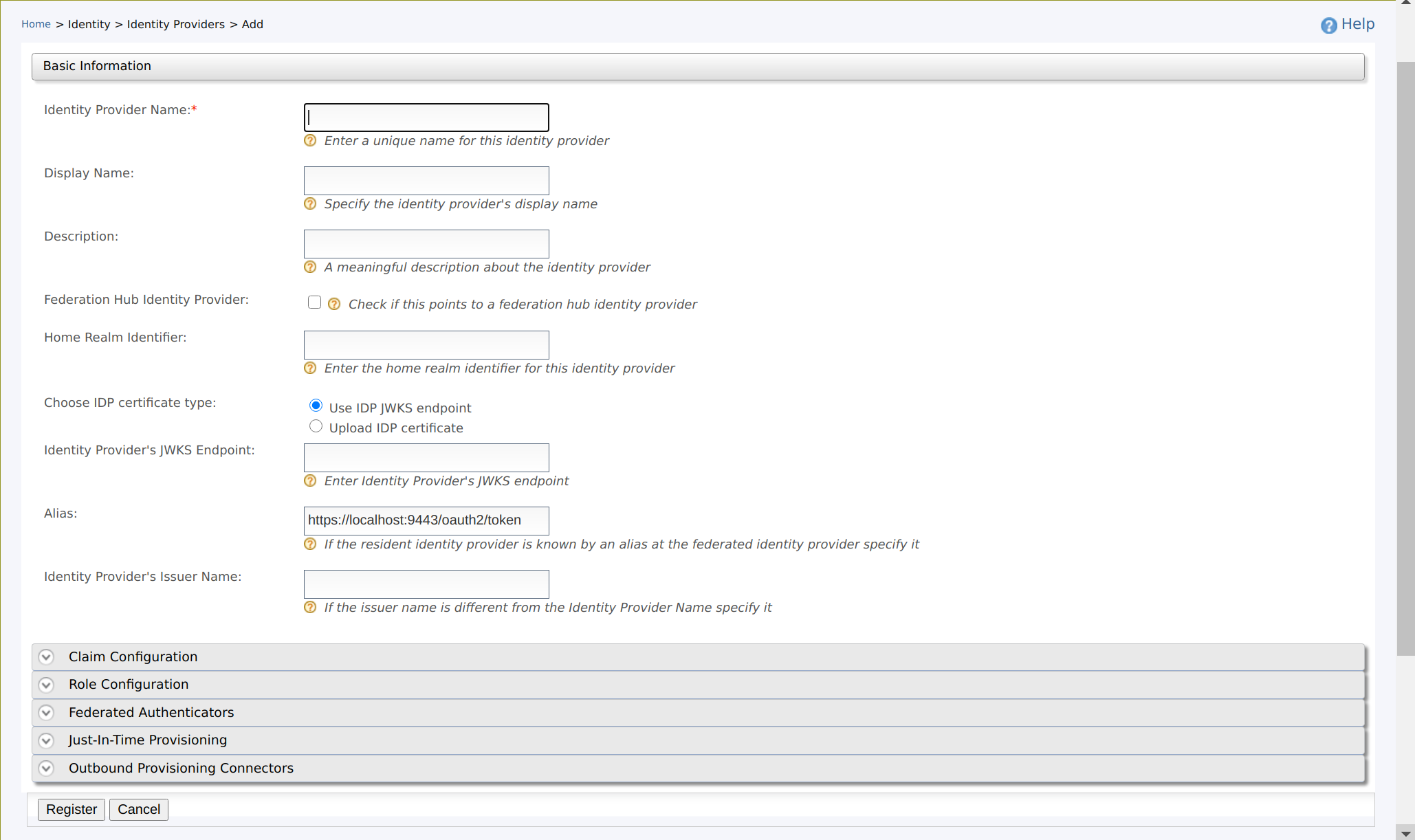
This config section is not there to perform this check:
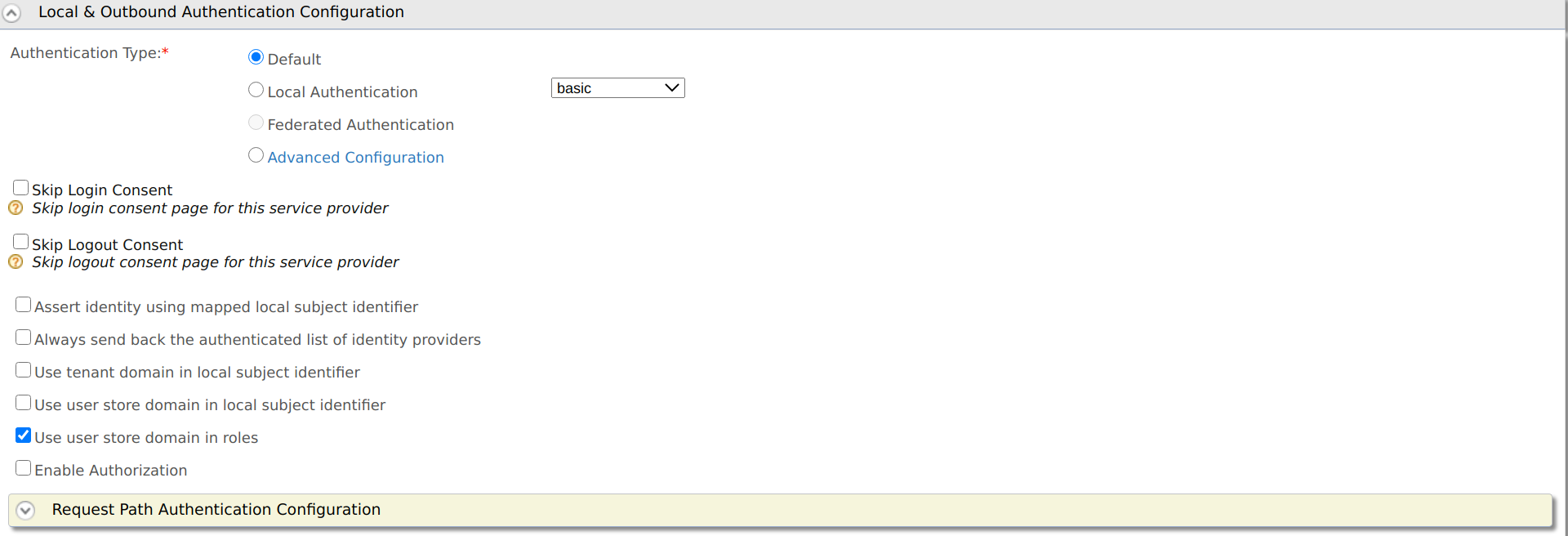
Is this step correct or need to be updated ?
- Provide valid screenshots for Step-8 for Configuring WSO2 API Manager as Service Provider for Identity Server. After completing the step-7, the user needs to backtrack to basic configs and upload the certificate.
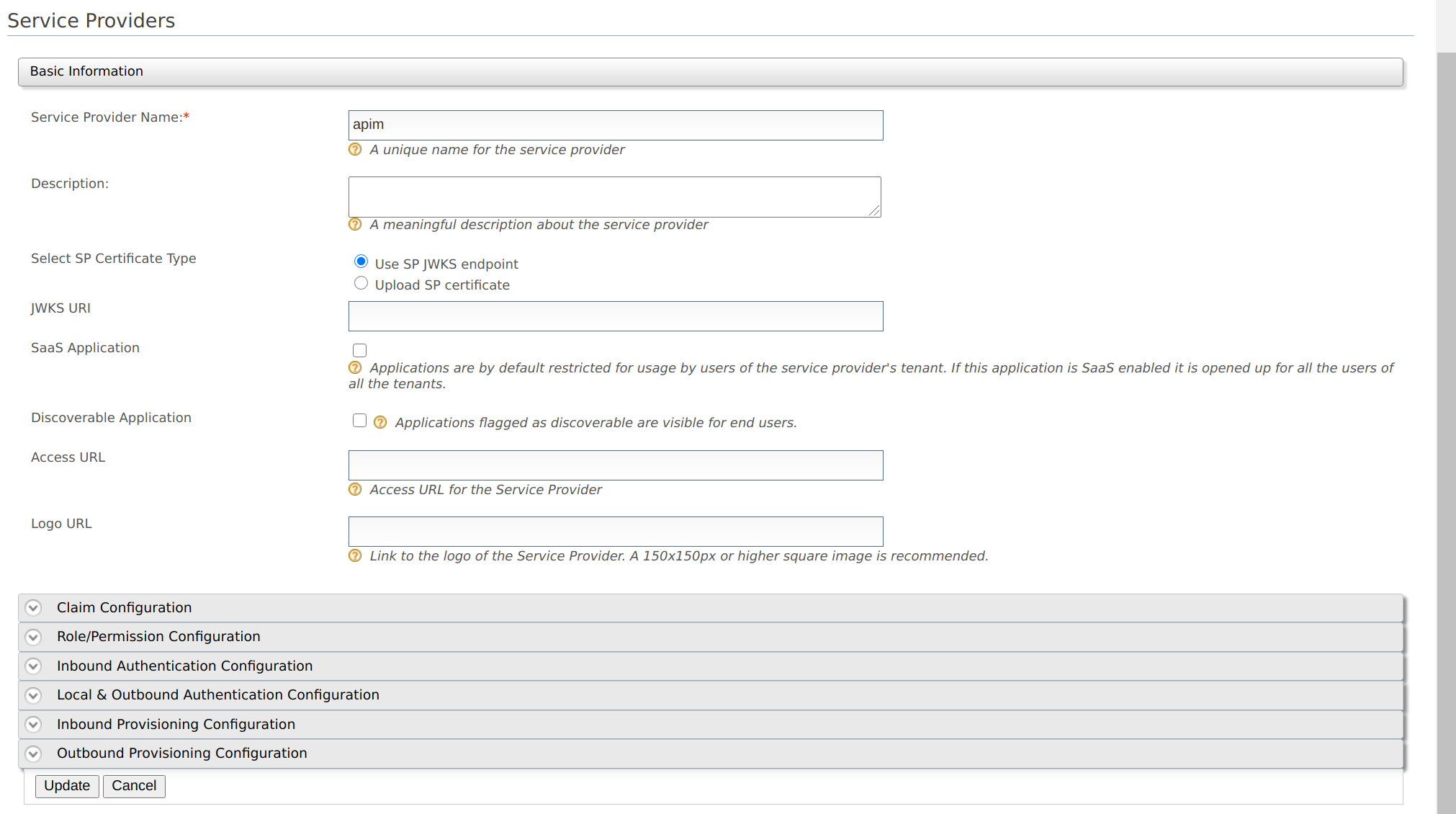
- Add a note saying Upload public certificates in PEM format only. Refine the below content and add this as a note.
We can add the steps to get a PEM encoded certificate as below:
The PEM content of a certificate in a JKS file, can be obtained by following the steps below:
a. Export the certificate from the keystone. The exported certificate will be in binary format.
keytool -export -keystore <keystore-path> -alias <alias-of-the-certificate> -file <path-of-the-expected-certificate-file>
e.g. keytool -export -keystore wso2carbon.jks -alias wso2carbon -file wso2carbon.crt
b. Convert the above binary encoded certificate to a PEM encoded certificate
openssl x509 -inform der -in <path-of-binary-certificate> -out <path-of-expected-pem-content>
e.g. openssl x509 -inform der -in wso2carbon.crt -out wso2carbon.pem
You can paste the public certificate into the given text area or upload the file in PEM format.
Affected Product Version:
APIM 3.2.0
Contributor guide
No contributing guide indexed for this repository
First steps
- Read the whole issue, then the project's contributing guide.
- Comment on the issue to say you are picking it up — it saves two people doing the same work.
- Fork the repository and make your change on a branch.
- Open a pull request that references the issue number.
Research direction
Start by reading the linked SAML SSO documentation sections for configuring Identity Server as an IDP and API Manager as a service provider, then verify the current Identity Provider UI and certificate-upload flow. Update Step 3 if the local and outbound authentication configuration is unavailable, replace the Step 8 screenshots, and add the PEM-format note and conversion commands; the pages and screenshots should match the current UI.
Written by the indexing model from the issue text.
Assessment
- Domain
- authentication, documentation
- Issue type
- Documentation
- Difficulty
- 3/5
- Estimated time
- 1-2 days
- Activity status
- Stale
- Clarity
- Mostly clear
- Newbie friendliness
- 45/100