Missing steps on how to generate the curl using try-it for topic subscription in Websub APIs
Nobody has claimed this yet.
- Dominant language
- CSS
- Stars
- 99
- Forks
- 708
- Avg merge
- 1d 7h
- Merged PRs (30d)
- 22
Description
In [1] step 4 where users can subscribe for the relevant topic, the UI in try-it allows to generate the curl command with the values filled in. In this, the callback URL should not be encoded. These steps/screenshots are missing in the document.
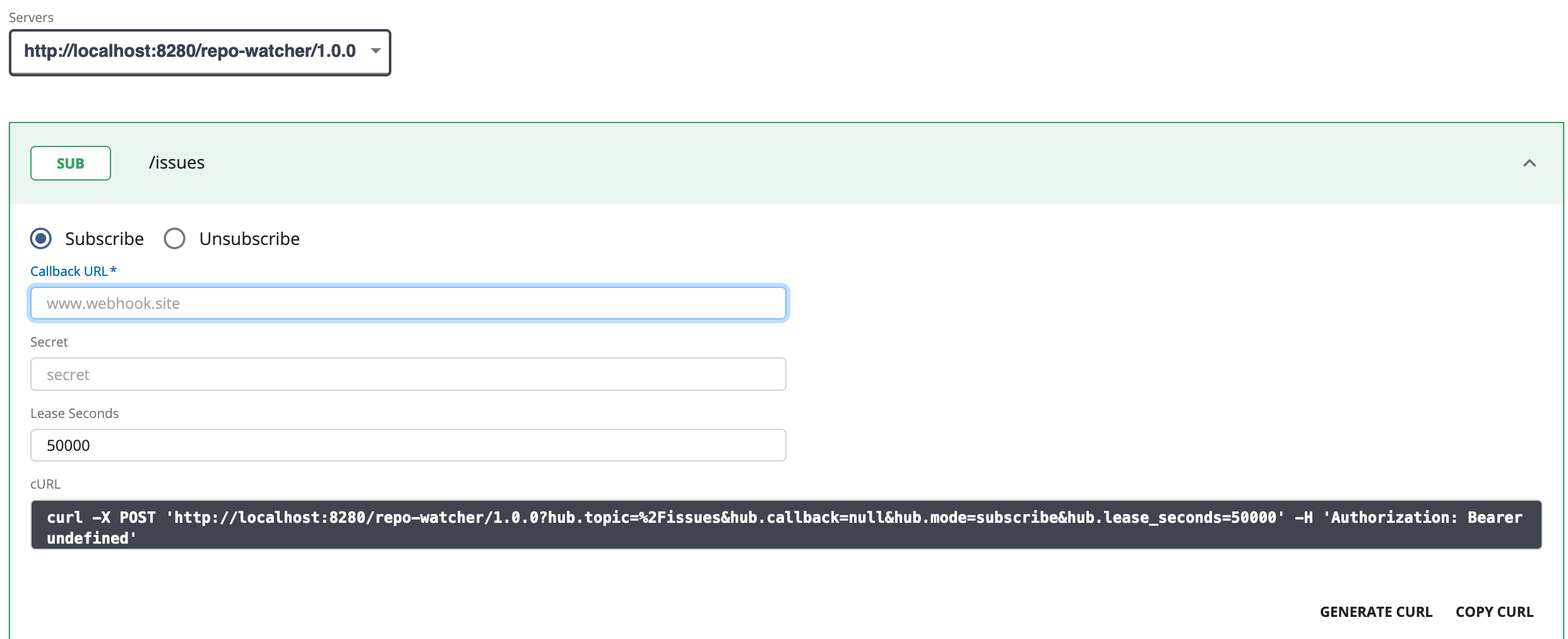
Also there should be a screenshot to show where a successful subscription of a topic will be listed in the developer portal.
[1] https://apim.docs.wso2.com/en/latest/tutorials/streaming-api/create-and-publish-websub-api/
Suggested Labels:
Suggested Assignees:
Affected Product Version:
OS, DB, other environment details and versions:
Steps to reproduce:
Related Issues:
Contributor guide
No contributing guide indexed for this repository
First steps
- Read the whole issue, then the project's contributing guide.
- Comment on the issue to say you are picking it up — it saves two people doing the same work.
- Fork the repository and make your change on a branch.
- Open a pull request that references the issue number.
Research direction
Start with the WebSub API tutorial linked in the issue, especially step 4 and its Try-It subscription flow. Document how to generate the curl command without encoding the callback URL and add a screenshot showing where a successful topic subscription appears in the developer portal; the tutorial should contain both missing steps and screenshots.
Written by the indexing model from the issue text.
Assessment
- Domain
- documentation
- Issue type
- Documentation
- Difficulty
- 2/5
- Estimated time
- 1-3 hours
- Activity status
- Stale
- Clarity
- Mostly clear
- Newbie friendliness
- 48/100