Confusing steps in Using Email Address as the Username
Nobody has claimed this yet.
- Dominant language
- CSS
- Stars
- 99
- Forks
- 708
- Avg merge
- 1d 7h
- Merged PRs (30d)
- 22
Description
Description:
In Using Email Address as the Username section the steps have been linked to IS doc, when user navigates to steps and the first step is as follows,
- Open the <IS_HOME>/repository/conf/deployment.toml file.
The above step is confusing as the user may not have an IS_HOME directory.
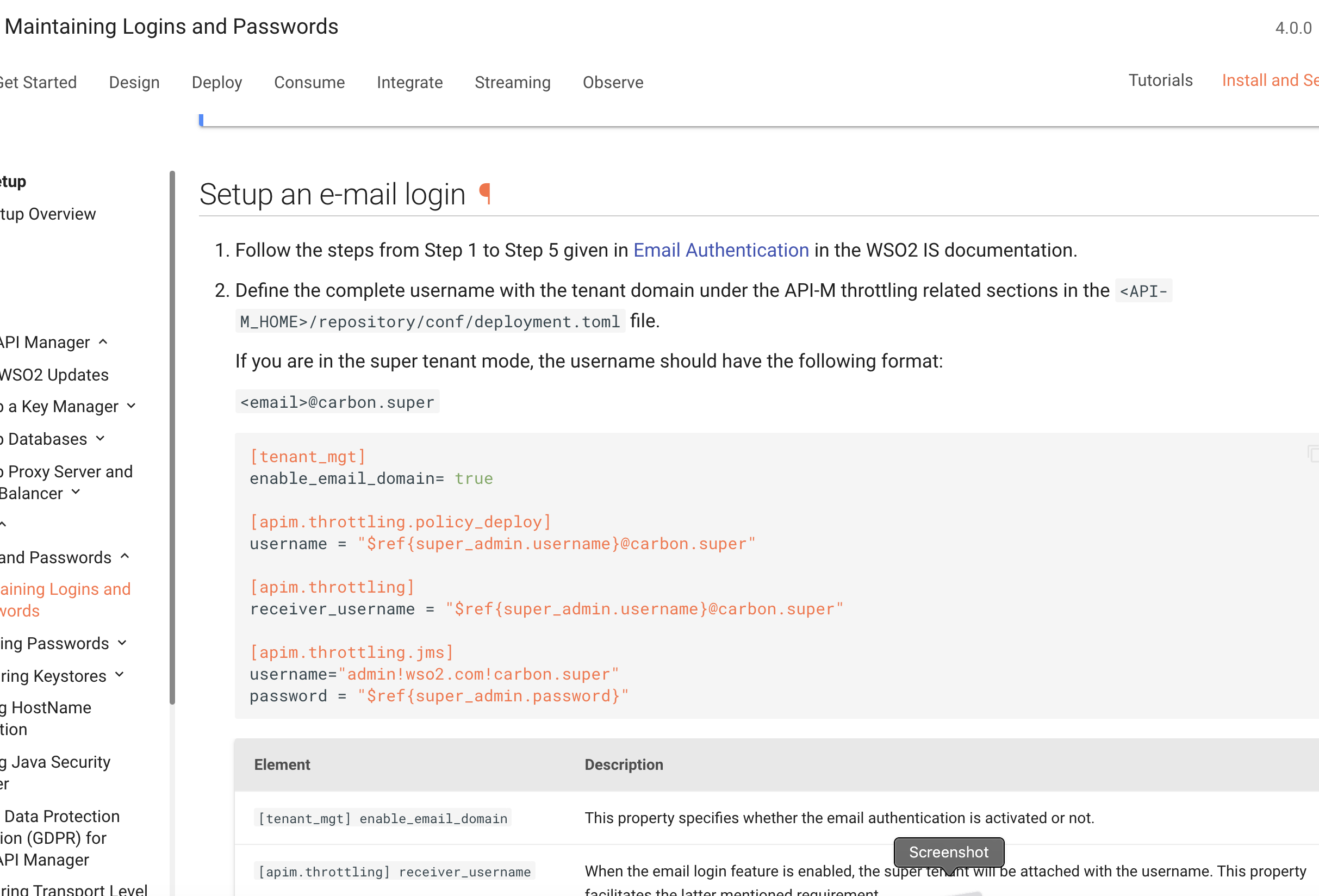
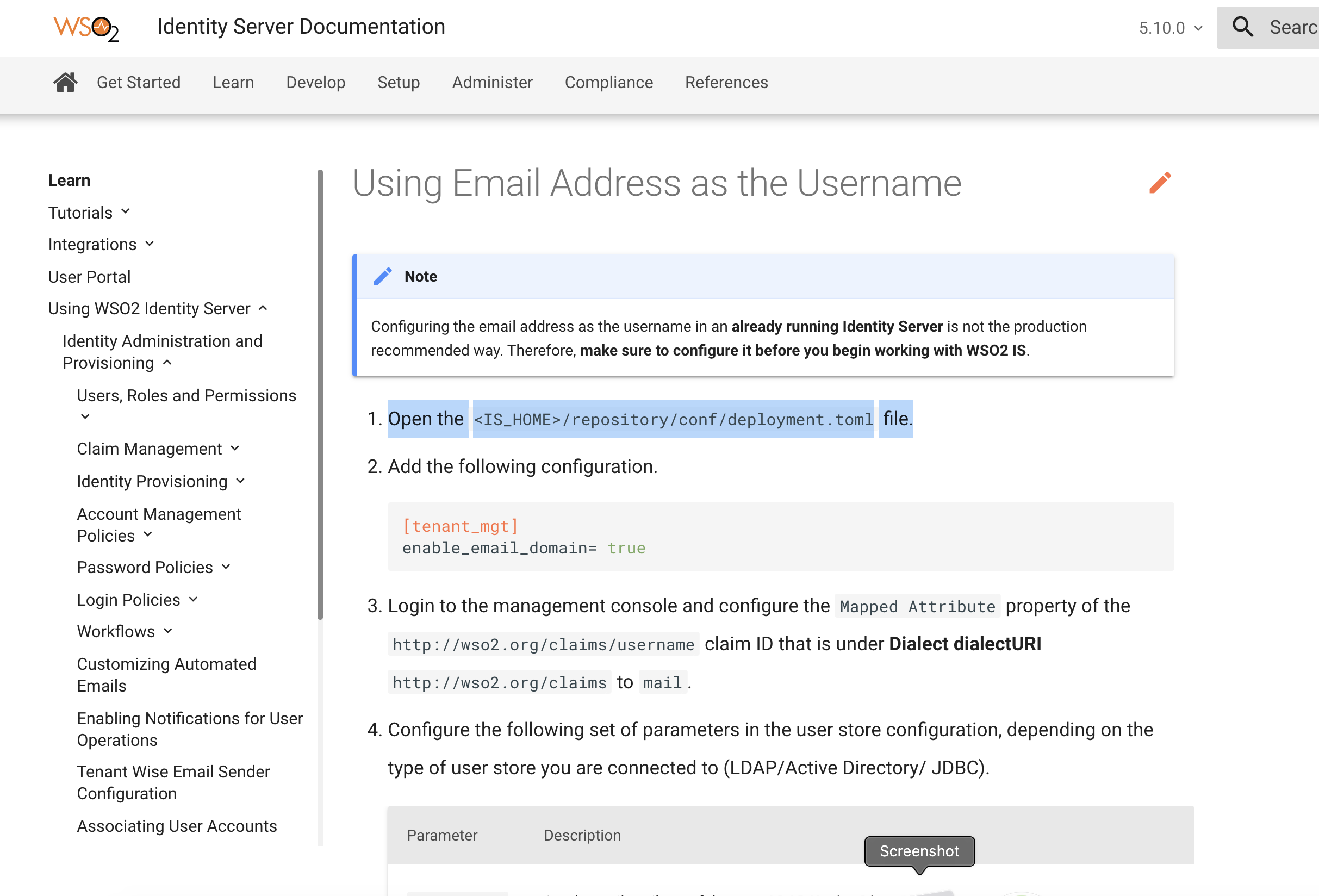
https://is.docs.wso2.com/en/5.10.0/learn/using-email-address-as-the-username/
We can add the 5 steps in our doc rather than linking to the IS doc.
Suggested Labels:
API-M 4.0.0
Affected Product Version:
API-M 4.0.0
Contributor guide
No contributing guide indexed for this repository
First steps
- Read the whole issue, then the project's contributing guide.
- Comment on the issue to say you are picking it up — it saves two people doing the same work.
- Fork the repository and make your change on a branch.
- Open a pull request that references the issue number.
Research direction
Start with the Using Email Address as the Username page at the linked IS documentation URL and review the current linked steps, especially the <IS_HOME>/repository/conf/deployment.toml instruction. Replace the external link with the five steps in this documentation, making the path guidance clear; the page should no longer send users to confusing instructions.
Written by the indexing model from the issue text.
Assessment
- Domain
- documentation
- Issue type
- Documentation
- Difficulty
- 2/5
- Estimated time
- 1-3 hours
- Activity status
- Stale
- Clarity
- Mostly clear
- Newbie friendliness
- 45/100