wordpress-mobile / wordpress-mobile/WordPress-iOS
Turn off autocorrect on Add a Person screen
Open
Nobody has claimed this yet.
[Type] Enhancement
My Site
People Management
Site Settings
- Dominant language
- Swift
- Stars
- 3.9k
- Forks
- 1.2k
- Avg merge
- 23h 51m
- Merged PRs (30d)
- 58
Description
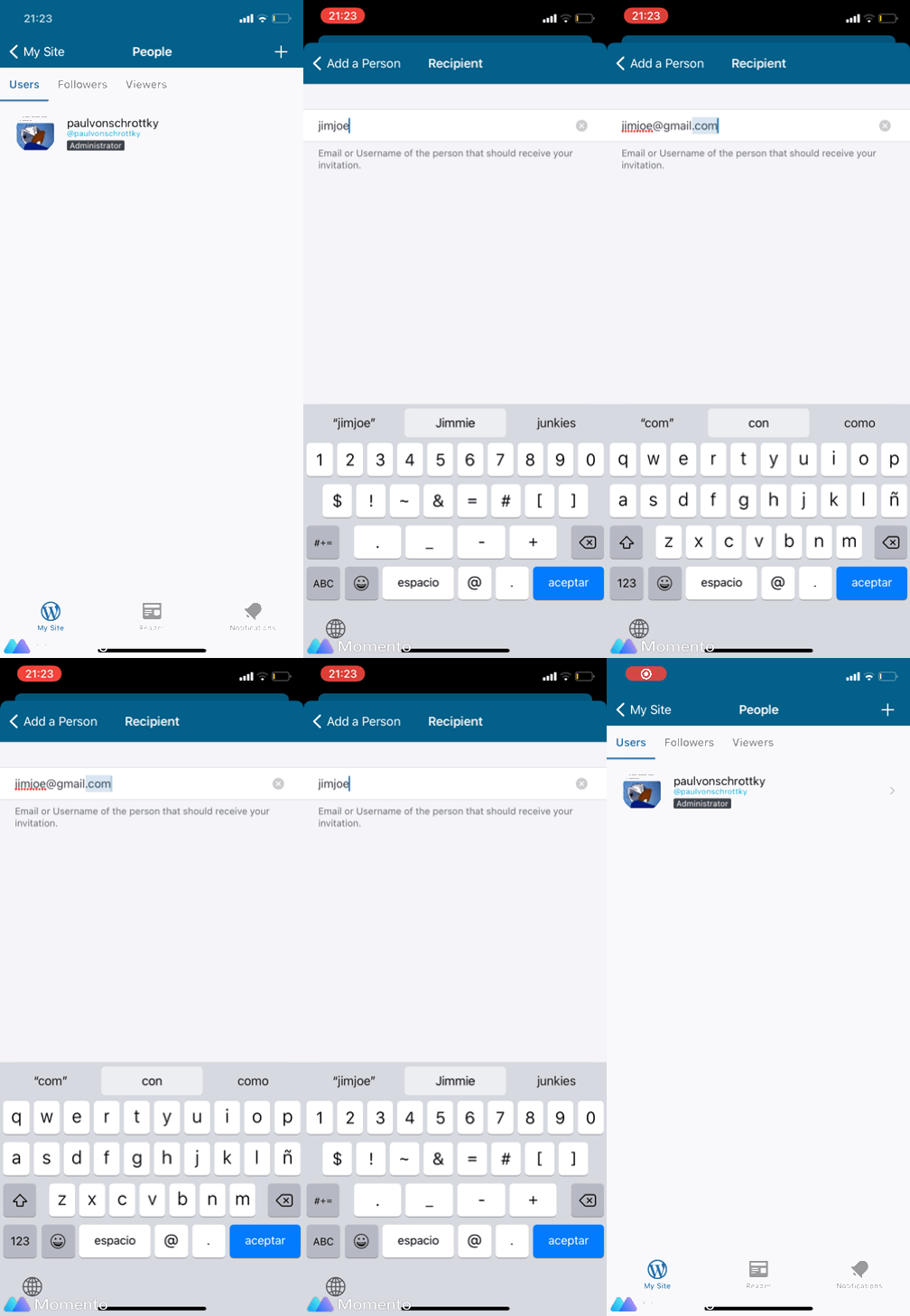
When adding a person to a site, autocorrect gets in the way by changing parts of the username or email I'm typing in.
In the below screenshot, the .com of the email address gets turned into .con, which isn't what I wanted.
Contributor guide
First steps
- Read the whole issue, then the project's contributing guide.
- Comment on the issue to say you are picking it up — it saves two people doing the same work.
- Fork the repository and make your change on a branch.
- Open a pull request that references the issue number.
Research direction
Start at the Add a Person screen and reproduce the issue by entering a username or email address, including a .com domain. The work is done when autocorrect no longer changes text in those fields; no specific source file or test is named in the issue.
Written by the indexing model from the issue text.
Assessment
- Tech stack
- ios, swift
- Domain
- mobile
- Issue type
- Bug
- Difficulty
- 2/5
- Estimated time
- 1-3 hours
- Activity status
- Stale
- Clarity
- Mostly clear
- Newbie friendliness
- 45/100