wordpress-mobile / wordpress-mobile/WordPress-iOS
Share Extension: consider making the top line become the post title when sharing from Bear into the WordPress app
Nobody has claimed this yet.
- Dominant language
- Swift
- Stars
- 3.9k
- Forks
- 1.2k
- Avg merge
- 23h 51m
- Merged PRs (30d)
- 58
Description
Expected behavior
I had expected the very top Heading from Bear to become the Title of the WordPress post even though logically I see that it is labeled H1.
Actual behavior
Exporting from Bear to TXT then sharing to the WordPress app results in the title from Bear becoming a Heading in the body of the WordPress post.
Steps to reproduce the behavior
- Open Bear and add some content.
- Tap the (i) icon at top right.
- Select TXT.
- Tap the share icon at top right.
- Select the WordPress app (must be 12.1+).
- Tap “Next” at top right.
- Select a site if prompted.
- Tap “Publish” at top right.
- View the published post in a browser or preview it in the app.
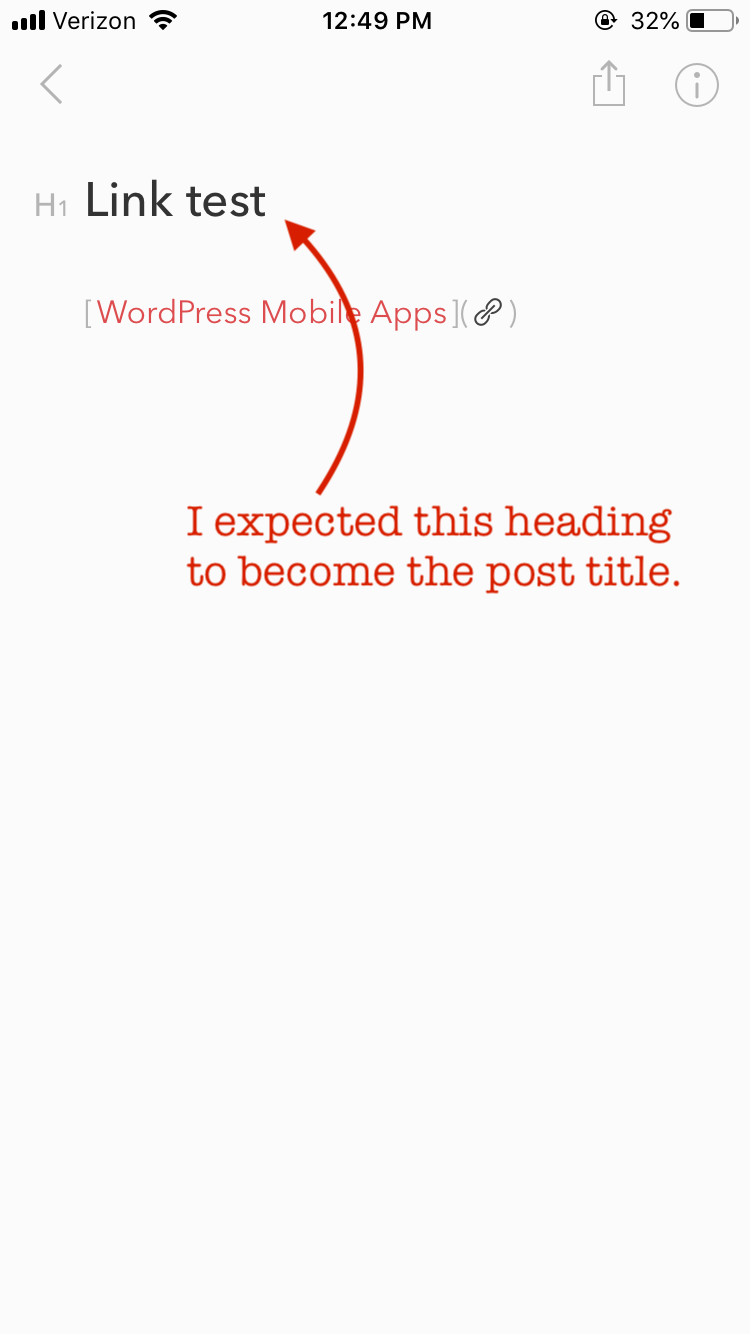
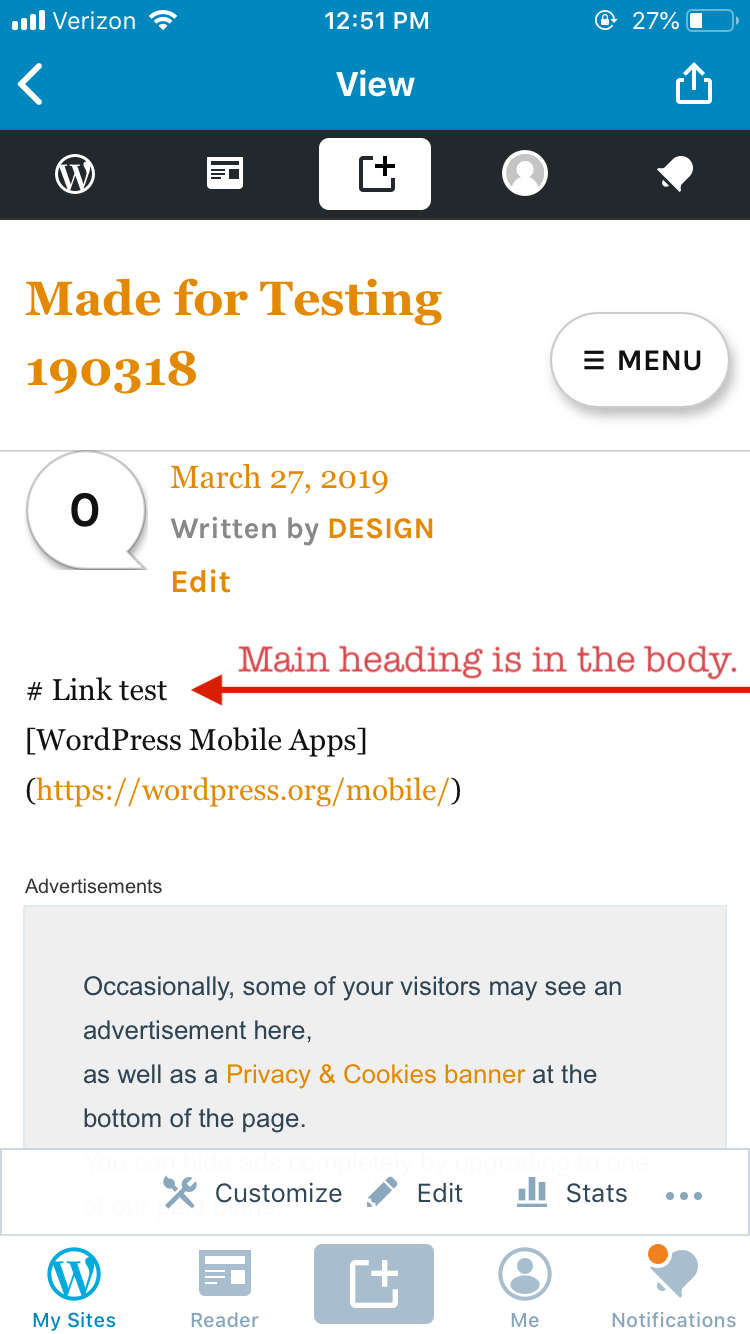
Tested on WP Internal 12.1.0.20190325 on iPhone 6S iOS 12.2 sharing from Bear into madefortesting190318.wordpress.com.
(internal ref: p5T066-Nx-p2#comment-2643)
Contributor guide
First steps
- Read the whole issue, then the project's contributing guide.
- Comment on the issue to say you are picking it up — it saves two people doing the same work.
- Fork the repository and make your change on a branch.
- Open a pull request that references the issue number.
Research direction
Start with the iOS Share Extension flow that handles TXT content shared from Bear, then reproduce the issue using the listed steps on an iPhone. Trace how the top heading is mapped during publishing. Done means the top Bear heading becomes the WordPress post title and is no longer duplicated as a body heading.
Written by the indexing model from the issue text.
Assessment
- Tech stack
- ios, swift
- Domain
- content, mobile
- Issue type
- Bug
- Difficulty
- 3/5
- Estimated time
- 1-2 days
- Activity status
- Stale
- Clarity
- Mostly clear
- Newbie friendliness
- 38/100