wordpress-mobile / wordpress-mobile/WordPress-iOS
Share Extension: cannot see site icons for private sites when sharing
Open
Nobody has claimed this yet.
[Pri] Low
[Type] Bug
Share Extension
- Dominant language
- Swift
- Stars
- 3.9k
- Forks
- 1.2k
- Avg merge
- 23h 51m
- Merged PRs (30d)
- 58
Description
Steps to reproduce:
- Open WPiOS and make sure you have a private WordPress.com site with a site icon.
- Go to My Sites > Switch Site and confirm you can see a site icon.
- Open Safari or any app you can share from.
- Tap the share icon.
- Select the WordPress app (12.1+).
- Tap “Next” at top right.
- Check to see if the private site's site icon shows up as expected.
Result: cannot see site icons for private sites when sharing.
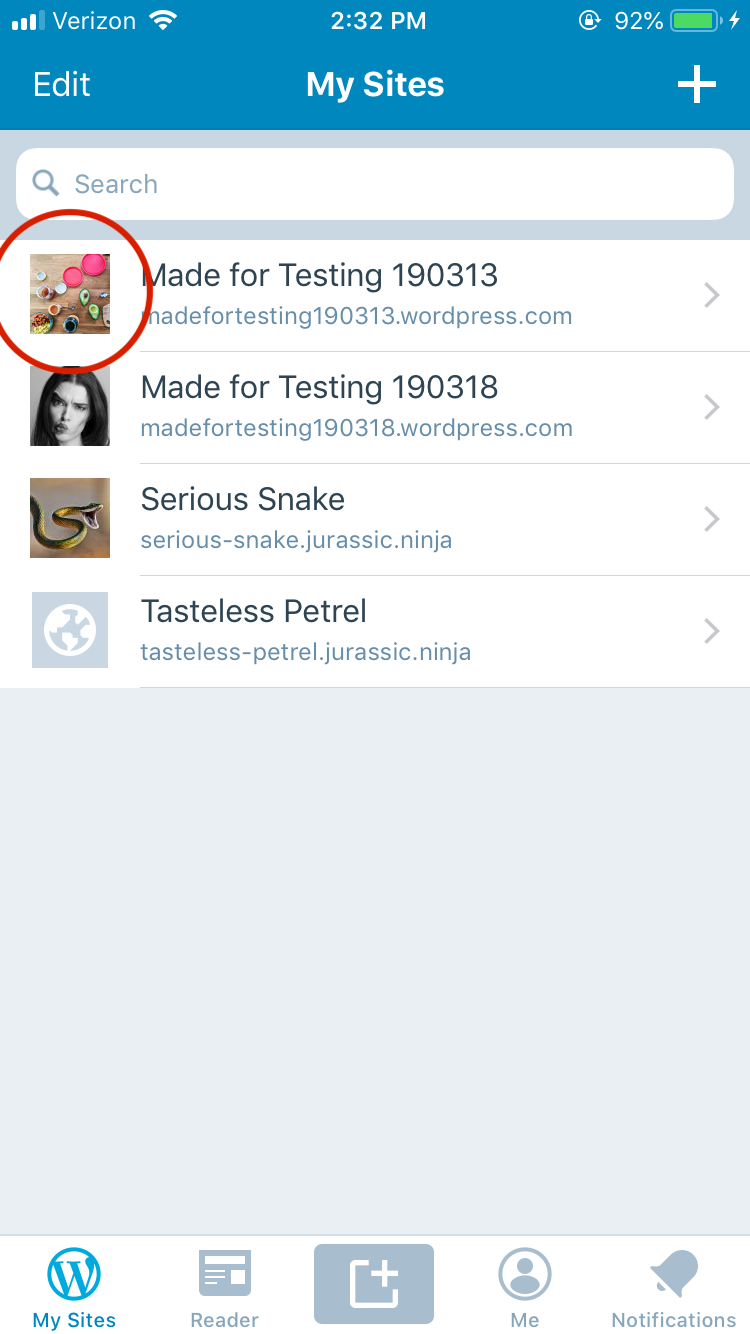
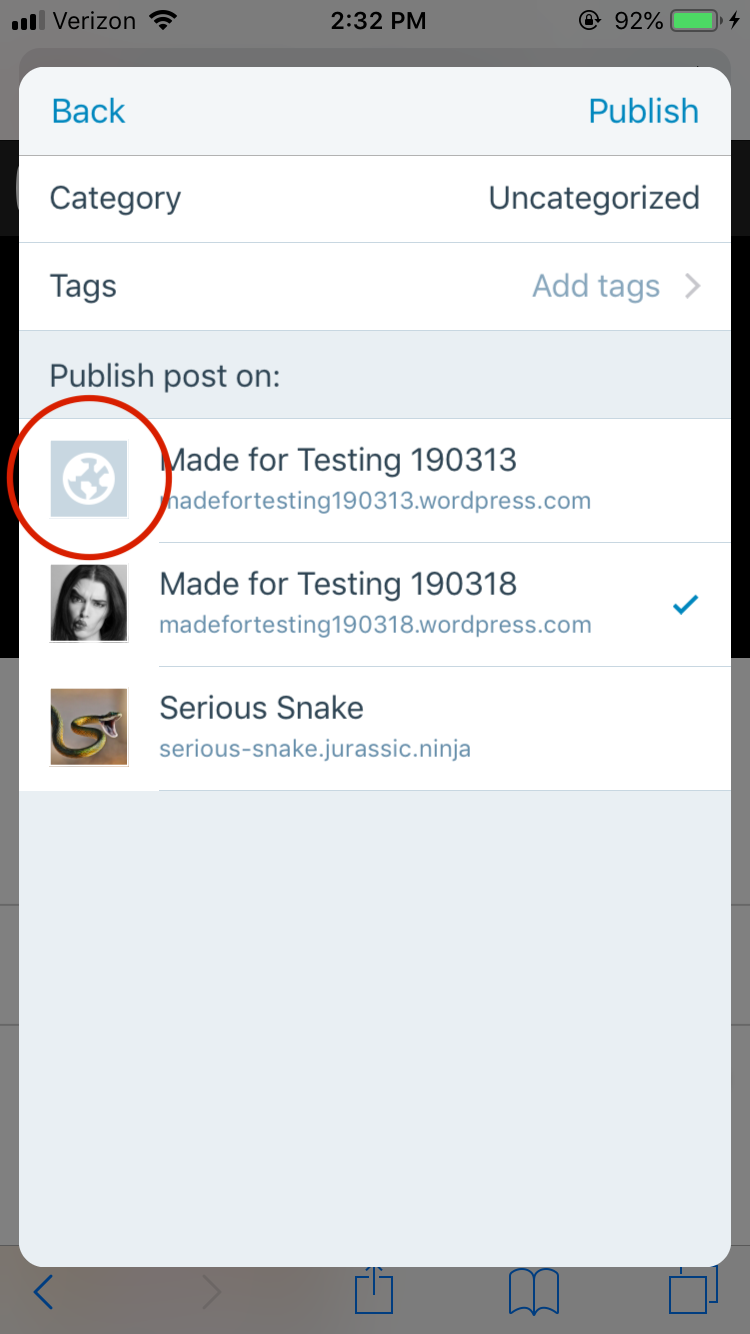
Tested with WP Internal 12.1.0.20190325 on iPhone 6S iOS 12.2 attempting to share from Safari into madefortesting190313.wordpress.com.
Contributor guide
First steps
- Read the whole issue, then the project's contributing guide.
- Comment on the issue to say you are picking it up — it saves two people doing the same work.
- Fork the repository and make your change on a branch.
- Open a pull request that references the issue number.
Research direction
Start by reproducing the sharing flow in WPiOS on iOS 12.2 or later, using a private WordPress.com site with a site icon. Compare the share extension's site selection with My Sites > Switch Site; done means the private site's icon appears after tapping Next.
Written by the indexing model from the issue text.
Assessment
- Tech stack
- ios, swift
- Domain
- mobile
- Issue type
- Bug
- Difficulty
- 3/5
- Estimated time
- 1-2 days
- Activity status
- Stale
- Clarity
- Mostly clear
- Newbie friendliness
- 45/100