wordpress-mobile / wordpress-mobile/WordPress-iOS
Share Extension: Provide option for embedding content instead of linking to it
Nobody has claimed this yet.
- Dominant language
- Swift
- Stars
- 3.9k
- Forks
- 1.2k
- Avg merge
- 23h 51m
- Merged PRs (30d)
- 58
Description
Expected behavior
When sharing from Youtube or Spotify to WordPress for iOS app, I expect to be able to share embedded content (e.g. a full, unlinked URL that will be automatically embedded).
Actual behavior
The share extension creates a link to the content, and there isn't a straightforward way to share a plain URL to embed it. (Removing the link leaves the automatically generated link text, which isn't the full URL for the content so it won't create an embed.)
Steps to reproduce the behavior
- Open Youtube app.
- Choose video.
- Click ‘Share’ icon, choose ‘WordPress’ icon.
- Pop-up editor appeared.
- The Youtube link is there.
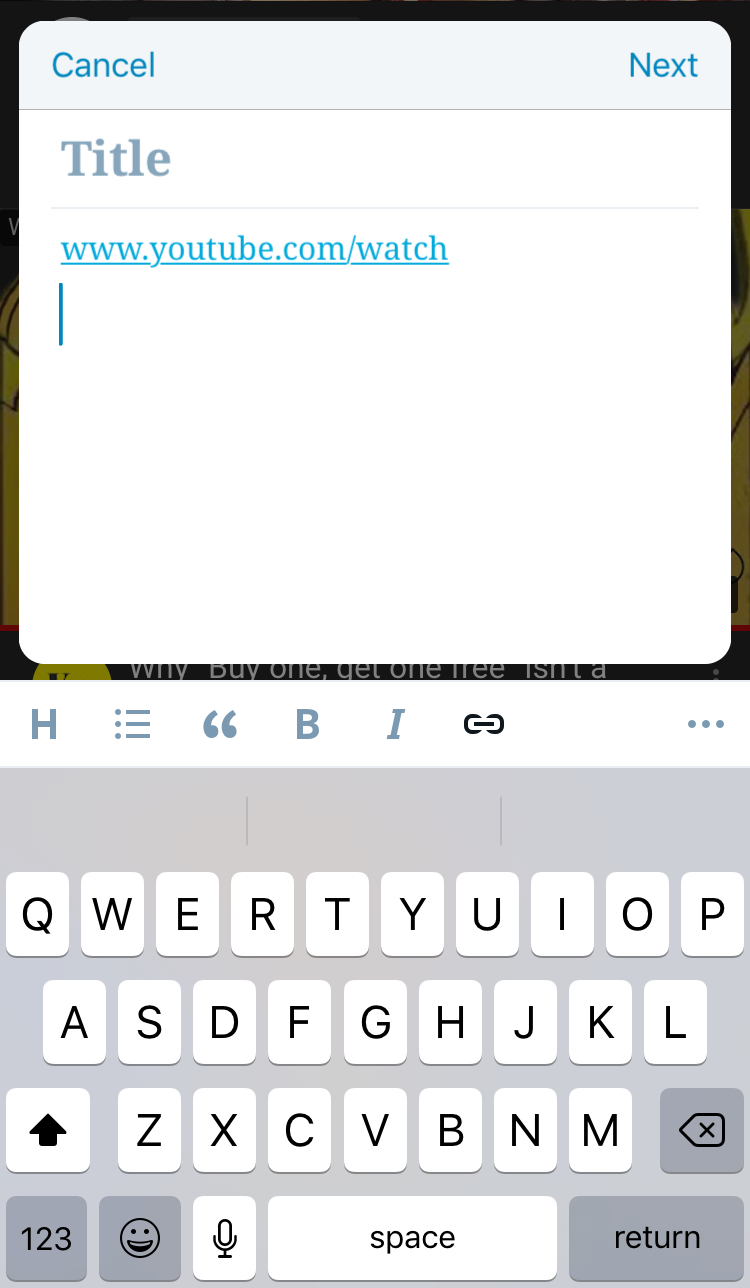
Tested on iPhone 6S, iOS 12.1.1, WPiOS 11.4
Contributor guide
First steps
- Read the whole issue, then the project's contributing guide.
- Comment on the issue to say you are picking it up — it saves two people doing the same work.
- Fork the repository and make your change on a branch.
- Open a pull request that references the issue number.
Research direction
Start by reproducing the YouTube or Spotify sharing flow into the WordPress for iOS share extension on an iPhone. Inspect the pop-up editor behavior described in the issue; done means providing a straightforward way to share the full, unlinked URL so WordPress automatically embeds the content.
Written by the indexing model from the issue text.
Assessment
- Tech stack
- ios, swift
- Domain
- mobile
- Issue type
- Feature
- Difficulty
- 4/5
- Estimated time
- 3-5 days
- Activity status
- Stale
- Clarity
- Mostly clear
- Newbie friendliness
- 35/100