wordpress-mobile / wordpress-mobile/WordPress-iOS
Activity Log: Media upload activity should open link in Media section (not webview)
Nobody has claimed this yet.
- Dominant language
- Swift
- Stars
- 3.9k
- Forks
- 1.2k
- Avg merge
- 23h 51m
- Merged PRs (30d)
- 58
Description
Expected behavior
When I upload media to my site, and view that activity in my site's Activity Log, I should be able to tap on the link to open the media settings for that file in the app's media section. (The same as if I went to My Sites > Media > selected the media file I uploaded.)
Actual behavior
When I upload media to my site, and view that activity in my site's Activity Log, if I tap on the link it opens the media settings for that file in Calypso's media section in a webview. This is very hard to interact with and to understand what I'm seeing.
Steps to reproduce the behavior
- Go to My Sites.
- Select Media and upload an image to your site.
- Go back to My Sites.
- Select Activity to open your activity log.
- Select the "Image uploaded" activity (you may need to wait a minute and refresh the page if it doesn't appear immediately.)
- Select the filename of the image you uploaded.
Result: It opens the media settings editor in the Calypso Media section in a webview.
Screenshots
Activity log:

Media settings in Calypso webview:
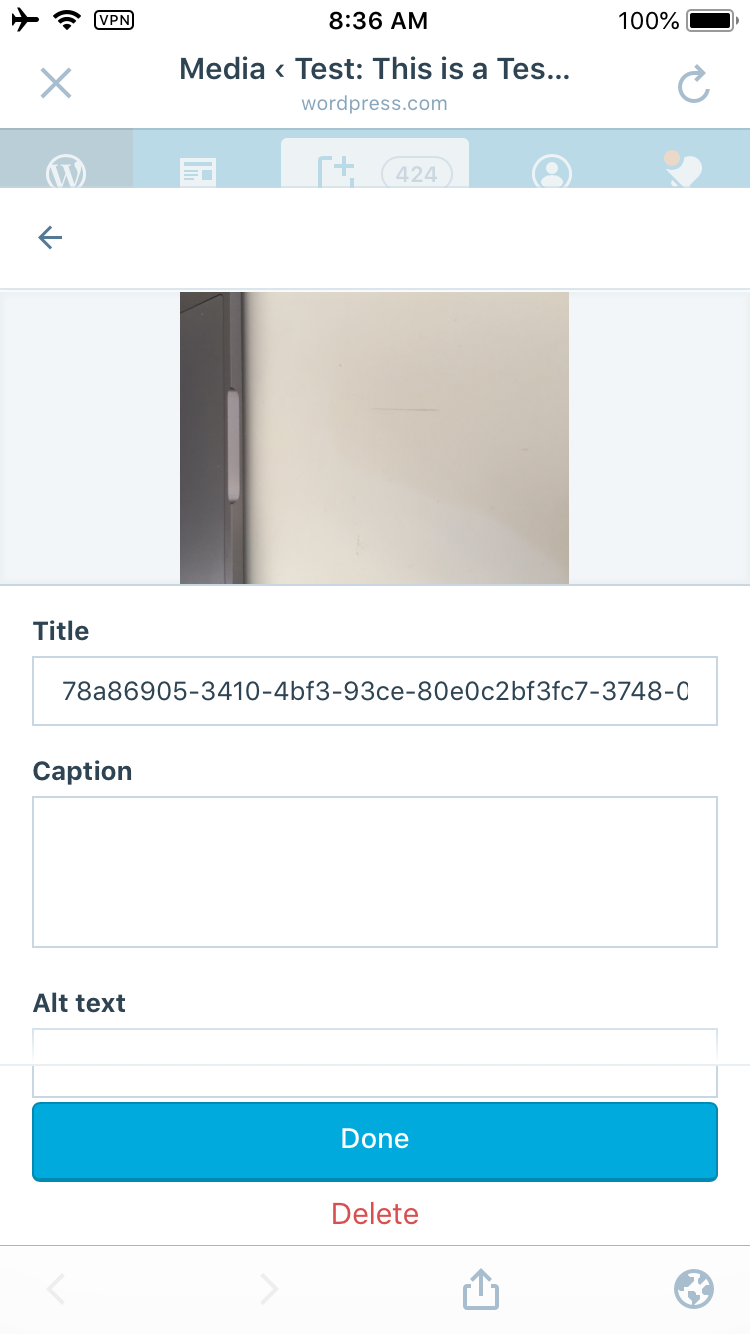
Tested on iPhone 6, iOS 11.4.1, WPiOS 10.9.0.20180914
Contributor guide
First steps
- Read the whole issue, then the project's contributing guide.
- Comment on the issue to say you are picking it up — it saves two people doing the same work.
- Fork the repository and make your change on a branch.
- Open a pull request that references the issue number.
Research direction
Start by tracing the Activity Log's uploaded-media filename link and the existing My Sites > Media navigation. Reproduce the flow on iOS and compare its destination with selecting the same file from Media; done means the link opens the native app media settings rather than a Calypso webview.
Written by the indexing model from the issue text.
Assessment
- Tech stack
- ios, swift
- Domain
- mobile
- Issue type
- Bug
- Difficulty
- 3/5
- Estimated time
- 1-2 days
- Activity status
- Stale
- Clarity
- Mostly clear
- Newbie friendliness
- 45/100