wordpress-mobile / wordpress-mobile/WordPress-Android
Media Library option unavailable when choosing feature image for post
Nobody has claimed this yet.
- Dominant language
- Kotlin
- Stars
- 3.2k
- Forks
- 1.4k
- Avg merge
- 1d 11h
- Merged PRs (30d)
- 69
Description
Expected behavior
With the storage permission not granted, adding a featured image to a post should show the tab below to choose an image from the media library.
Actual behavior
With the storage permission not granted, adding a featured image to a post does not show the tab below to choose an image from the media library but instead is requiring the permission be turned on before presenting the tabs.
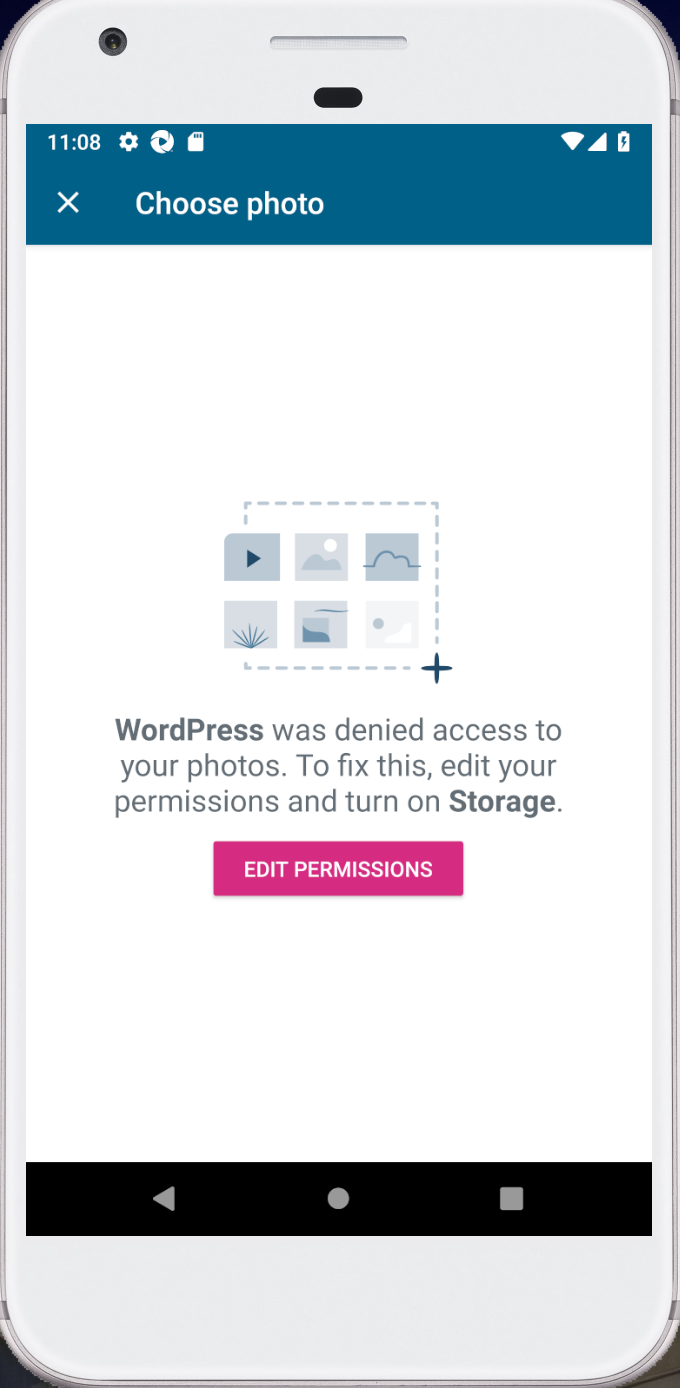
Steps to reproduce the behavior
- Ensure storage permission for WPAndroid app is not granted
- Create a new post or edit an existing post
- Navigate post settings and set a new featured image
- No option is available to use an image from the media library
Tested on [device], Android [version], WPAndroid [version]
Blocking #9795 discussion - https://github.com/wordpress-mobile/WordPress-Android/pull/9795#discussion_r283755629
Contributor guide
First steps
- Read the whole issue, then the project's contributing guide.
- Comment on the issue to say you are picking it up — it saves two people doing the same work.
- Fork the repository and make your change on a branch.
- Open a pull request that references the issue number.
Research direction
Start by reproducing the issue in the WPAndroid app with storage permission disabled, then trace the featured-image flow from post settings to the media library tabs. The change is done when the media library option is available without storage permission while the permission-dependent option remains appropriately gated.
Written by the indexing model from the issue text.
Assessment
- Tech stack
- kotlin
- Domain
- mobile
- Issue type
- Bug
- Difficulty
- 3/5
- Estimated time
- 1-2 days
- Activity status
- Stale
- Clarity
- Mostly clear
- Newbie friendliness
- 38/100