wordpress-mobile / wordpress-mobile/WordPress-Android
Tags Being Removed or Randomly Added When < Symbol Is Used
Nobody has claimed this yet.
- Dominant language
- Kotlin
- Stars
- 3.2k
- Forks
- 1.4k
- Avg merge
- 1d 11h
- Merged PRs (30d)
- 69
Description
Expected behavior
I expected to be able to use symbols like < in tags for my posts.
Actual behavior
I'm seeing some strange behaviour when I include < in my tags. In all cases, the tag with < in it is removed by the app after saving my changes. In some cases, other tags have been added seemingly at random.
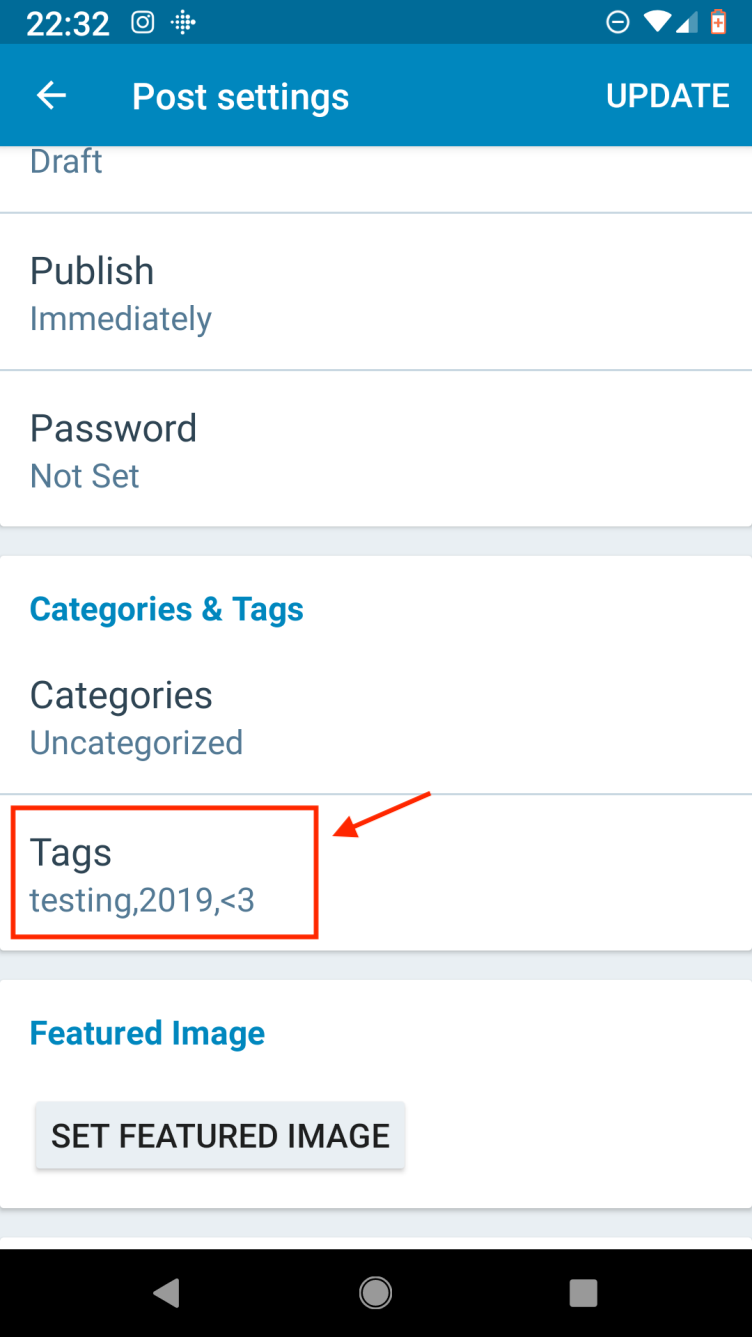
For example, you'll see I've added a <3 to my tags in this screenshot:
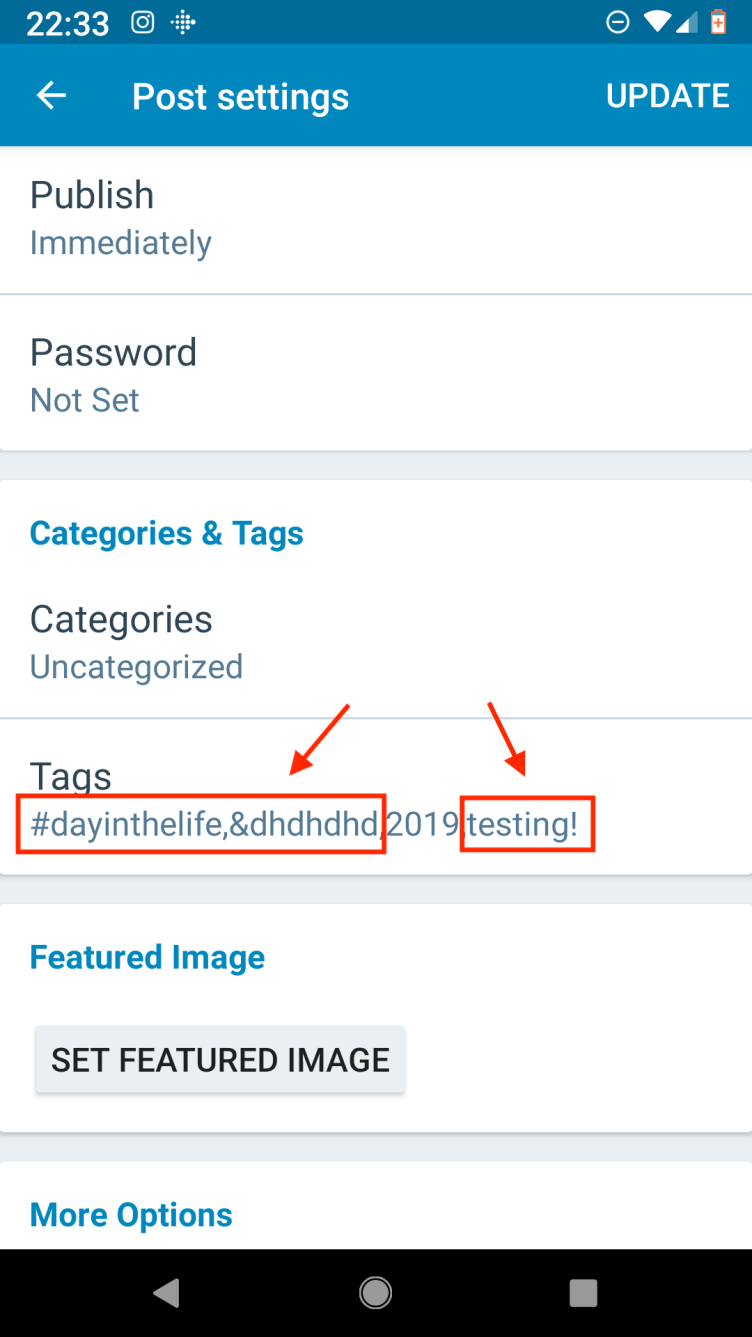
After saving the above changes and returning to the Post Settings screen, I saw that not only was <3 removed, but testing was also removed and three other tags had been added:
Steps to reproduce the behavior
- Navigate to post editor and go through the steps to add new tags from the Post Settings screen.
- Include any tag that has a
<symbol and save the changes. - Navigate away from the Post Settings screen and then return to it.
Tested on Pixel, Android alpha-144
Possibly relevant past issues with numeric tags being removed from the app: https://github.com/wordpress-mobile/WordPress-Android/issues/8008
This was raised by a user in 1693771-zen who notes that they often see tags randomly disappearing from the app. The only reliable way I was able to reproduce the problem was when using tags with a < symbol, but there may be a wider problem here.
The user is locked into version 10.9.3 of the app as they're on Android 4.4.2.
Contributor guide
First steps
- Read the whole issue, then the project's contributing guide.
- Comment on the issue to say you are picking it up — it saves two people doing the same work.
- Fork the repository and make your change on a branch.
- Open a pull request that references the issue number.
Research direction
Reproduce the issue from the post editor's Post Settings screen on Android using a tag containing <, then follow the save and reload behavior described in the report. Done means tags containing < persist after saving and returning to Post Settings, without unrelated tags disappearing or being added.
Written by the indexing model from the issue text.
Assessment
- Tech stack
- android, kotlin
- Domain
- mobile
- Issue type
- Bug
- Difficulty
- 3/5
- Estimated time
- 1-2 days
- Activity status
- Stale
- Clarity
- Mostly clear
- Newbie friendliness
- 35/100