wordpress-mobile / wordpress-mobile/WordPress-Android
Magic Link: Can't sign up or log in after adding WordPress.com to Home Screen
Nobody has claimed this yet.
- Dominant language
- Kotlin
- Stars
- 3.2k
- Forks
- 1.4k
- Avg merge
- 1d 11h
- Merged PRs (30d)
- 69
Description
Expected behavior
I expect to be able to sign up and log in using a magic link.
Actual behavior
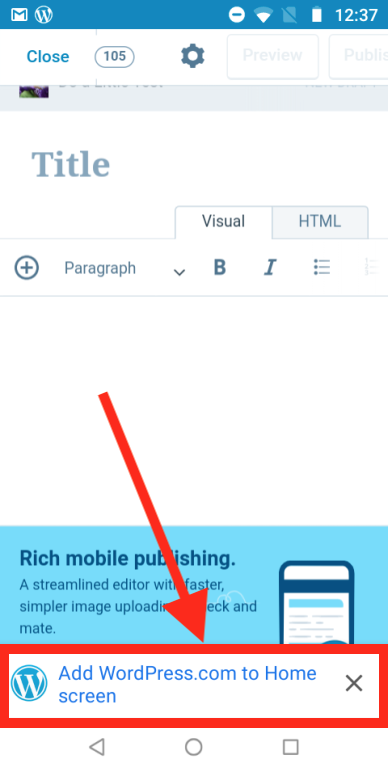
This problem occurs after adding WordPress.com to my device home screen. This is unrelated to the native app — it's added to the home screen by clicking the “Add to home screen” banner on WordPress.com in a web browser:
After that, when I click on a magic link on my phone, I'm directed to a browser window that shows the error "Can't connect to the site." (In the console, it shows a Navigation is blocked error for the magic link.)
If I'm trying to sign up, the account is created behind the scenes but I'm not logged in to the app.
Steps to reproduce the behavior
- Visit WordPress.com in a web browser on your device.
- On a Calypso screen (e.g. logged in, or on the login page) tap the "Add WordPress.com to Home screen" banner.
- Open the WordPress app.
- While logged out of the app, select Log In.
- Enter your email address.
- Select "Send link" to send a magic link.
- Select "Open mail" to open your mail app.
- Find the magic link email and select the magic link ("Sign in to WordPress.com").
Result: A browser window opens with the error "Can't connect to the site."
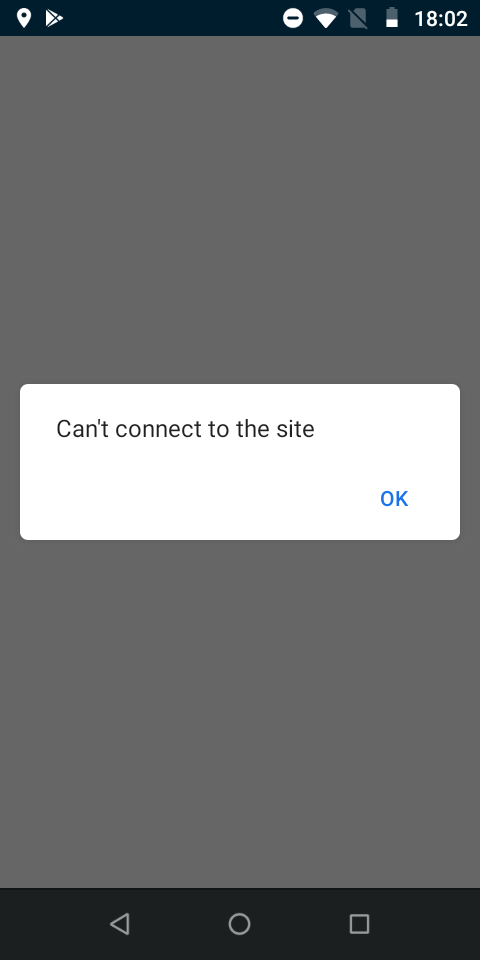
Tested on moto e5 play, Android 8.1, WP alpha-136 & Nexus 9, Android 7.1.1, WP alpha-136
Contributor guide
First steps
- Read the whole issue, then the project's contributing guide.
- Comment on the issue to say you are picking it up — it saves two people doing the same work.
- Fork the repository and make your change on a branch.
- Open a pull request that references the issue number.
Research direction
Start at the Android login flow from “Log In” through “Send link” and the magic-link handoff opened from the email. Reproduce the issue after adding WordPress.com to the home screen and inspect the reported “Navigation is blocked” error. Done means sign-up and login magic links complete successfully in that setup, including logging in after account creation.
Written by the indexing model from the issue text.
Assessment
- Tech stack
- android, kotlin
- Domain
- authentication, mobile
- Issue type
- Bug
- Difficulty
- 4/5
- Estimated time
- 3-5 days
- Activity status
- Stale
- Clarity
- Mostly clear
- Newbie friendliness
- 35/100