wordpress-mobile / wordpress-mobile/WordPress-Android
Text highlight color is not properly rendered in Reader
Open
Nobody has claimed this yet.
[Pri] Low
[Type] Bug
Reader
- Dominant language
- Kotlin
- Stars
- 3.2k
- Forks
- 1.4k
- Avg merge
- 1d 11h
- Merged PRs (30d)
- 69
Description
Expected behavior
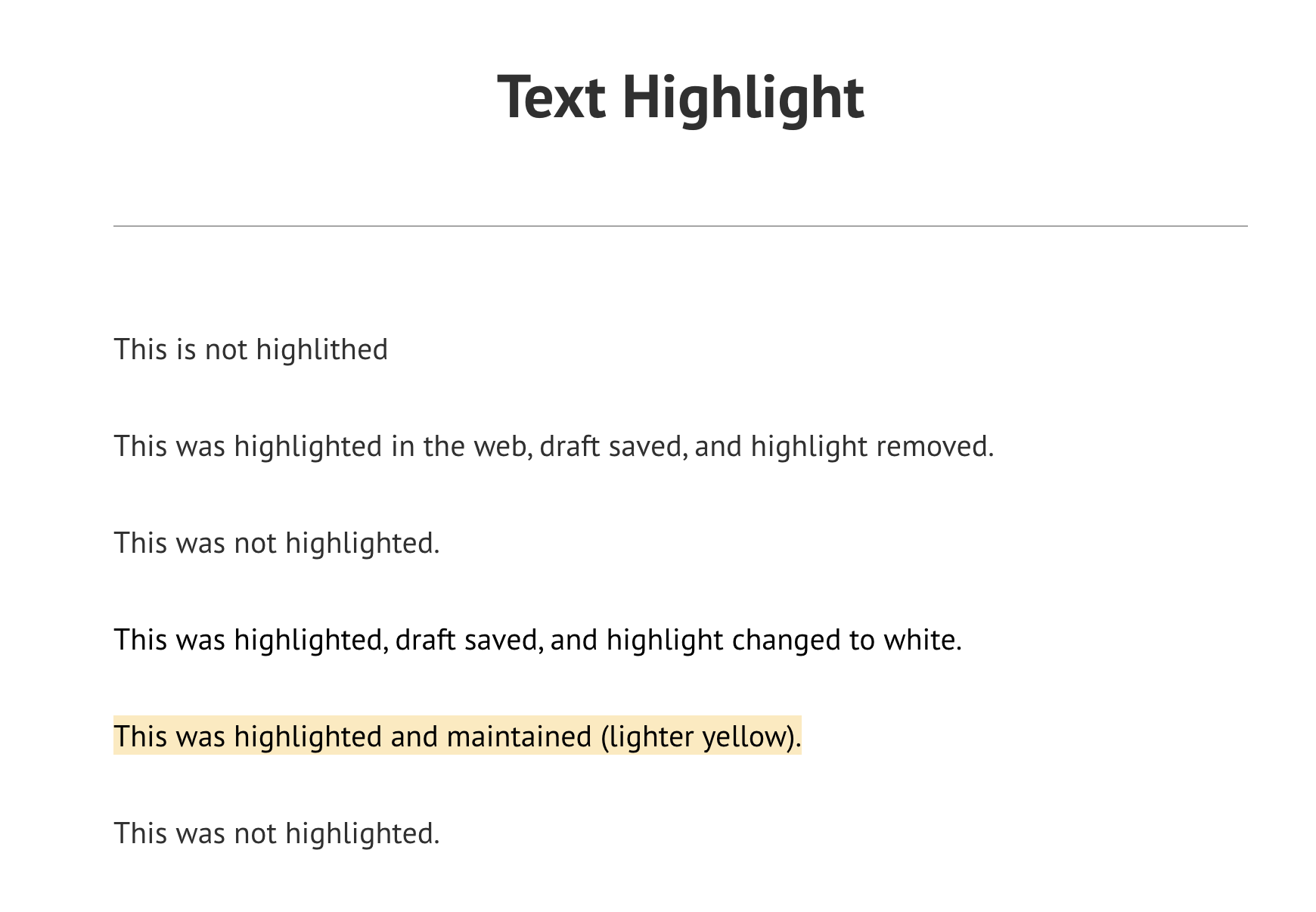
Text Highlight color in a post should be the same both Reader and Web.
Actual behavior
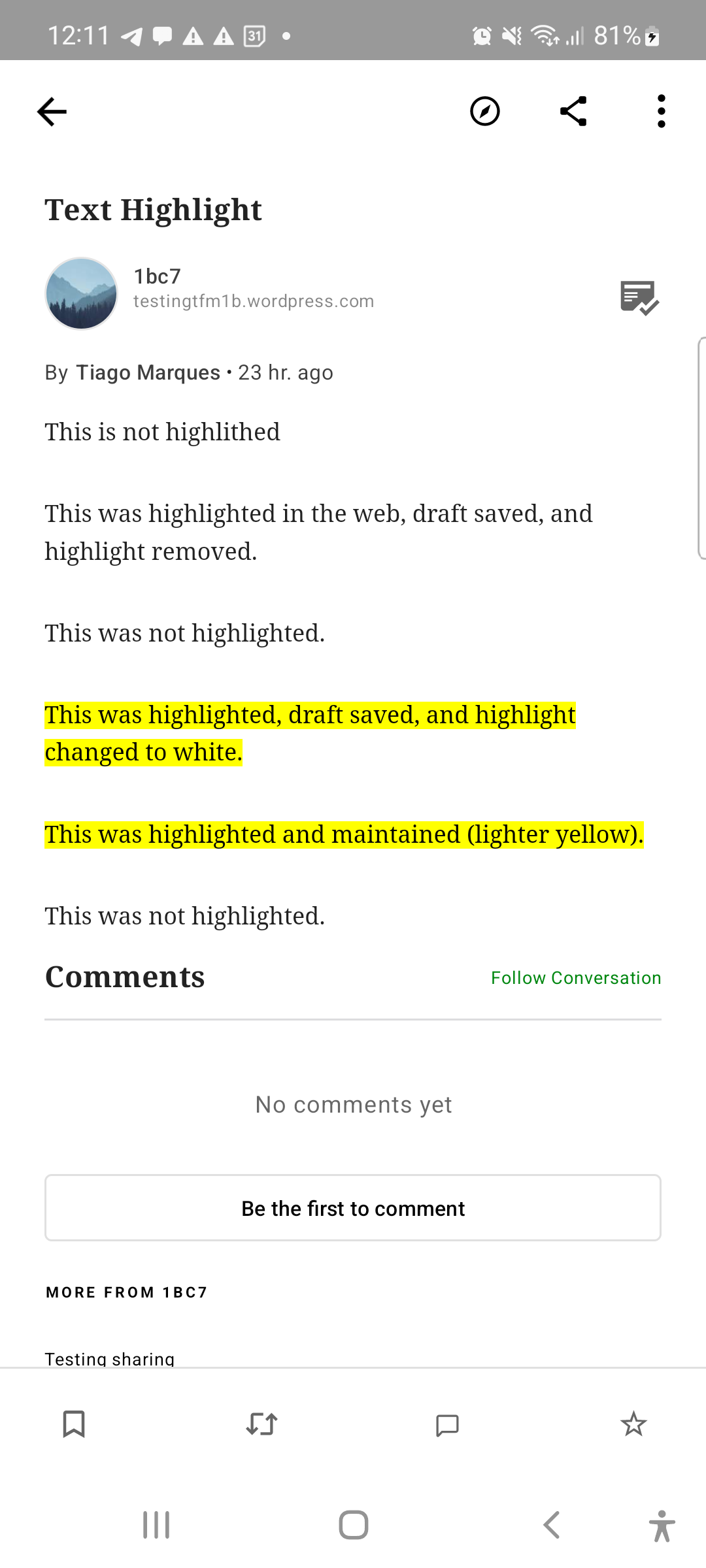
Reader ignores highlighted text color and shows only a bright yellow background color but the proper color is displayed on Web.
Web
Reader
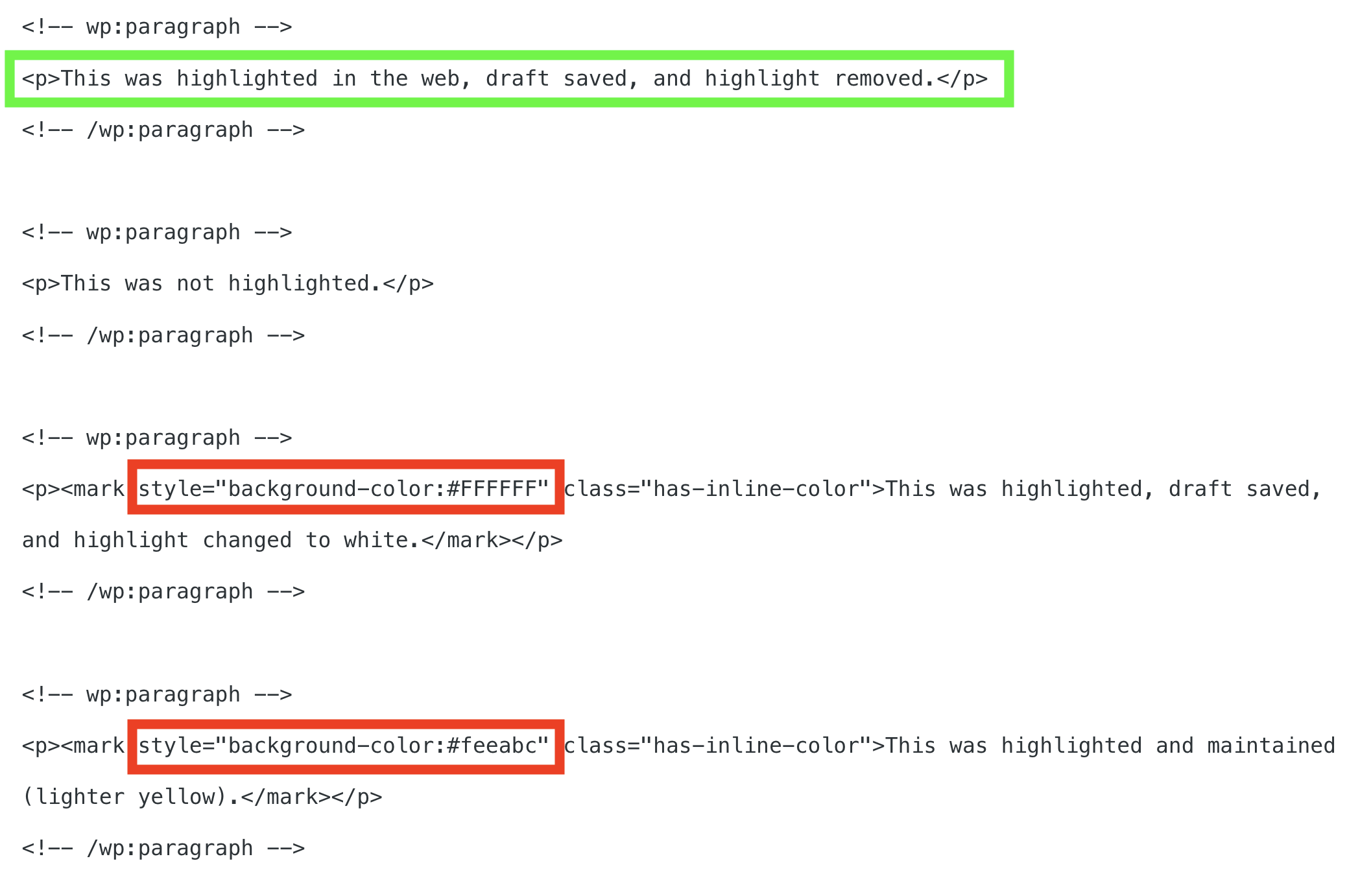
Code view
Steps to reproduce the behavior
Preparing:
Create a post (test post, from now on) with
- Text without highlights
- Text highlighted with any color other than Yellow
- Text highlighted with White background color
Postsscreen >Viewbutton on the test post- ✅ Notice the highlights are displayed as expected
- Reader > Tap the test post
- ❌ Notice that the highlighted text is all displayed with a bright yellow color
Tested on Samsung Galaxy Note 20, Android 12, JPAndroid 22.2-rc-1.
Contributor guide
First steps
- Read the whole issue, then the project's contributing guide.
- Comment on the issue to say you are picking it up — it saves two people doing the same work.
- Fork the repository and make your change on a branch.
- Open a pull request that references the issue number.
Research direction
Start by reproducing the issue in Reader using a post with non-yellow and white highlights, then compare it with Posts > View and the Web result. Done means Reader preserves each highlight's color instead of rendering every highlight with a bright yellow background.
Written by the indexing model from the issue text.
Assessment
- Tech stack
- android, kotlin
- Domain
- mobile
- Issue type
- Bug
- Difficulty
- 3/5
- Estimated time
- 1-2 days
- Activity status
- Stale
- Clarity
- Mostly clear
- Newbie friendliness
- 45/100