wordpress-mobile / wordpress-mobile/WordPress-Android
Some translations appear when the language is set by the OS but do not appear when the language is set within the app
Open
Nobody has claimed this yet.
[Pri] Medium
[Type] Bug
i18n
- Dominant language
- Kotlin
- Stars
- 3.2k
- Forks
- 1.4k
- Avg merge
- 1d 11h
- Merged PRs (30d)
- 69
Description
Expected behavior
Translations that work when the language is set at the OS level should also work when the language is set within the app.
Actual behavior
Some translations only show up when the language is set at the OS-level.
Steps to reproduce the behavior
- Create a post with a media block that has a failed upload (airplane mode is handy for this). From the posts lists, tapping the retry button on the post should cause the "1 post with 1 file not uploaded" error message.
- Fresh install of the app or install of the app that has never had a language set from within the app. It is important that the language never have been set from within the app on this install because once the language is set within the app it will override any OS language settings until the app's data is wiped.
- Set the OS language (Settings -> System -> Languages & Input -> Languages) to "Deutsch (Deutschland)".
- Within WPAndroid, observe that the "1 file not uploaded" notification is properly translated to German.
- Change the OS system language back to English
- Within WPAndroid (Me -> App Settings -> Interface Language), change the language to "German (Deutsch)"
- Observe that the "1 file not uploaded" notification is not translated to German.
| Fresh app install with OS language set to German | Language set to German from within WPAndroid |
|---|---|
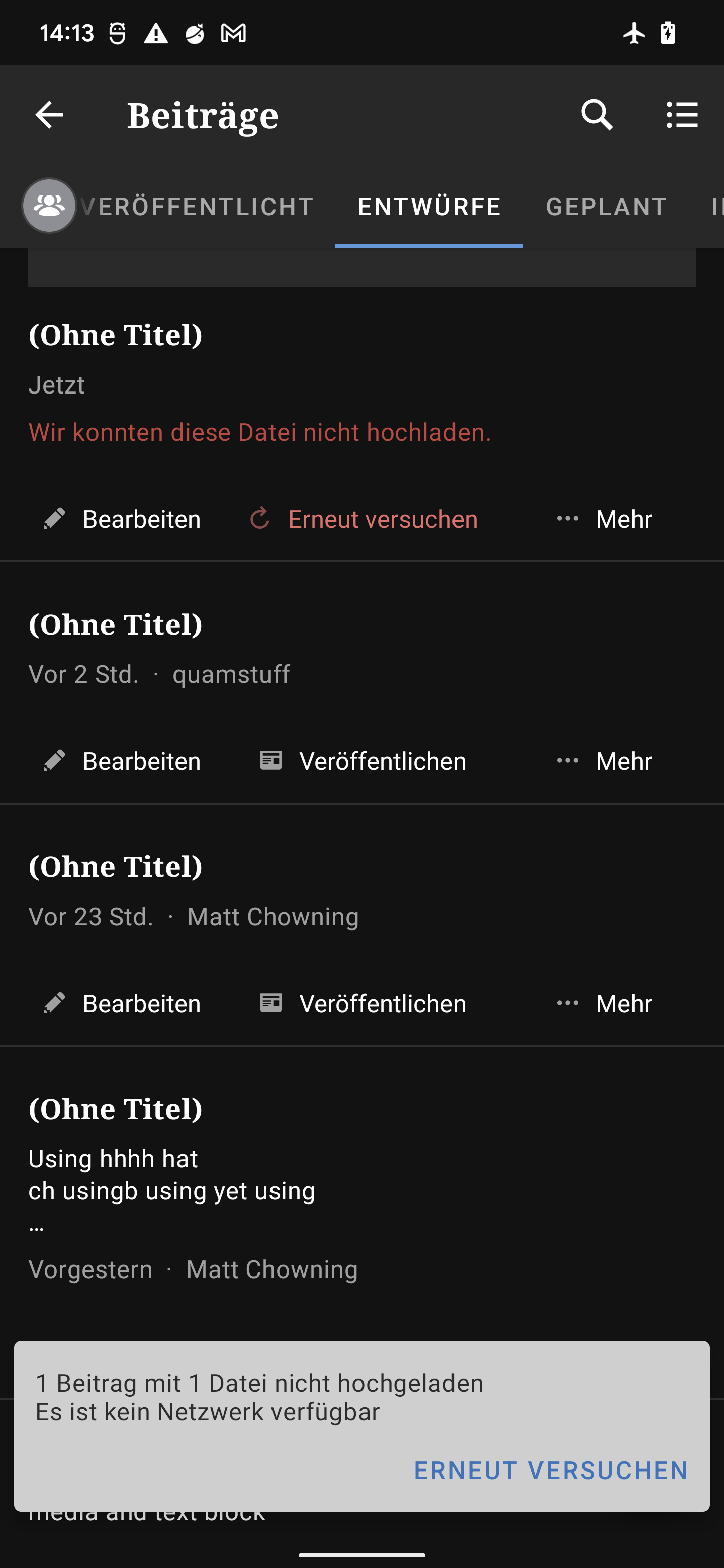 |
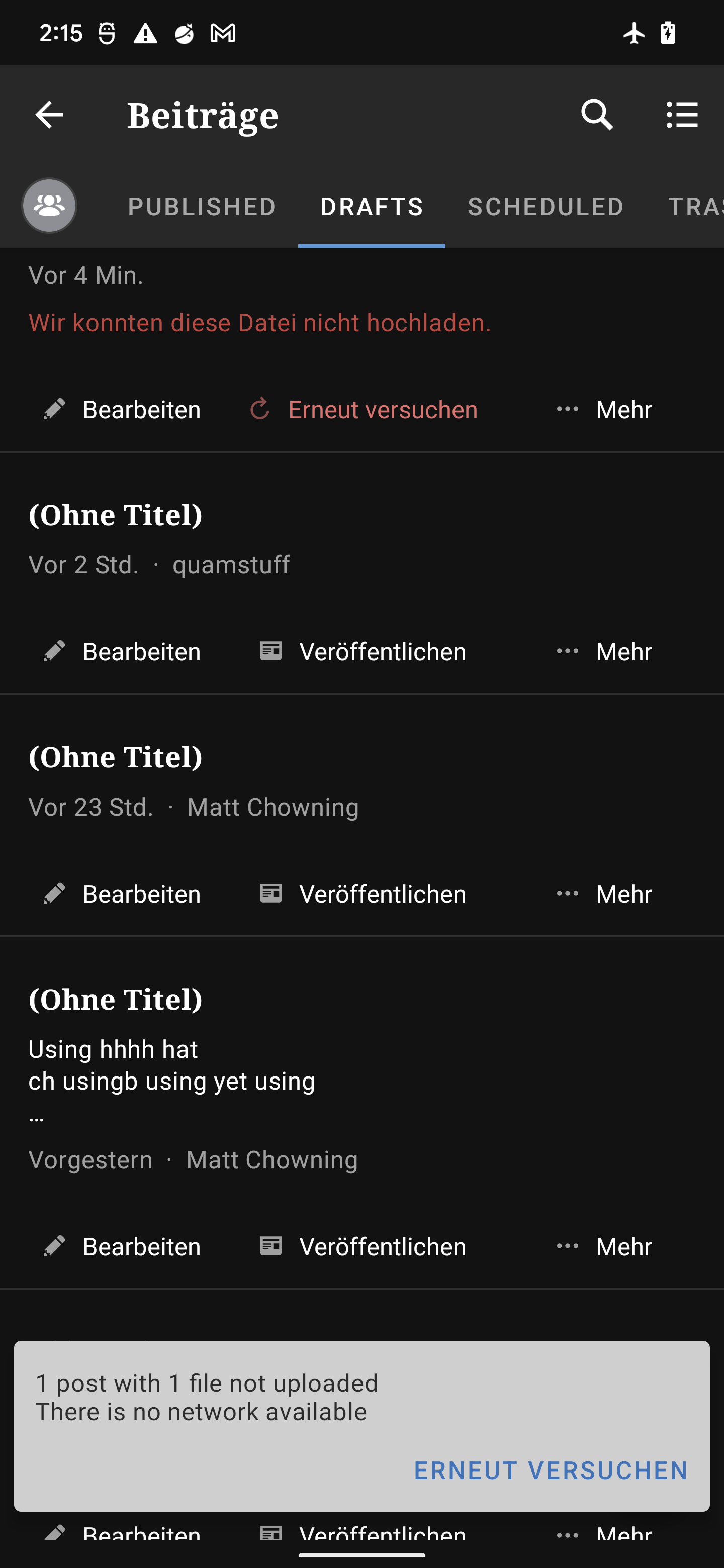 |
Tested on Pixel 3 and Pixel 6, Android 12, WPAndroid alpha-352 (1191)
internal reference: p5T066-34Q-p2#comment-11833
Contributor guide
First steps
- Read the whole issue, then the project's contributing guide.
- Comment on the issue to say you are picking it up — it saves two people doing the same work.
- Fork the repository and make your change on a branch.
- Open a pull request that references the issue number.
Research direction
Start by reproducing the failed-upload notification using the listed OS-language and in-app-language steps on Android. Trace how the app selects translations for the notification in each case; done means the same German translation appears whether German is selected by the OS or within WPAndroid.
Written by the indexing model from the issue text.
Assessment
- Tech stack
- android, kotlin
- Domain
- internationalization, localization, mobile
- Issue type
- Bug
- Difficulty
- 3/5
- Estimated time
- 1-2 days
- Activity status
- Stale
- Clarity
- Mostly clear
- Newbie friendliness
- 45/100