wordpress-mobile / wordpress-mobile/WordPress-Android
Follow conversation by push notifications and notifications global settings.
Nobody has claimed this yet.
- Dominant language
- Kotlin
- Stars
- 3.2k
- Forks
- 1.4k
- Avg merge
- 1d 11h
- Merged PRs (30d)
- 69
Description
This is related to an observed behaviour while testing this PR here
The new feature allows to enable push notifications for comments on a post.
Reporting the issue description from the PR:
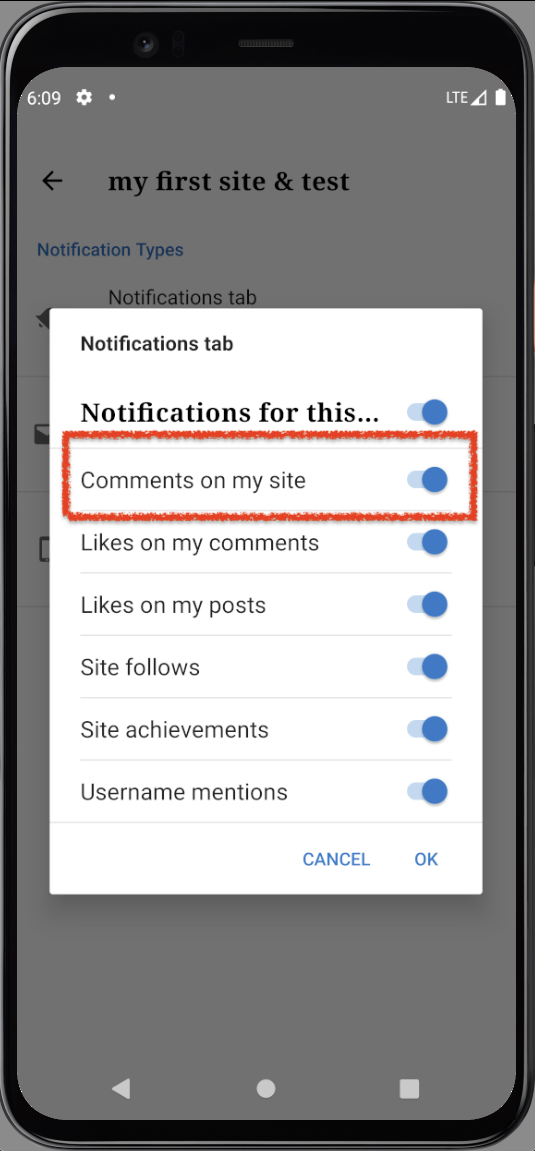
- I enabled in-app push notifications for conversation as mentioned in the instructions, but did not receive them in an instance when I had notifications disabled for the comments on my own (atomic) site under the
Notificationstab. Once I enabled the setting, I started receiving them.- I disabled notifications for conversations, yet was able to receive them when someone commented on the thread. Comments needed moderation, once approved, new comments from the same user were displayed as remarked comments under the
Notificationstab.
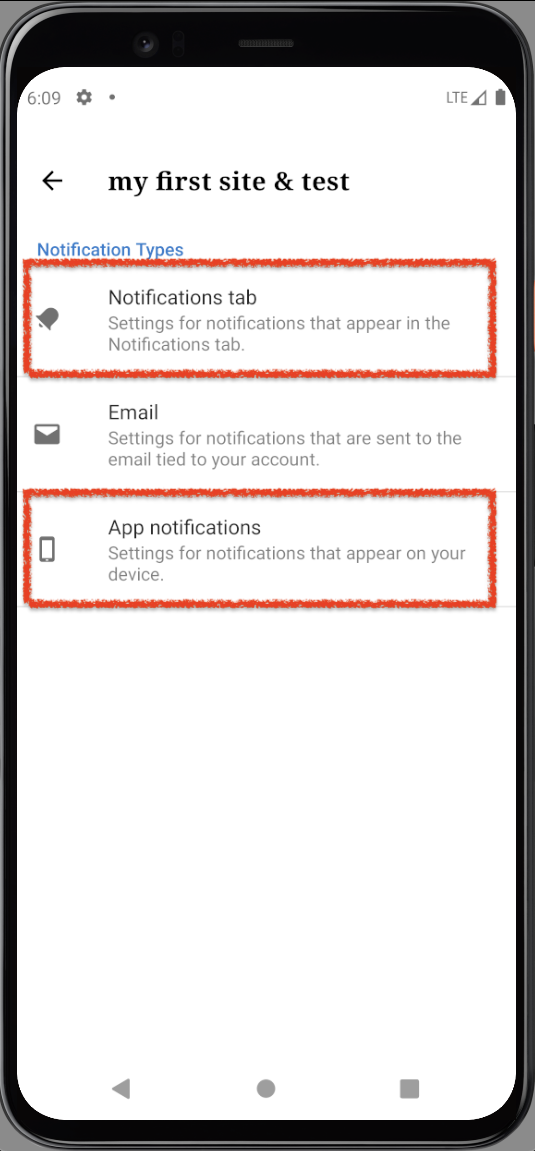
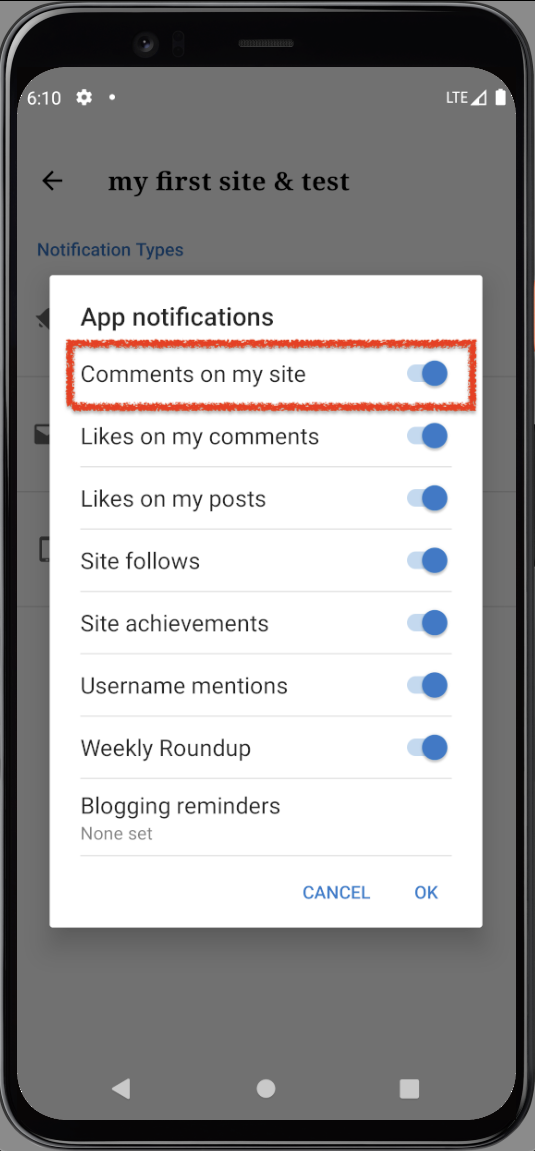
The reported issue was noted on an atomic site owned by the user that was activating the push notifications, and it seemed initially that the global notification settings for a site that you own could affect the behaviour preventing the user to actually get notifications for comments on that desired post.
Namely these are the settings we were looking into:
 |
 |
 |
|---|
I was not able to reproduce the issue on my side and we verified with @ashiagr that the issue was not happening on her end anymore as well regardless the Notifications global settings status.
It seemed fair to report in an issue anyway in case something similar could happen. Also it's possible we would want to review the general behaviour of the feature linking to these settings in an iteration 2.
cc @ashiagr, @mattmiklic, @aerych
Contributor guide
First steps
- Read the whole issue, then the project's contributing guide.
- Comment on the issue to say you are picking it up — it saves two people doing the same work.
- Fork the repository and make your change on a branch.
- Open a pull request that references the issue number.
Research direction
Start by reviewing PR 15459 and issue 15460, then examine the notification and global Notifications settings described here. Test conversation push notifications with those settings enabled and disabled, including moderated comments. Done means the interaction is understood and the intended behavior is confirmed or a reproducible defect is documented.
Written by the indexing model from the issue text.
Assessment
- Tech stack
- kotlin
- Domain
- mobile-dev
- Issue type
- Bug
- Difficulty
- 4/5
- Estimated time
- 3-5 days
- Activity status
- Stale
- Clarity
- Needs clarification
- Newbie friendliness
- 25/100