wordpress-mobile / wordpress-mobile/WordPress-Android
Offline Support: Improve UI when viewing a site while offline
Open
Nobody has claimed this yet.
[Status] Stale
[Type] Enhancement
Offline Support
- Dominant language
- Kotlin
- Stars
- 3.2k
- Forks
- 1.4k
- Avg merge
- 1d 11h
- Merged PRs (30d)
- 69
Description
Expected behavior
The offline UI when viewing a site should show a clean interface.
Actual behavior
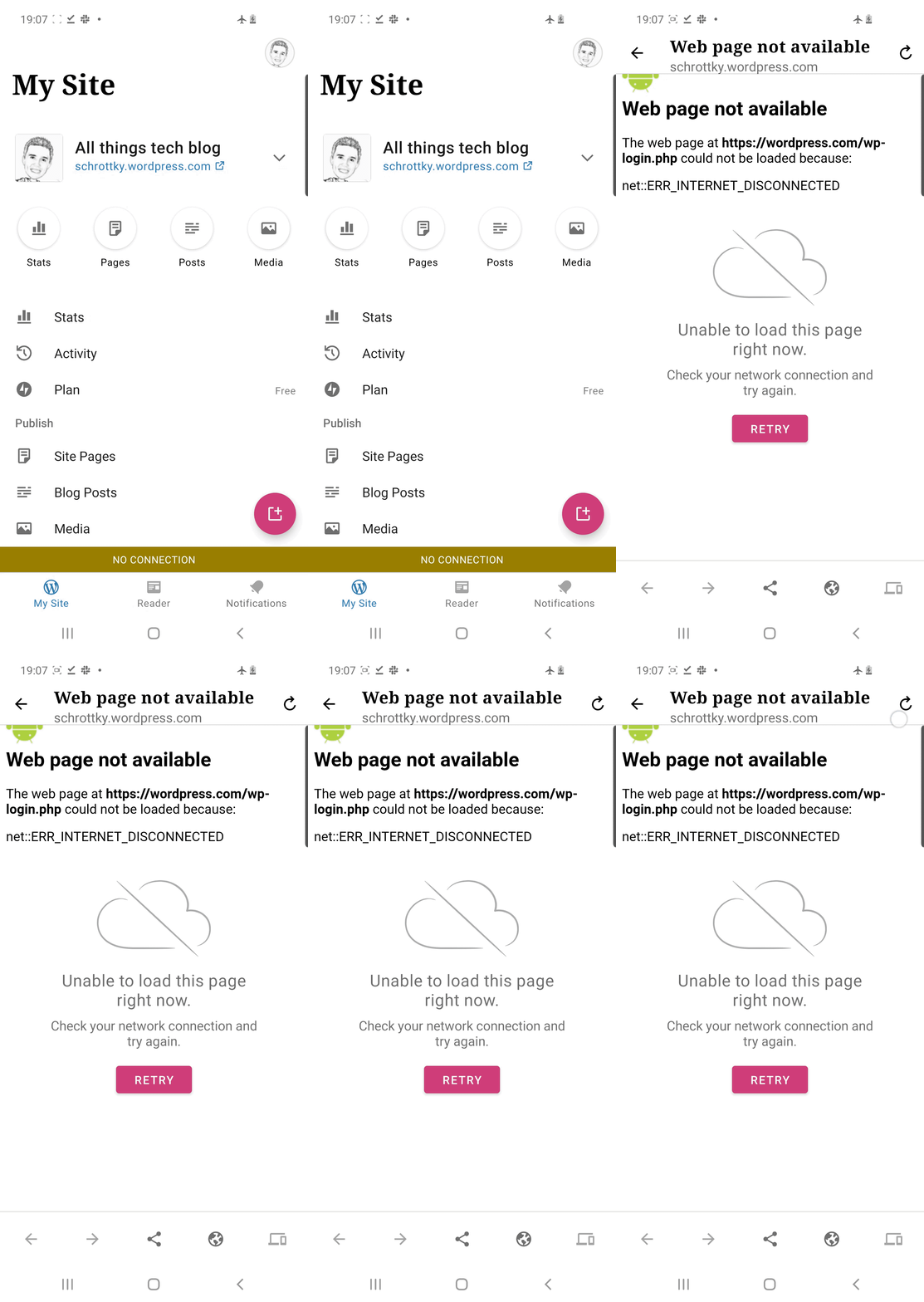
I noticed today that attempting to view a site while offline shows both the broken-looking "Web page not available" screen and followed by the more user-friendly UI below it:
 |
|---|
Steps to reproduce the behavior
- Turn off device internet (e.g airplane mode)
- On the site screen, tap the site URL just below the site title
- Notice that the screen that's show shows both a "Web page not available" and a "Unable to load this page right now", when only the latter should be shown
Tested on S10, Android 10, WPAndroid 15.9
Contributor guide
First steps
- Read the whole issue, then the project's contributing guide.
- Comment on the issue to say you are picking it up — it saves two people doing the same work.
- Fork the repository and make your change on a branch.
- Open a pull request that references the issue number.
Research direction
Start by reproducing the issue from the site screen: disable network access, tap the site URL below the site title, and observe the offline UI. Trace the screen flow that displays both messages; done means only the user-friendly “Unable to load this page right now” interface appears in this scenario.
Written by the indexing model from the issue text.
Assessment
- Tech stack
- android, kotlin
- Domain
- mobile
- Issue type
- Bug
- Difficulty
- 3/5
- Estimated time
- 1-2 days
- Activity status
- Stale
- Clarity
- Mostly clear
- Newbie friendliness
- 35/100