wordpress-mobile / wordpress-mobile/WordPress-Android
Comments: add a visual editor for comments
Nobody has claimed this yet.
- Dominant language
- Kotlin
- Stars
- 3.2k
- Forks
- 1.4k
- Avg merge
- 1d 11h
- Merged PRs (30d)
- 69
Description
We received the following feedback internally.
I went to write a reply from the app and I was surprised I couldn’t include a link in there. I had to write the HTML manually. Also, when I did that, the keyboard added smart quotes for the href which I had to replace manually.
| Adding a new comment (full-screen) | To edit on an existing comment | Editing an existing comment |
|---|---|---|
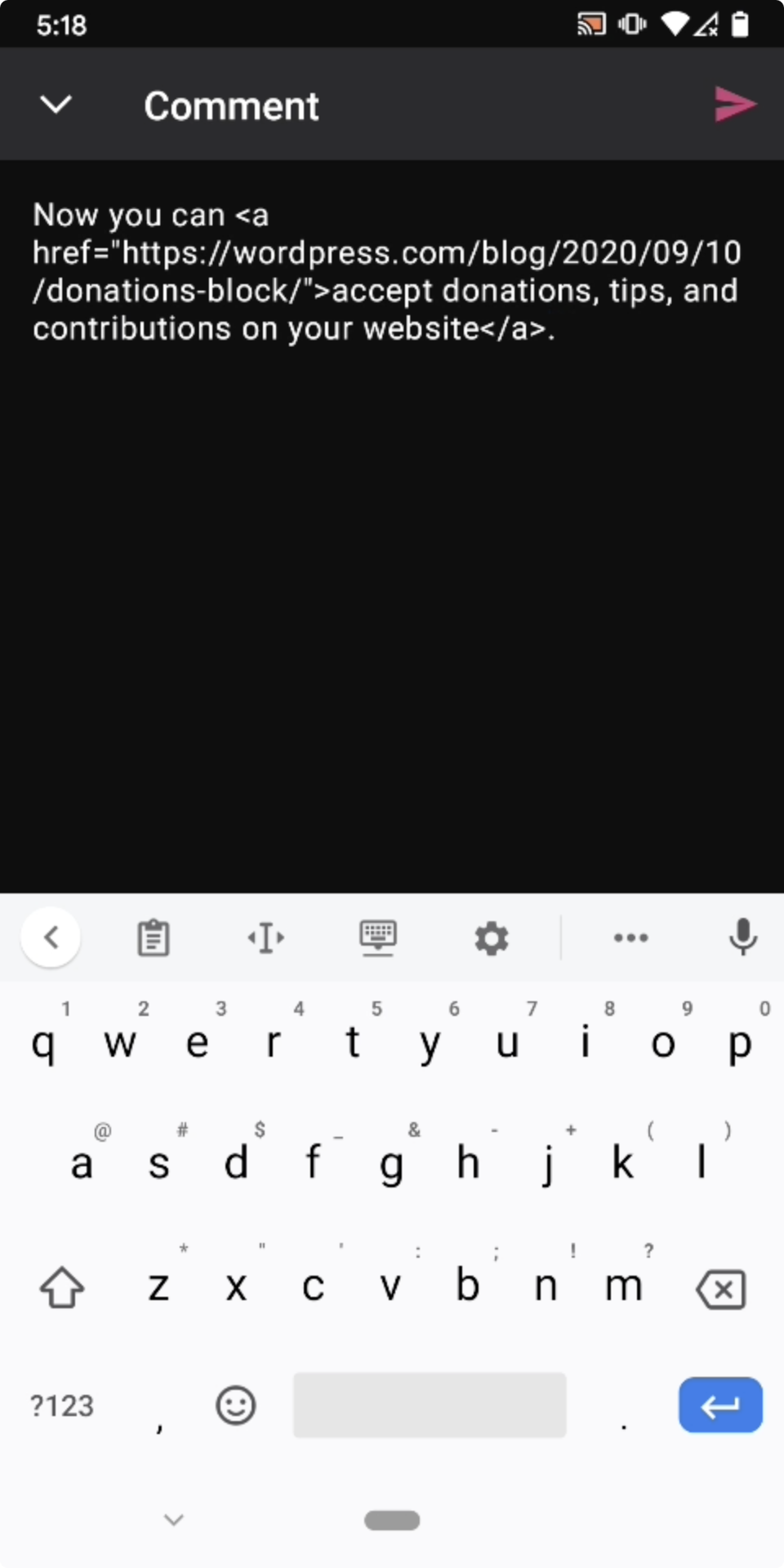 |
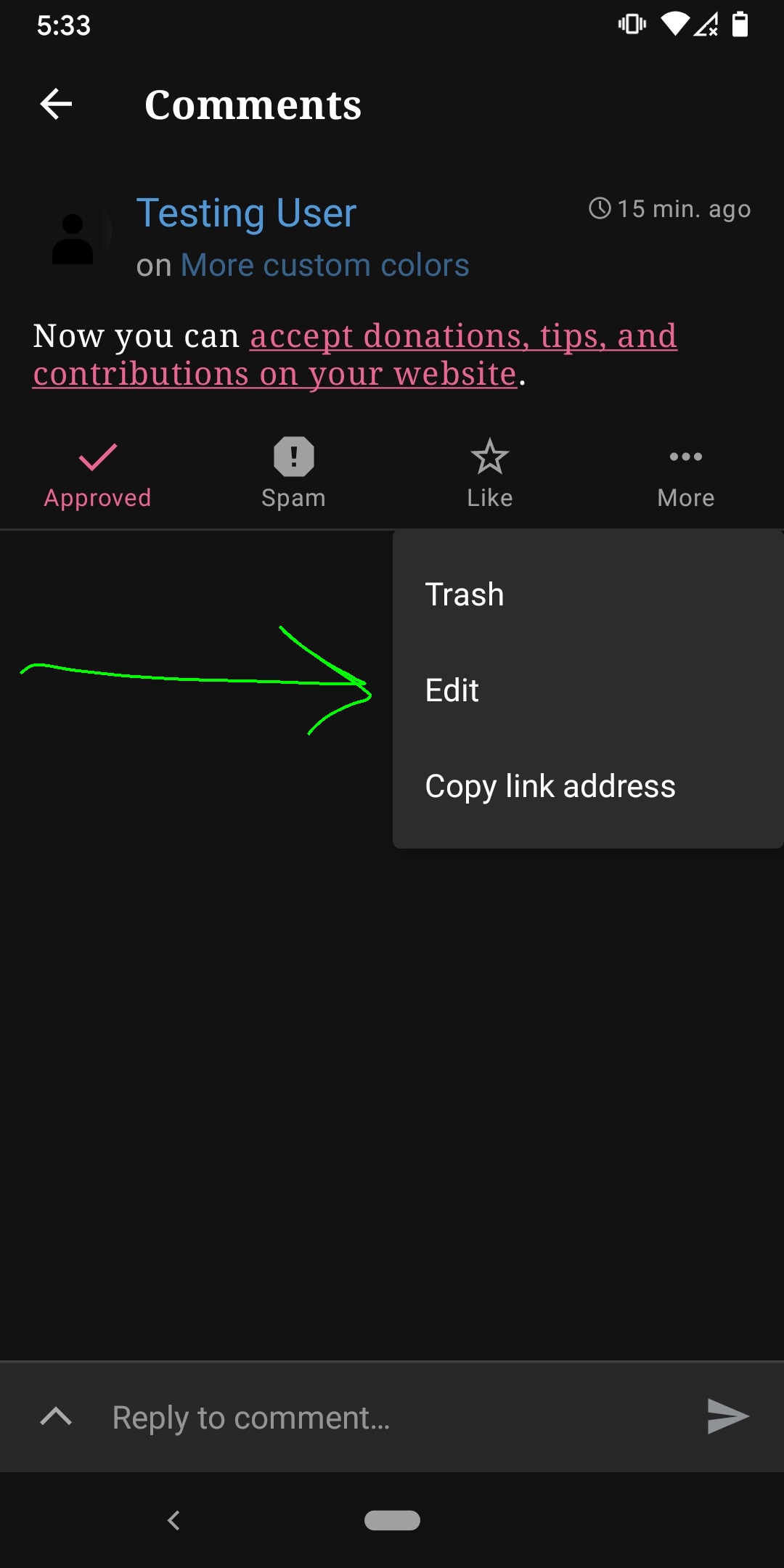 |
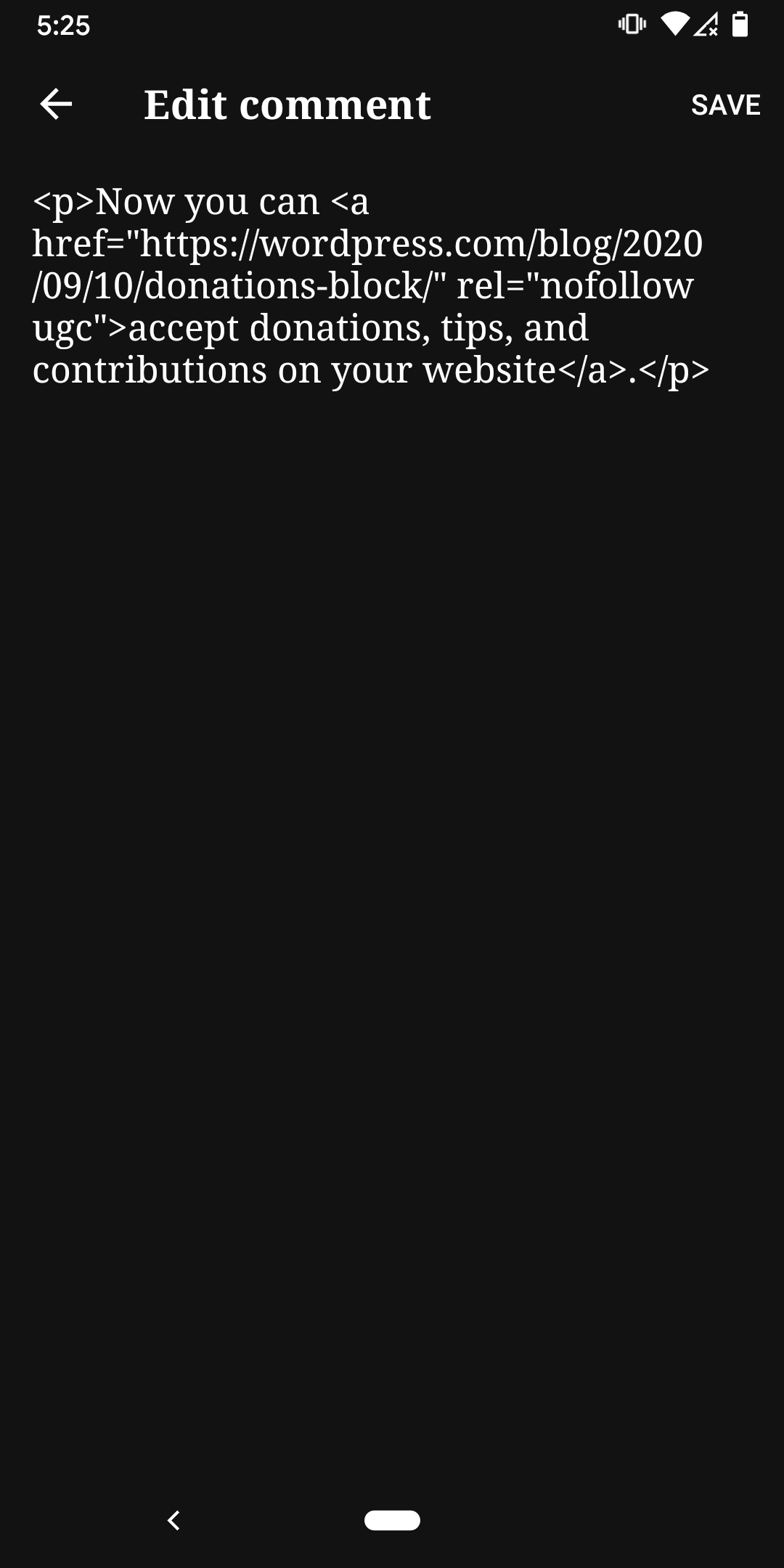 |
Video: 1m41s
Tested with WPAndroid 15.8-rc-1 on Pixel 3 Android 11.
Extra Notes
The subset of HTML tags which are allowed in comments are stored in the $allowedtags global variable. See https://core.trac.wordpress.org/browser/tags/5.5.1/src/wp-includes/kses.php#L414
We don't have a visual editor for comments on the web yet, but there is a tag inserter in the WP Admin > Comments section.
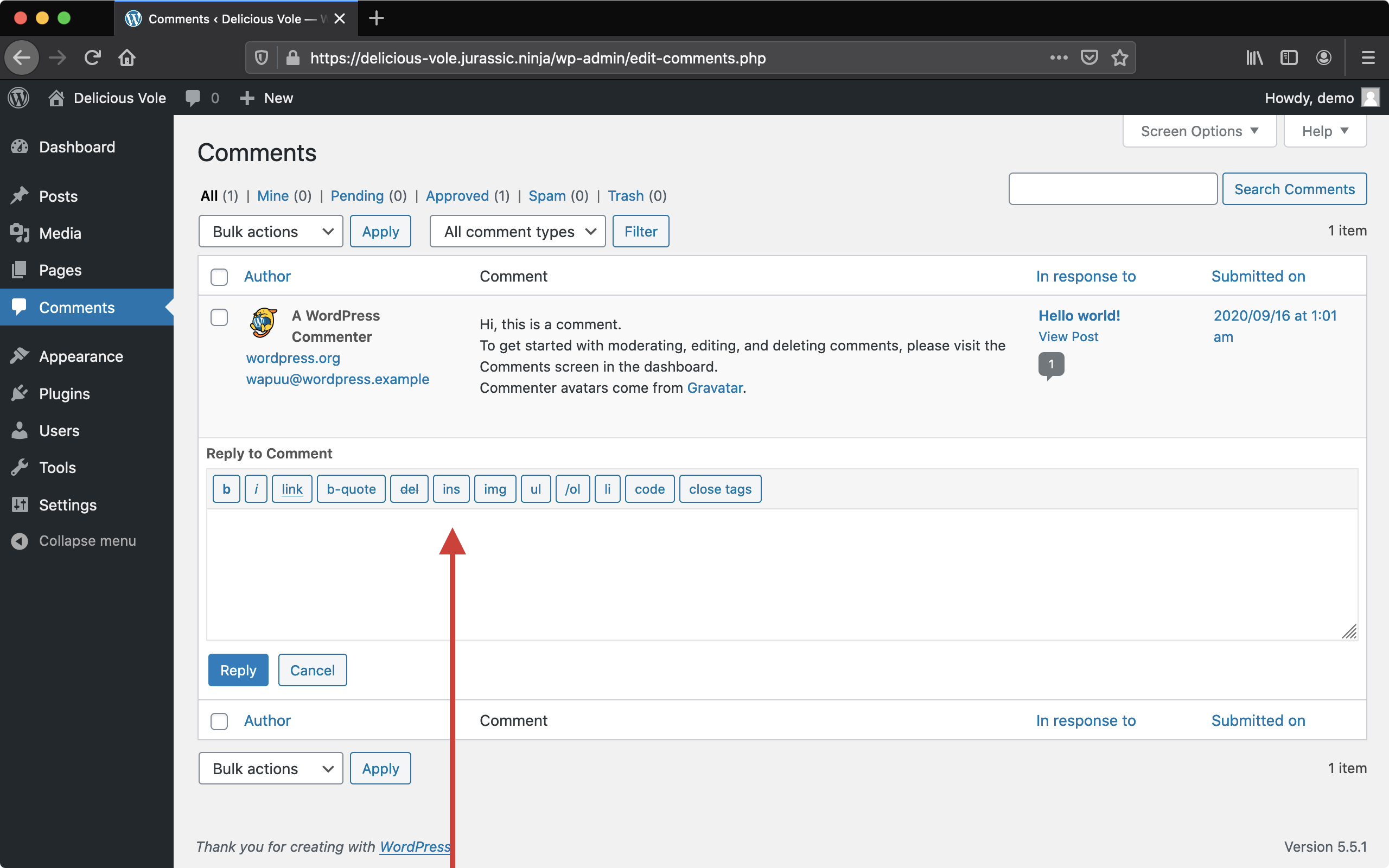
You can interact with comments in a few different locations: on rendered blog posts in a browser, Reader, Notifications, and in My Site > Comments or WP Admin > Comments. At the time of this writing, the only place I could find a tag inserter for comments in a default install was in WP Admin > Comments.
Automattic P2s have been using a modified plugin to use the Gutenberg block editor comments on a subset of P2s.
(internal reference: pb6Nl-do2-p2)
ht @koke p4a5px-2CS-p2 https://github.com/wordpress-mobile/WordPress-iOS/issues/14973
Contributor guide
First steps
- Read the whole issue, then the project's contributing guide.
- Comment on the issue to say you are picking it up — it saves two people doing the same work.
- Fork the repository and make your change on a branch.
- Open a pull request that references the issue number.
Research direction
Start by reviewing the comment entry points described in the issue: rendered blog posts, Reader, Notifications, and My Site > Comments. Compare the Android screenshots and the allowed HTML tags in WordPress's kses.php. Done means comments can be created and edited with a visual editor while preserving the permitted comment markup across the relevant Android flows.
Written by the indexing model from the issue text.
Assessment
- Tech stack
- android, kotlin
- Domain
- content, mobile
- Issue type
- Feature
- Difficulty
- 5/5
- Estimated time
- Over a week
- Activity status
- Stale
- Clarity
- Mostly clear
- Newbie friendliness
- 25/100