wordpress-mobile / wordpress-mobile/WordPress-Android
PDF file not showing on the media picker screen on the classic editor
Nobody has claimed this yet.
- Dominant language
- Kotlin
- Stars
- 3.2k
- Forks
- 1.4k
- Avg merge
- 1d 11h
- Merged PRs (30d)
- 69
Description
Expected behavior
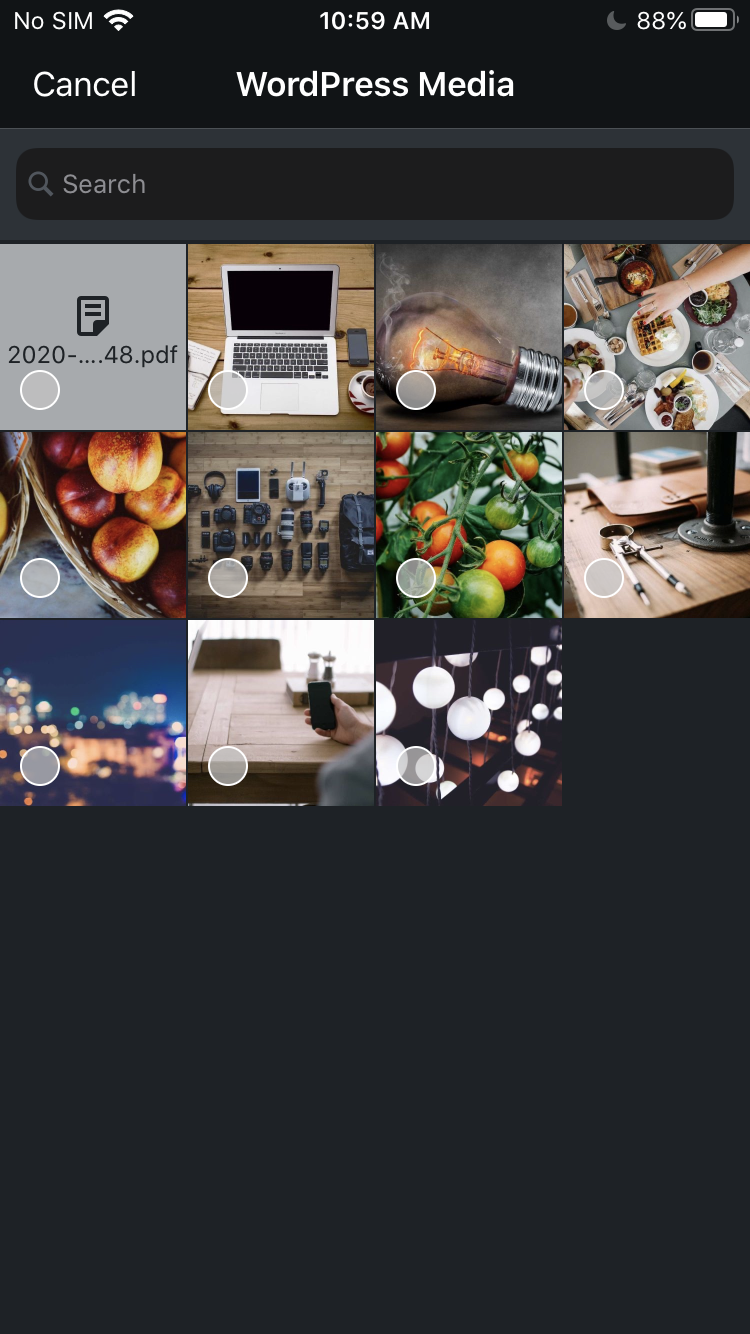
To be able to select the PDF file that's been uploaded to the Media library on the classic editor to add it to the page/post on the app.
This can be achieved on the WP iOS app (version 15.6) but not on Android.
Actual behavior
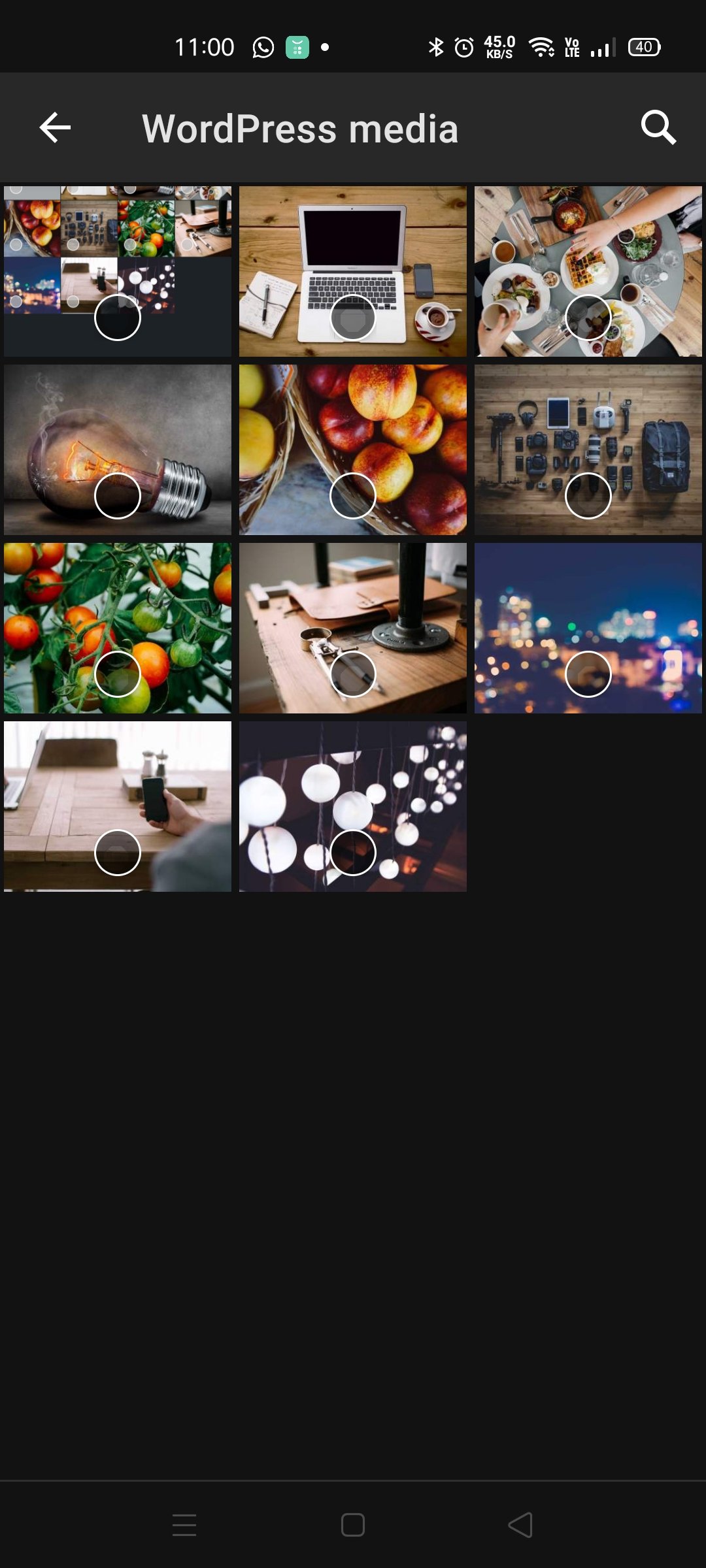
Only photos are showing on the media picker screen.
Steps to reproduce the behavior
- Go to My Site > Media and upload a PDF file to the site
- Go to My Site > Site Pages or Blog Posts
- Create a new page/post, or edit an existing page/post
- Tap on the three dots and select "Switch to classic editor"
- Tap the + icon and then the W icon
- Only photos are showing on the screen, not the PDF file that's uploaded in Step 1.
Screenshots
Screenshot of the media picker screen on WPAndroid
Screenshot of the media picker screen on WPiOS (15.6)
Tested on [device], Android [version], WPAndroid [version]
Device: Oppo Reno 4
Android version: 10
WPAndroid version: 15.7-rc-2
Reported in 3314184-zen with WPAndroid version 15.6.
Contributor guide
First steps
- Read the whole issue, then the project's contributing guide.
- Comment on the issue to say you are picking it up — it saves two people doing the same work.
- Fork the repository and make your change on a branch.
- Open a pull request that references the issue number.
Research direction
Start by reproducing the issue through My Site > Media and the classic editor's + > W media picker on Android, using the reported Oppo Reno 4 and Android 10 details as context. Compare the picker with the documented iOS behavior and verify that an uploaded PDF appears and can be selected alongside photos.
Written by the indexing model from the issue text.
Assessment
- Tech stack
- android, kotlin
- Domain
- mobile
- Issue type
- Bug
- Difficulty
- 3/5
- Estimated time
- 1-2 days
- Activity status
- Stale
- Clarity
- Clearly specified
- Newbie friendliness
- 35/100