wordpress-mobile / wordpress-mobile/WordPress-Android
YouTube shortcode not rendering correctly in notification mention
Nobody has claimed this yet.
- Dominant language
- Kotlin
- Stars
- 3.2k
- Forks
- 1.4k
- Avg merge
- 1d 11h
- Merged PRs (30d)
- 69
Description
Expected behavior
When viewed via the Notifications tab in WPAndroid, a comment that includes a Shortcode block which in-turn contains the YouTube shortcode (e.g. [youtube https://www.youtube.com/watch?v=fX8YLri4wxU]) should be rendered correctly (i.e. the YouTube video should be visible in the comment). Note: this works fine for posts that contain this same content.
Actual behavior
The raw shortcode itself is visible instead of the referenced YouTube video.
| Post notification — works here ✅ | Comment notification — doesn't work here ❌ |
|---|---|
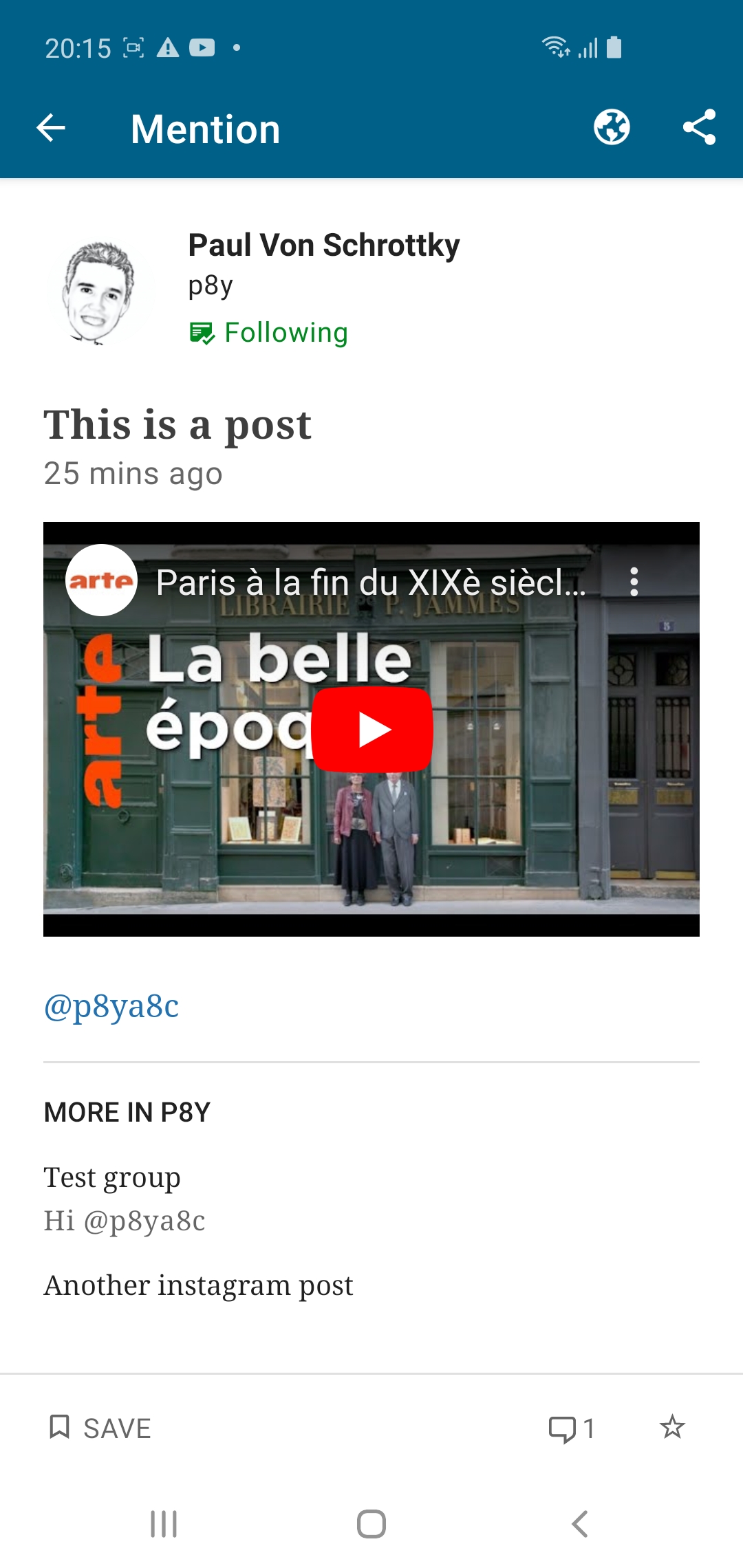 |
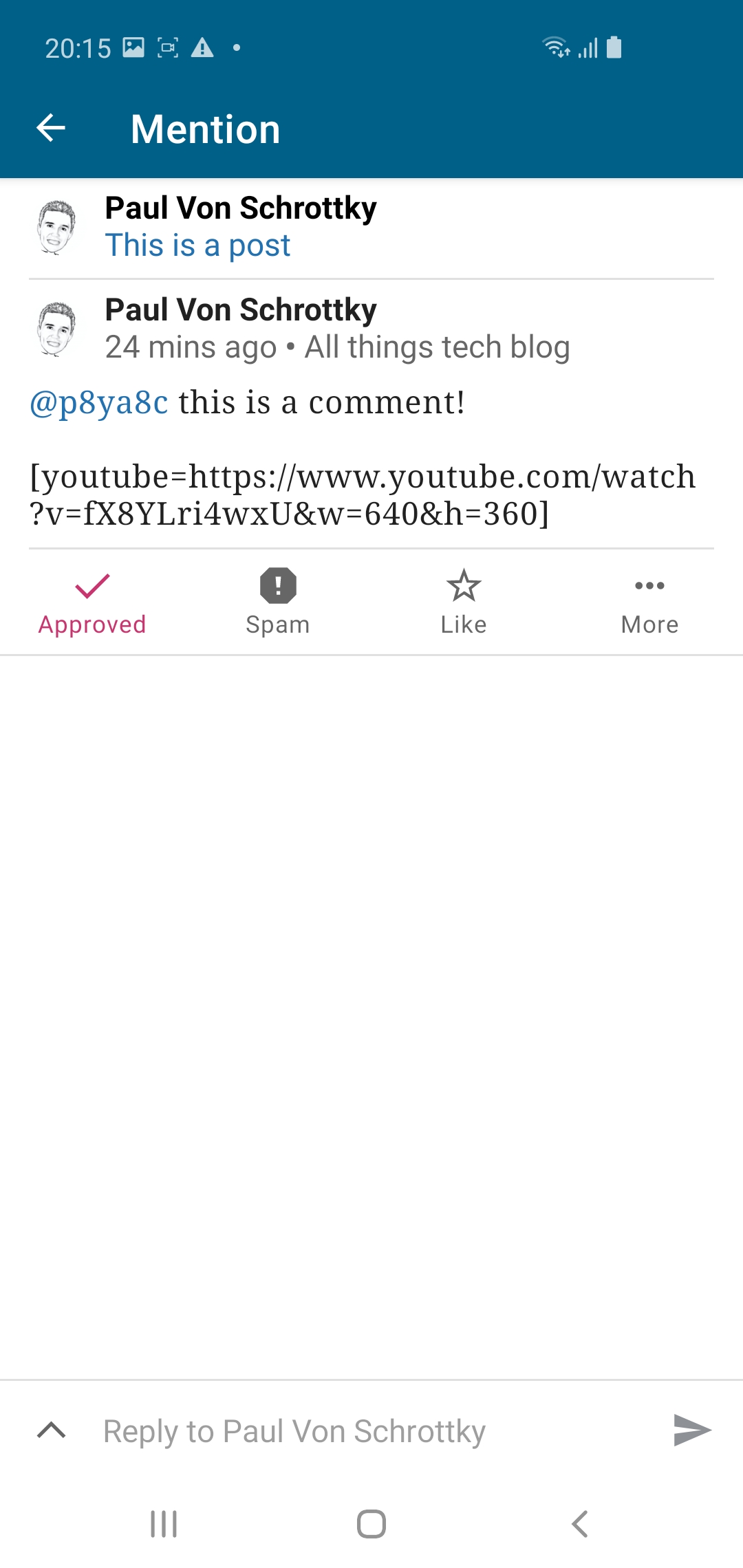 |
Steps to reproduce the behavior
- On the web, log into a WordPress site that has Gutenberg enabled in comments (e.g. create a site on http://wp.com/p2)
- Add another WordPress user, granting the Administrator role (other roles may work)
- Still on the same site, create a reply (comment) to a post, @-mentioning the newly added user
- Add an Shortcode block to that same reply (sample content
[youtube https://www.youtube.com/watch?v=fX8YLri4wxU]) - Send the reply
- From the WPAndroid app, log in as the newly added Administrator
- In the Notifications tab, locate the notification for the reply that @-mentioned the user
- Open the comment, and notice the video is not visible — only the raw shortcode is visible
Tested on Samsung S10, Android 10, WPAndroid 15.4.1
Contributor guide
First steps
- Read the whole issue, then the project's contributing guide.
- Comment on the issue to say you are picking it up — it saves two people doing the same work.
- Fork the repository and make your change on a branch.
- Open a pull request that references the issue number.
Research direction
Reproduce the issue in the WPAndroid Notifications tab using a comment with a Shortcode block containing the shown YouTube shortcode, then compare it with the working post notification behavior. Done means the comment notification renders the YouTube video instead of displaying the raw shortcode.
Written by the indexing model from the issue text.
Assessment
- Tech stack
- android, kotlin
- Domain
- mobile
- Issue type
- Bug
- Difficulty
- 3/5
- Estimated time
- 1-2 days
- Activity status
- Stale
- Clarity
- Mostly clear
- Newbie friendliness
- 35/100