wordpress-mobile / wordpress-mobile/WordPress-Android
Publish Settings : Publish Date - Immediately does not show disabled Notification or Calendar options
Nobody has claimed this yet.
- Dominant language
- Kotlin
- Stars
- 3.2k
- Forks
- 1.4k
- Avg merge
- 1d 11h
- Merged PRs (30d)
- 69
Description
Expected behavior
When the Publish Date is Immediately then the Notification and Add to Calendar options should be disabled, not invisible.
Actual behavior
There are times, when the controls become invisible as seen below when Immediately is selected. I think this has something to do with the logic located here
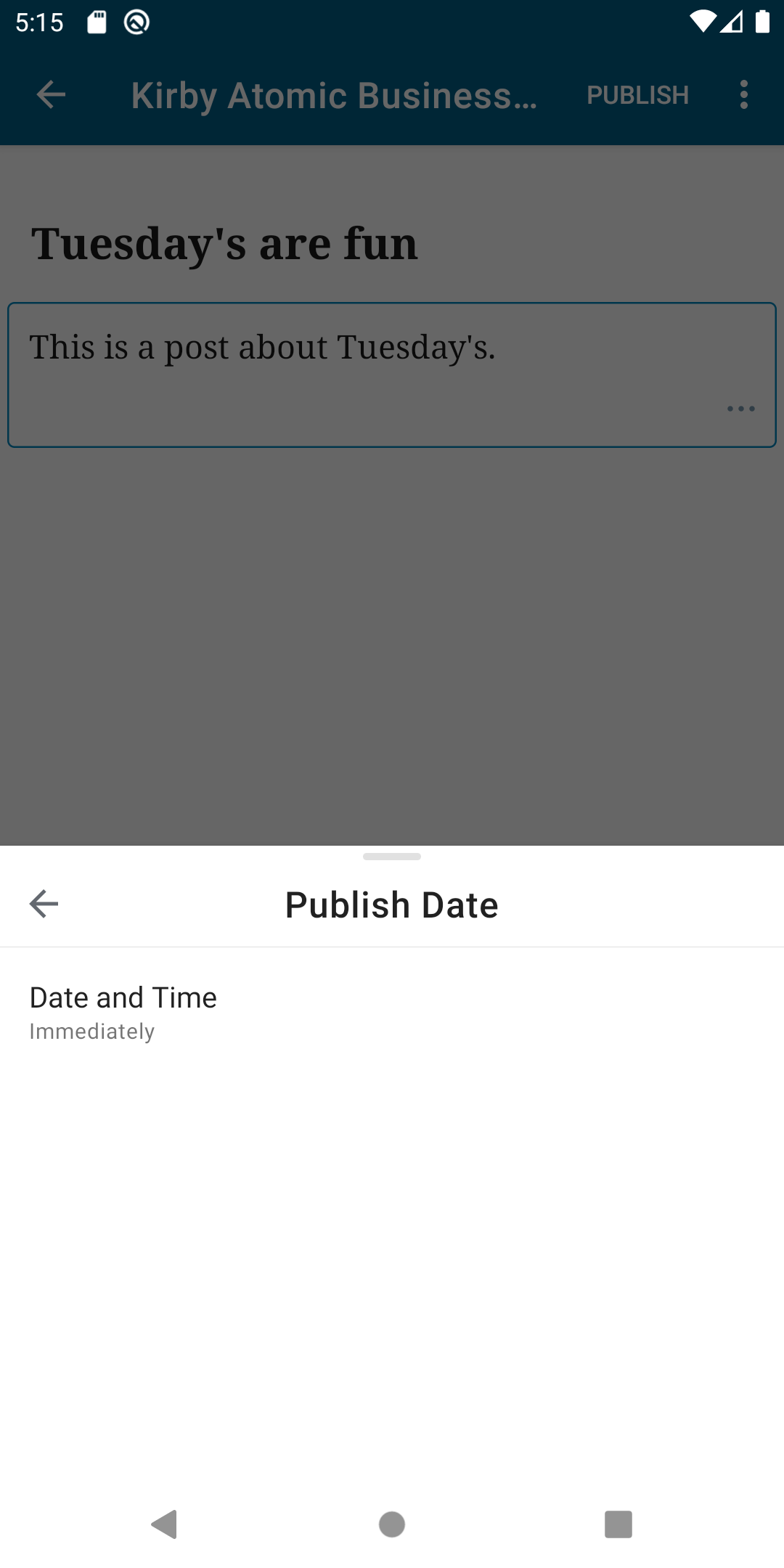
Steps to reproduce the behavior
- Create a new post.
- Click Publish.
- Click Publish Date.
- Toggle between the backdated, immediate state until you see that the
NotificationandAdd to Calendaroptions aren't shown.
Tested on Google Pixel 4 XL, Android 10, WPAndroid develop ()
Contributor guide
First steps
- Read the whole issue, then the project's contributing guide.
- Comment on the issue to say you are picking it up — it saves two people doing the same work.
- Fork the repository and make your change on a branch.
- Open a pull request that references the issue number.
Research direction
Start by reproducing the Publish Date behavior in the WordPress Android app using the listed steps, then trace the Publish Date controls for the Notification and Add to Calendar options. Done means both options remain visible and disabled when Immediately is selected, including while toggling between states.
Written by the indexing model from the issue text.
Assessment
- Tech stack
- kotlin
- Domain
- mobile
- Issue type
- Bug
- Difficulty
- 3/5
- Estimated time
- 1-2 days
- Activity status
- Stale
- Clarity
- Mostly clear
- Newbie friendliness
- 45/100