wordpress-mobile / wordpress-mobile/WordPress-Android
Prepublishing Nudges : Password Protected & Visibility UI/UX inconsistency
Nobody has claimed this yet.
- Dominant language
- Kotlin
- Stars
- 3.2k
- Forks
- 1.4k
- Avg merge
- 1d 11h
- Merged PRs (30d)
- 69
Description
Expected behavior
That it will be clear which Status & Visibility is being used.
Actual behavior
Currently, we had to combine the functionality of Status & Visibility because Android does not have the Visibility functionality implemented.
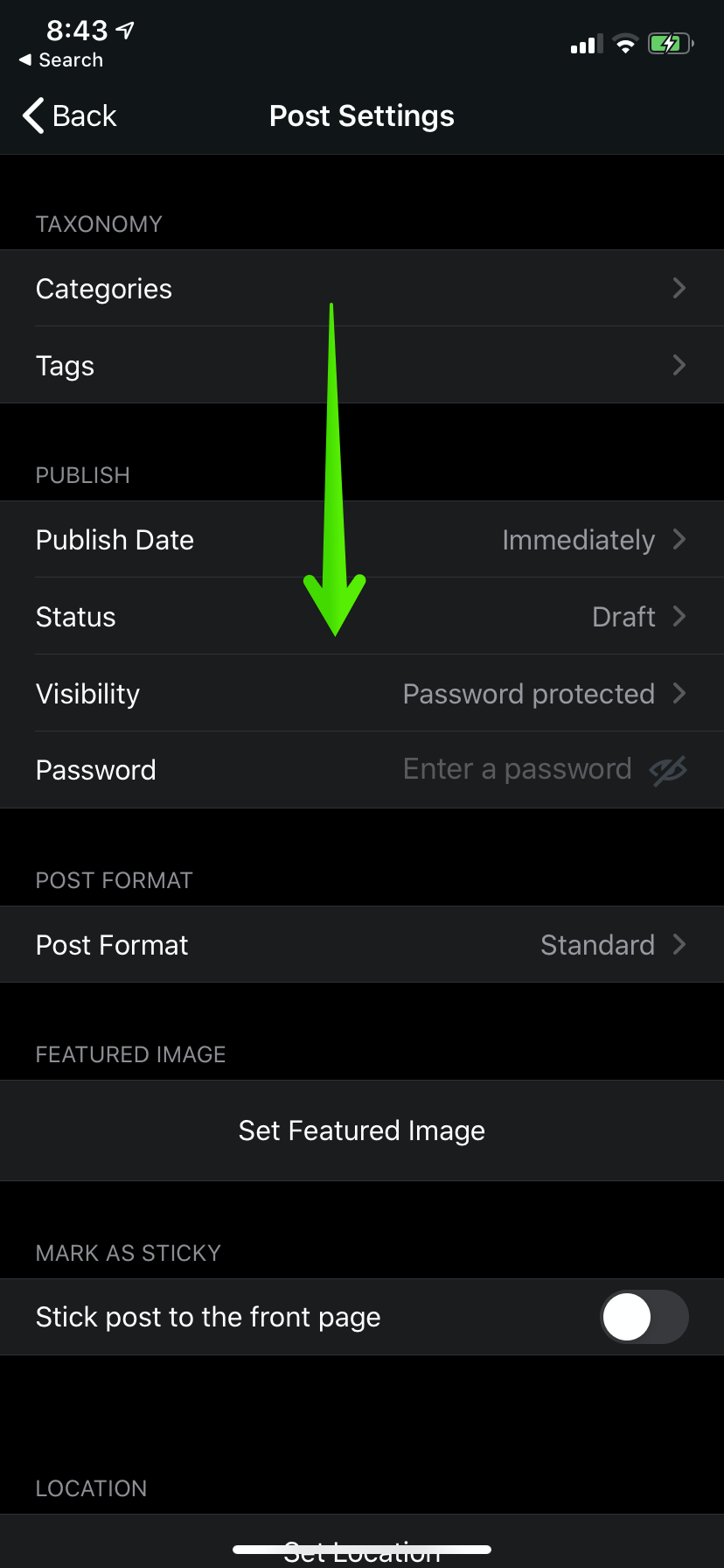
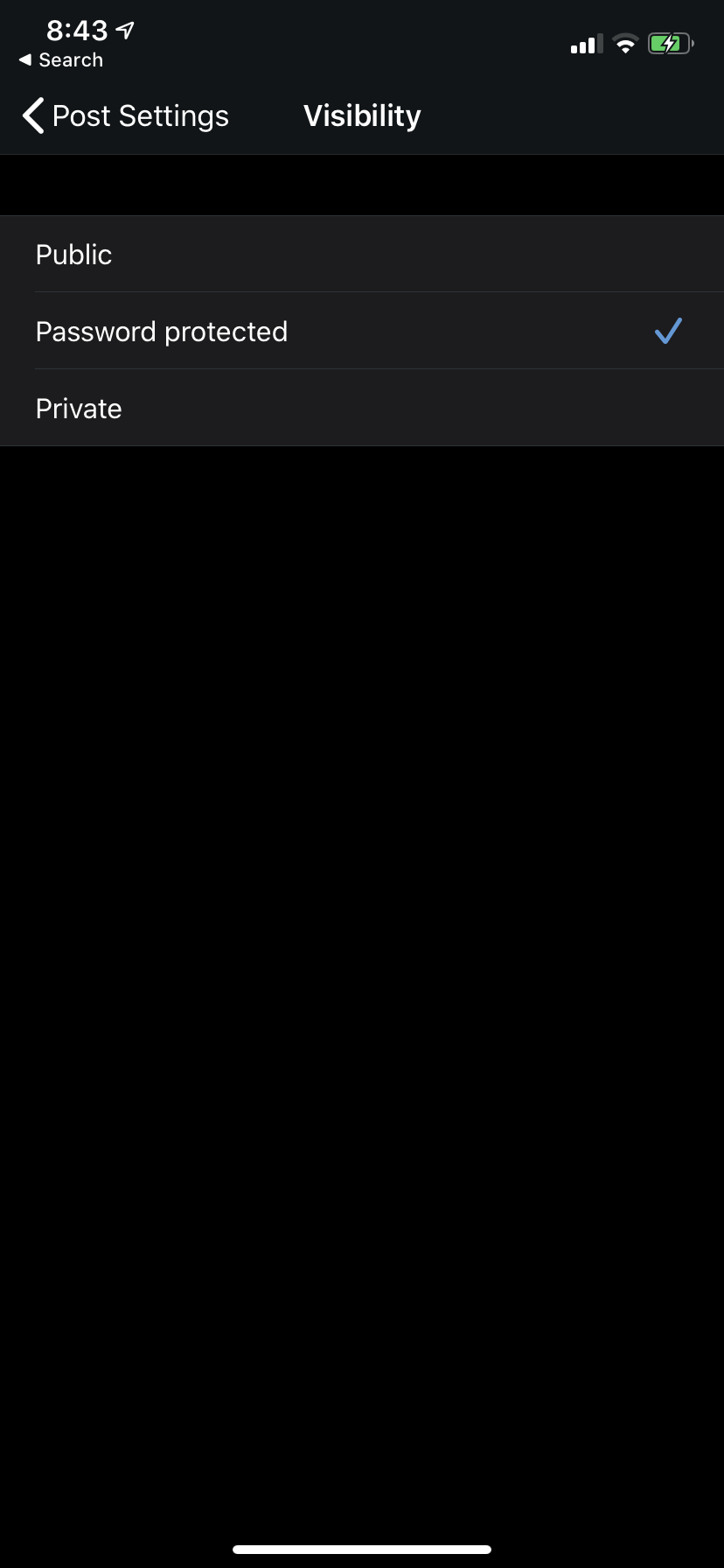
iOS Post Settings - Visibility
This is the Visibility functionality on iOS.
| Before | After |
|---|---|
 |
 |
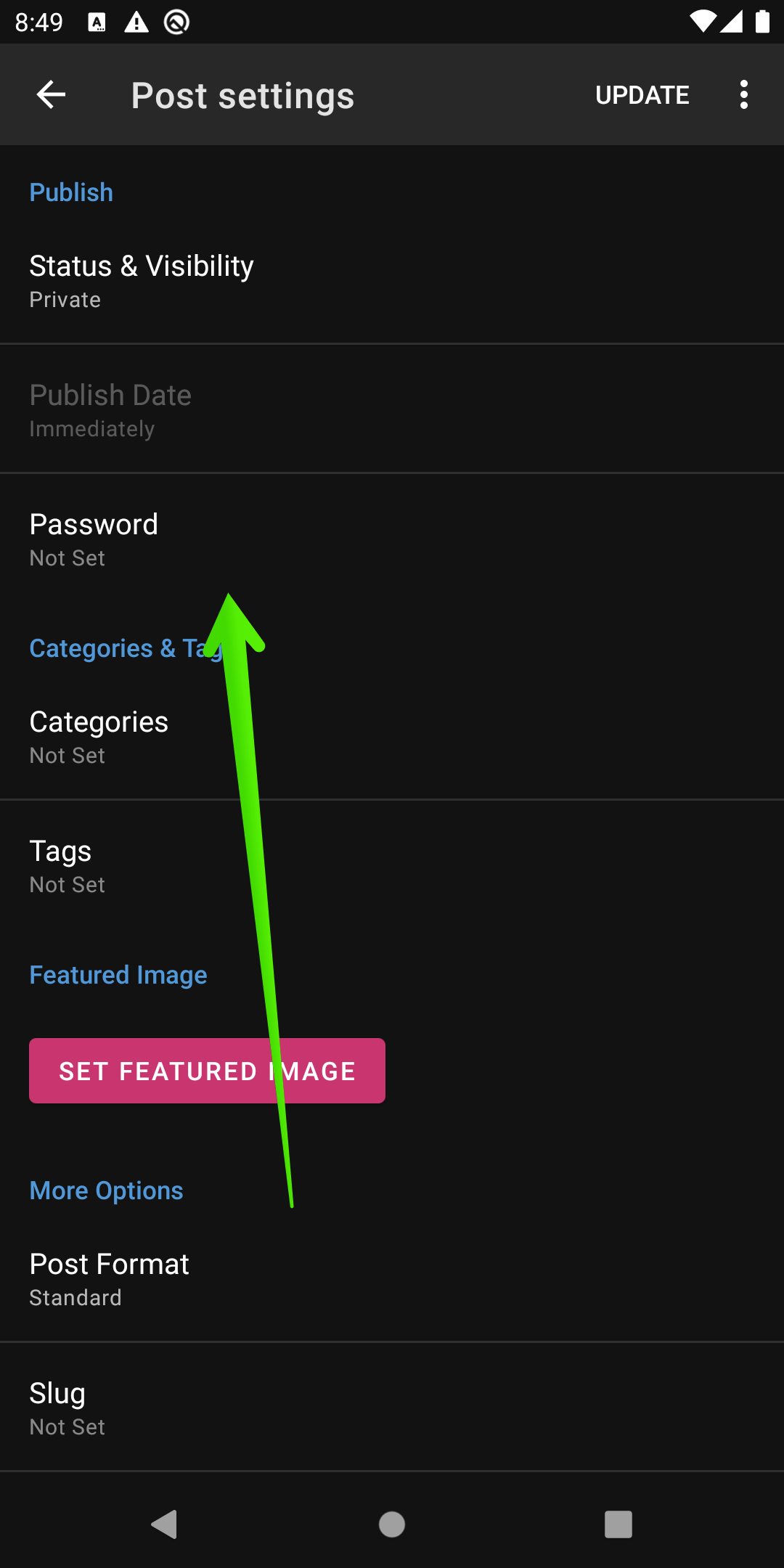
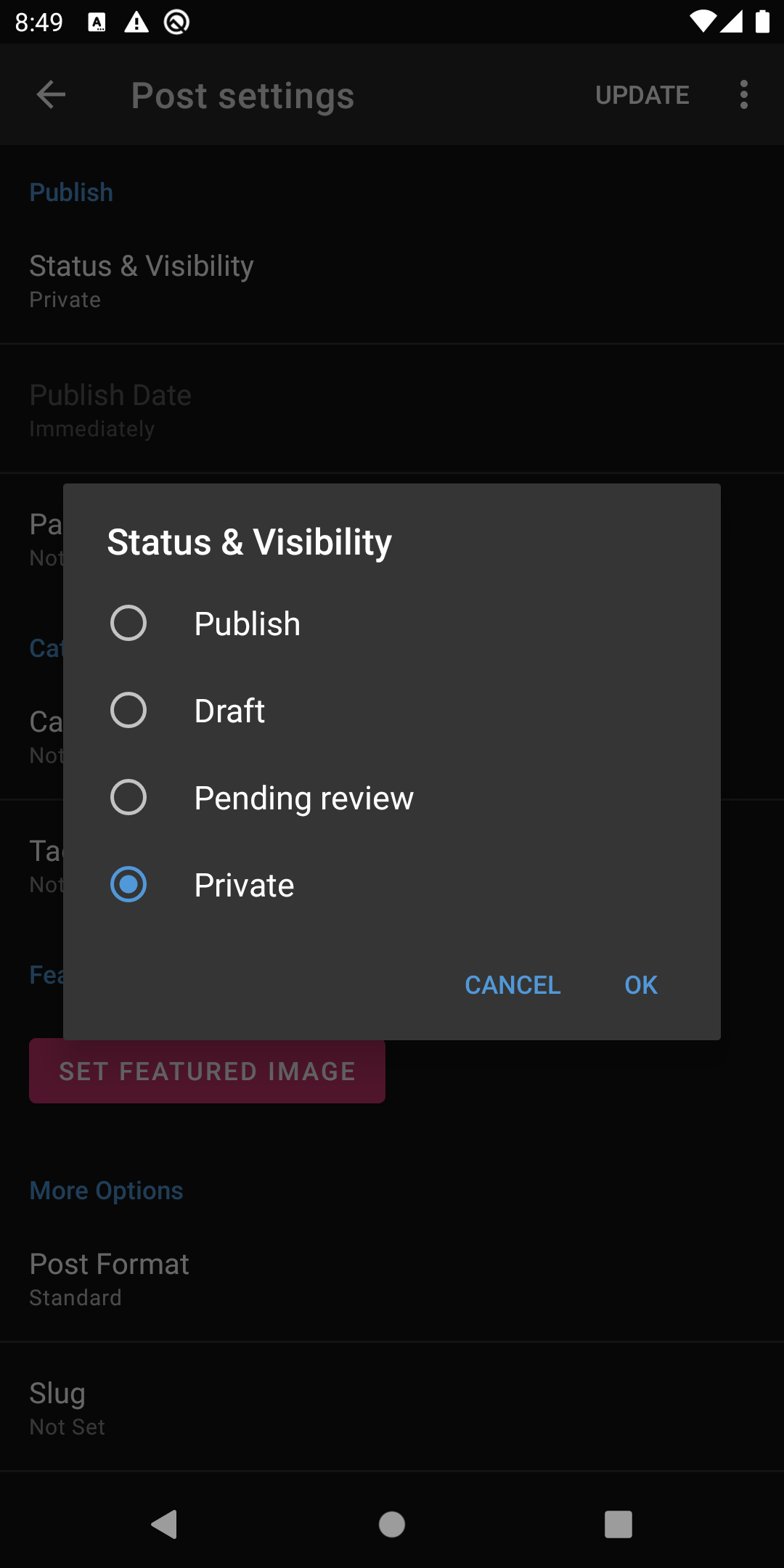
Android Post Settings - Status & Visibility
The Visibility functionality is not implemented on Android. Currently, to accomplish this behavior you have to select a PostStatus that represents either Public or Private respectively. To get the Password Protected Visibility, you have to add a Password to the post as seen below.
| Before | After |
|---|---|
 |
 |
Prepublishing Nudges
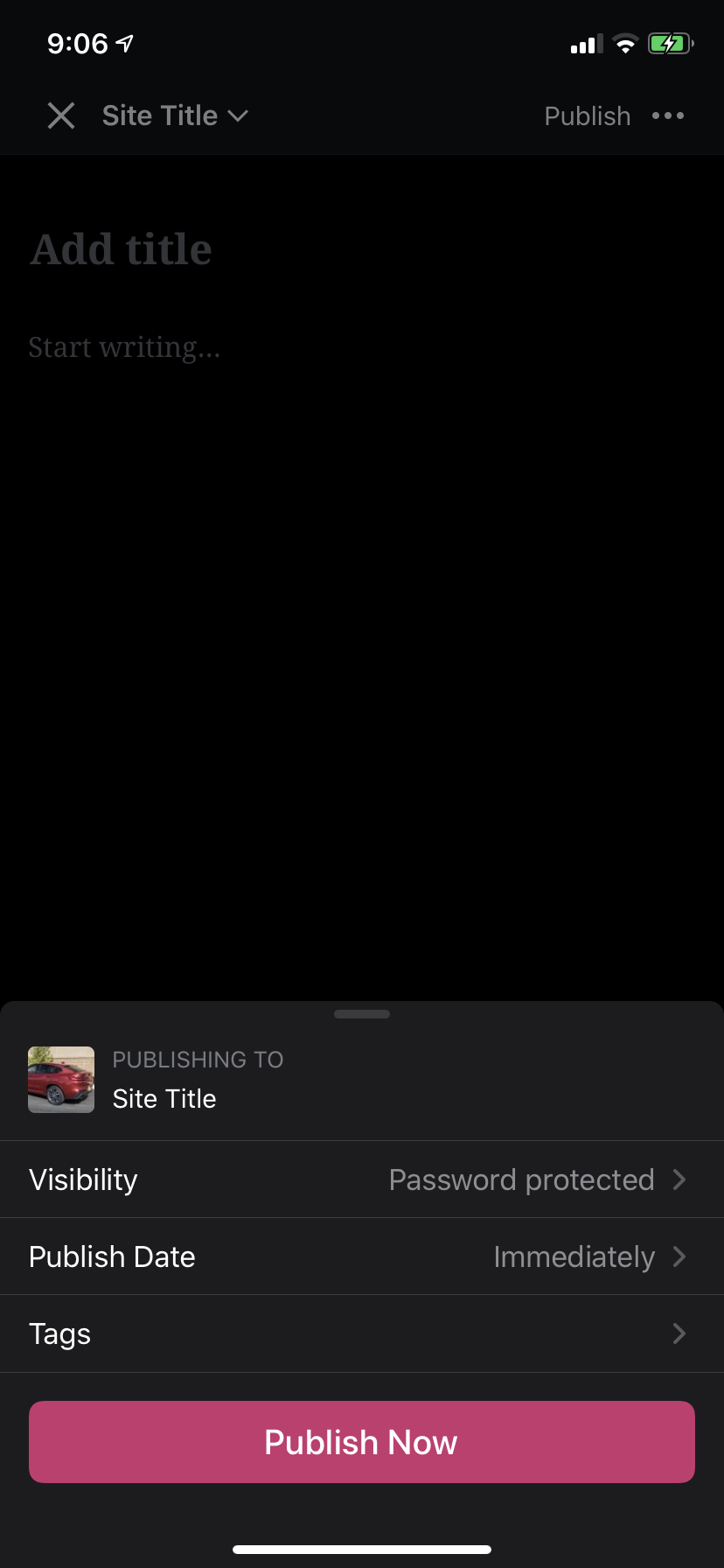
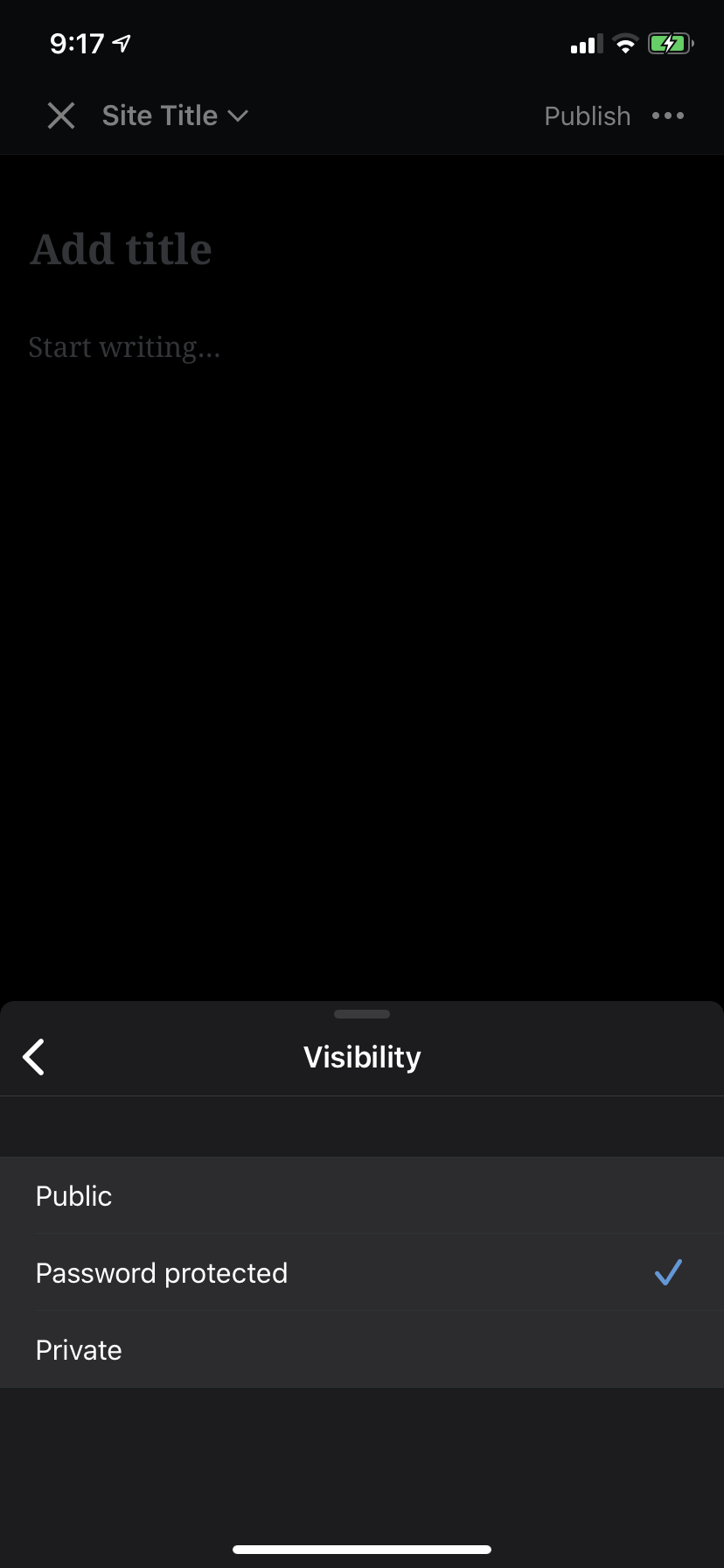
iOS prepublishing bottom sheet - Visibility
On iOS, the Visibility functionality was added to the Prepublishing Nudges bottom sheet, similar to how it's represented in the Post Settings.
| Before | After |
|---|---|
 |
 |
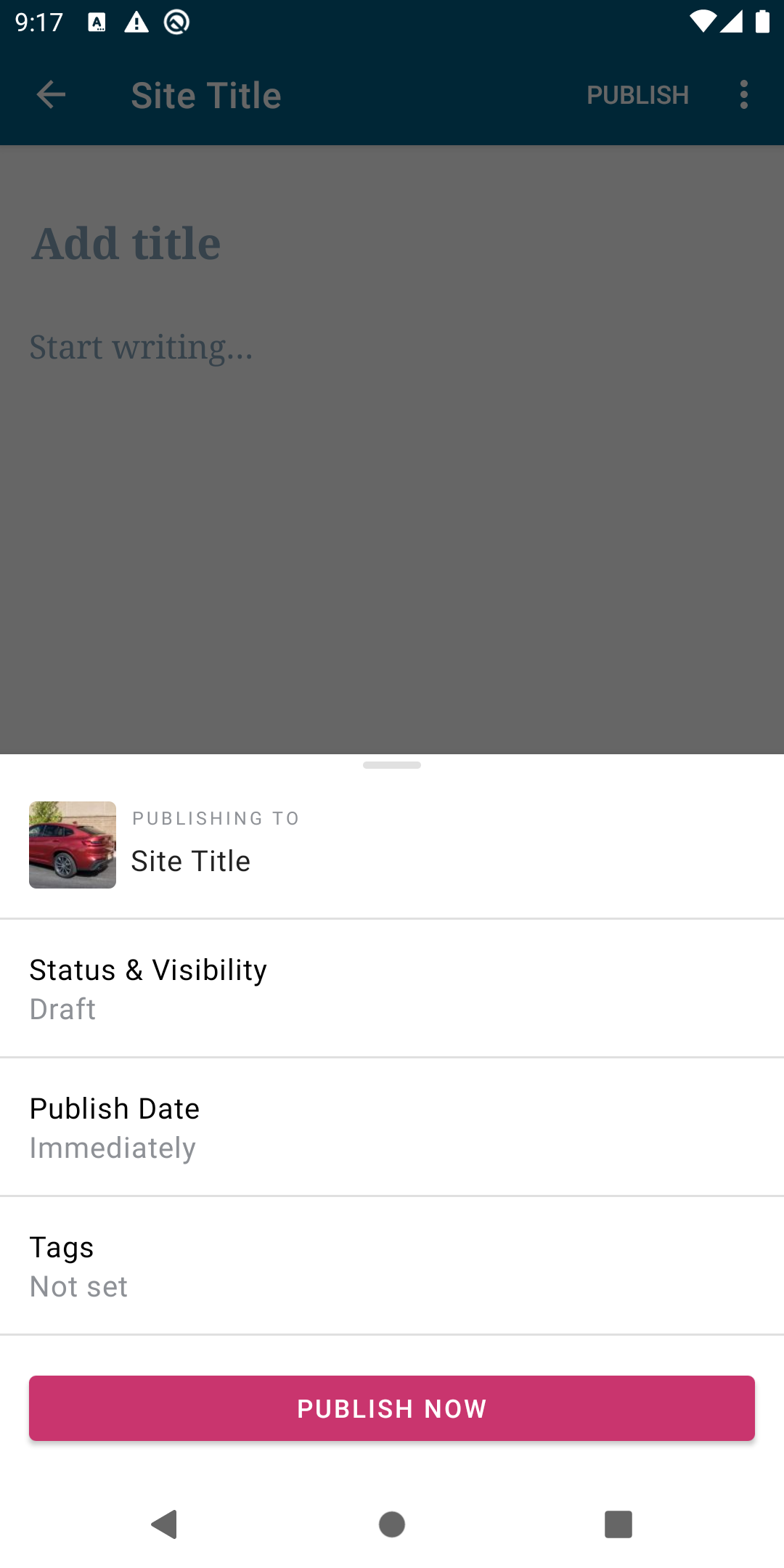
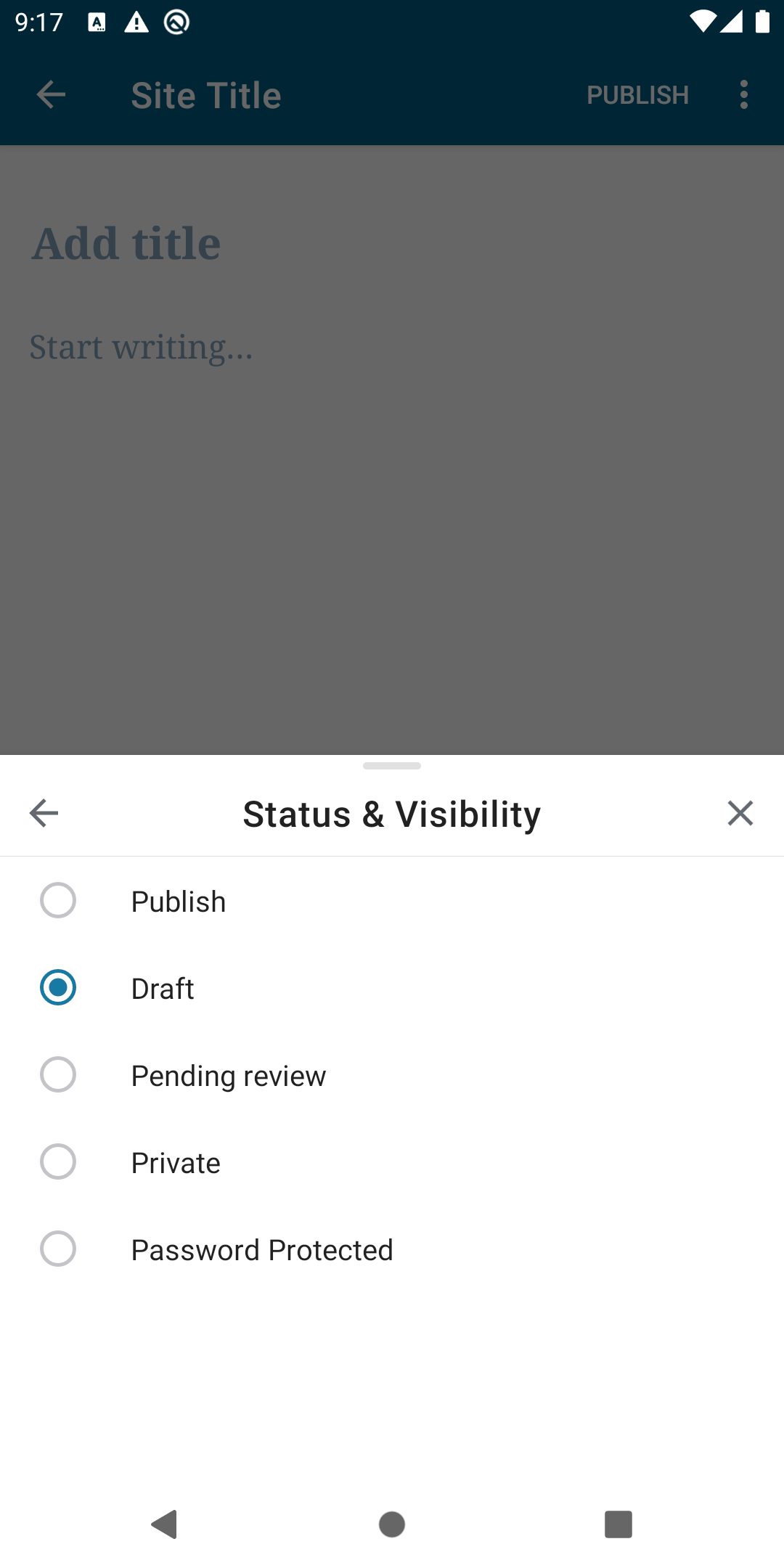
Android prepublishing bottom sheet - Visibility
On Android, there was an initial attempt to implement this similarly to how it was done on iOS but there were some discrepancies present in the implementation and it was deemed too complex to resolve within the scope and timeline set for this project so another approach was taken. This involved utilizing the Post Status component in the Post Settings as the Visibility.
| Before | After |
|---|---|
 |
 |
Concerns
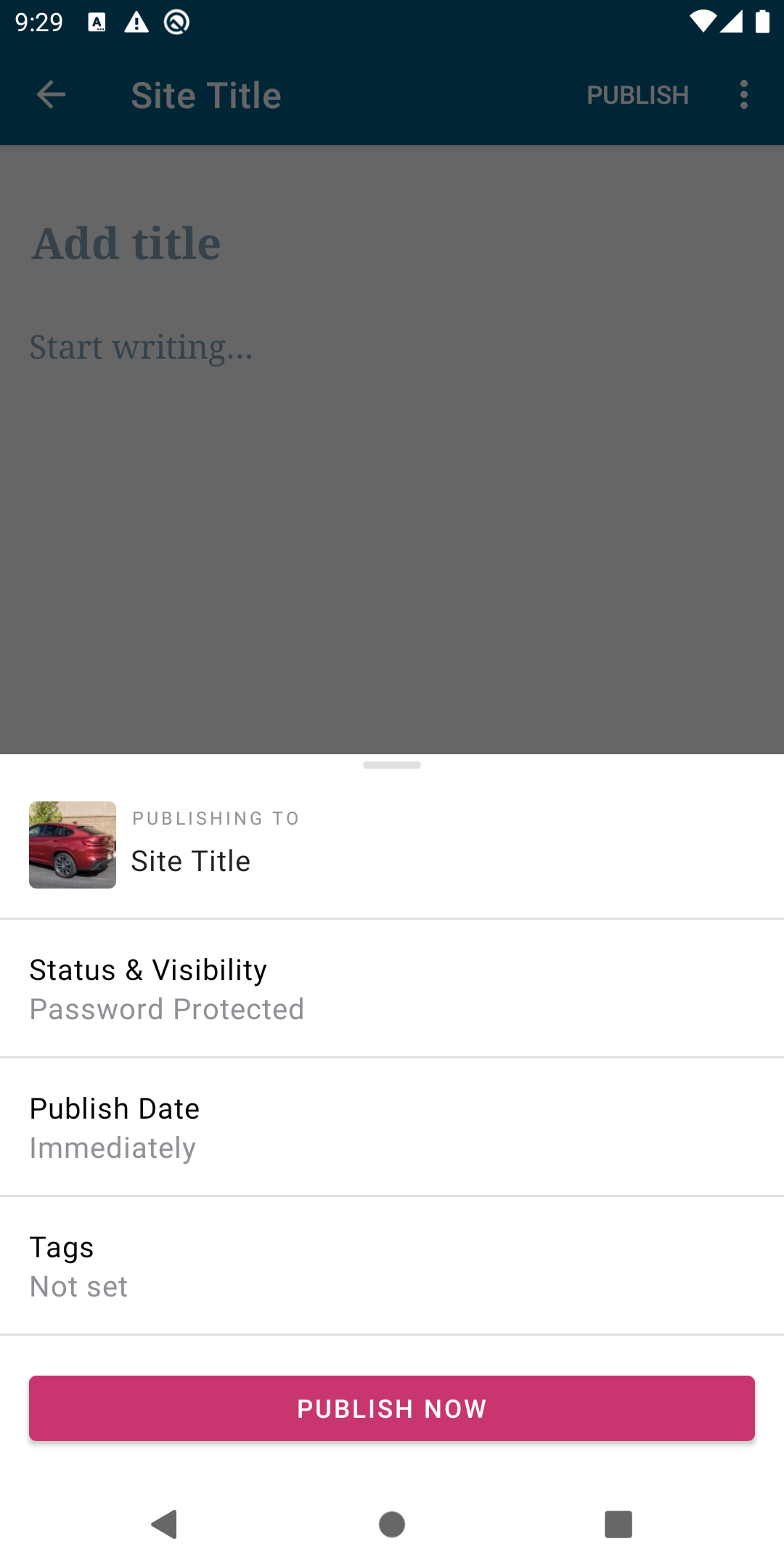
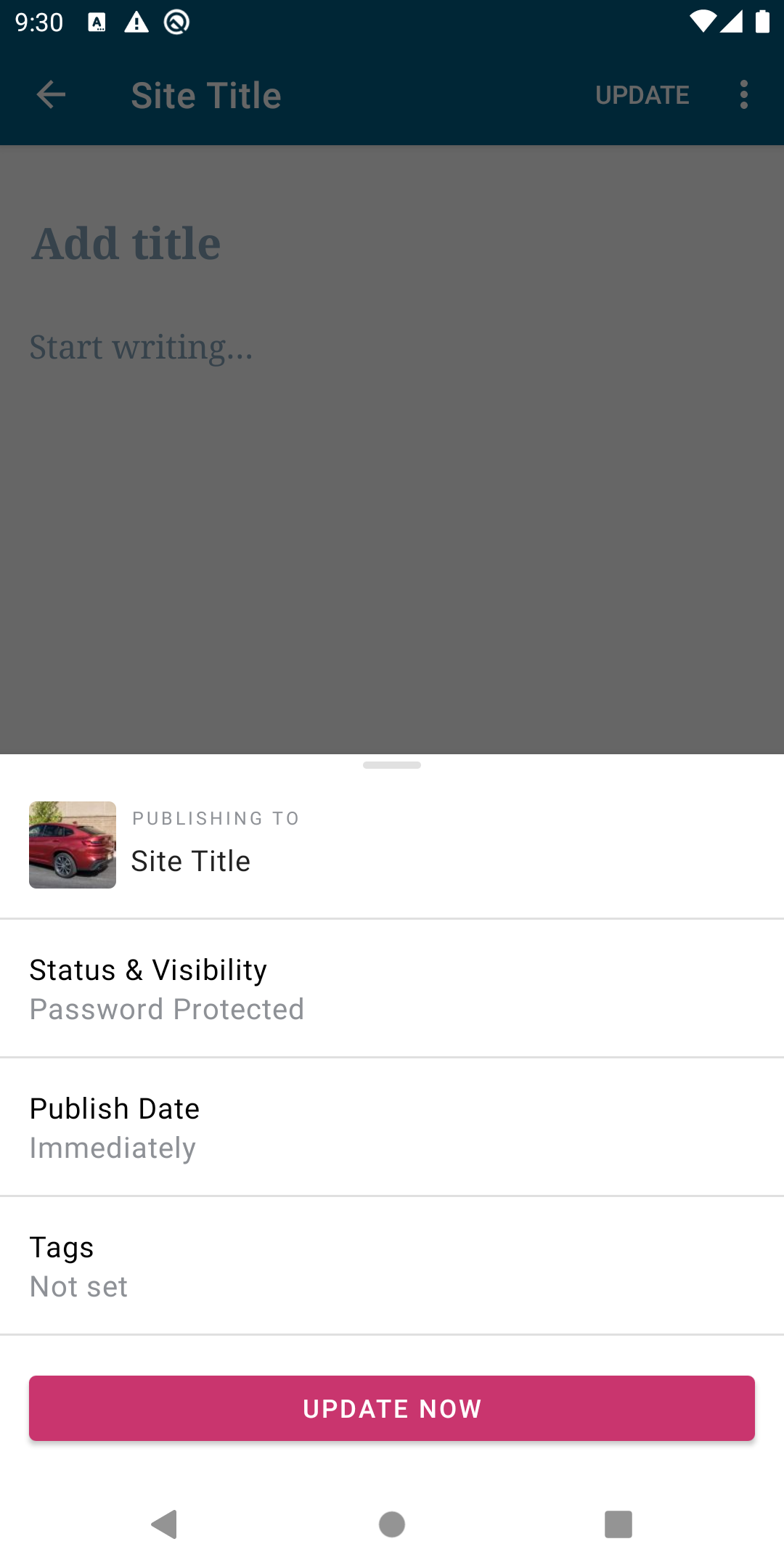
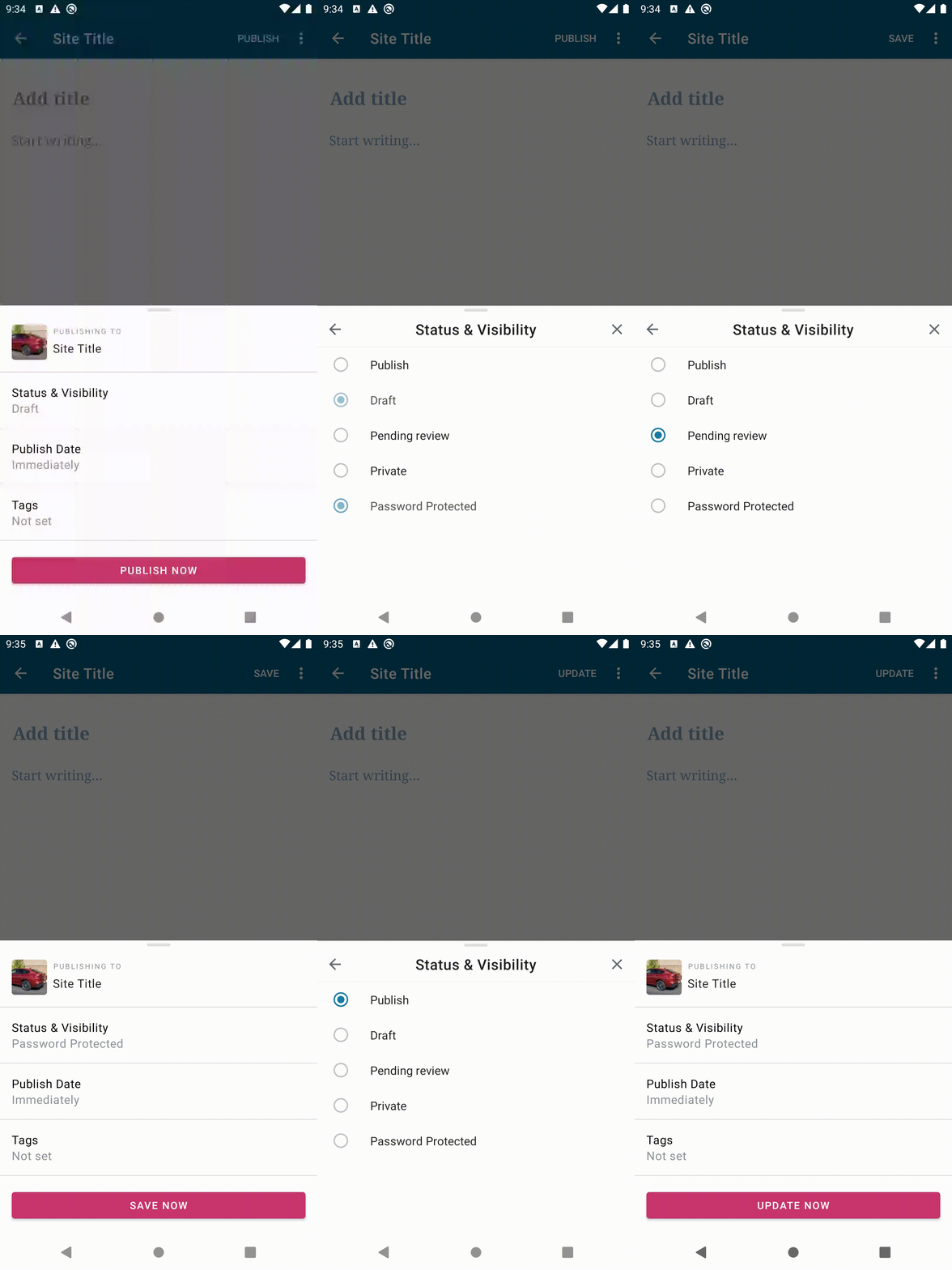
So the main concern currently is related to this discussion here where there could be unintended side effects since when the post is Password Protected you are not able to see the Status.
For the most part, the user can infer, what will happen to the post because the bottom sheet's Publish/Submit Button will give enough context. As seen below.
| Publish | Update |
|---|---|
 |
 |
Demonstration
To demonstrate further here is a a gif showing how the PostStatus is reflecting when the button changes even though it's Password Protected. What happens is the PostStatus remains, it's just that setting the Password Protected option hides it.
Steps to reproduce the behavior
To reproduce this simply follow these steps.
- Create a new post.
- Click Publish.
- Click Status & Visibility.
- Toggle from any
Post StatustoPassword Protectedand then press back to see the Home UI.
Tested on Google Pixel 4 XL, Android 10, WPAndroid develop ()
Contributor guide
First steps
- Read the whole issue, then the project's contributing guide.
- Comment on the issue to say you are picking it up — it saves two people doing the same work.
- Fork the repository and make your change on a branch.
- Open a pull request that references the issue number.
Research direction
Start by reproducing the Android flow described in the issue on the Post Settings and prepublishing bottom sheet, especially switching from a Post Status to Password Protected. Read the linked discussion for the known side effects and compare the Android behavior with the screenshots; done means the selected status and visibility are presented consistently without hiding relevant information.
Written by the indexing model from the issue text.
Assessment
- Tech stack
- kotlin
- Domain
- design, mobile-dev
- Issue type
- Bug
- Difficulty
- 4/5
- Estimated time
- 3-5 days
- Activity status
- Stale
- Clarity
- Mostly clear
- Newbie friendliness
- 35/100