wordpress-mobile / wordpress-mobile/WordPress-Android
[GlobalStep] Post Viewing – The Placeholder of a Video Block is displayed in two parts.
Nobody has claimed this yet.
- Dominant language
- Kotlin
- Stars
- 3.2k
- Forks
- 1.4k
- Avg merge
- 1d 11h
- Merged PRs (30d)
- 69
Description
Description
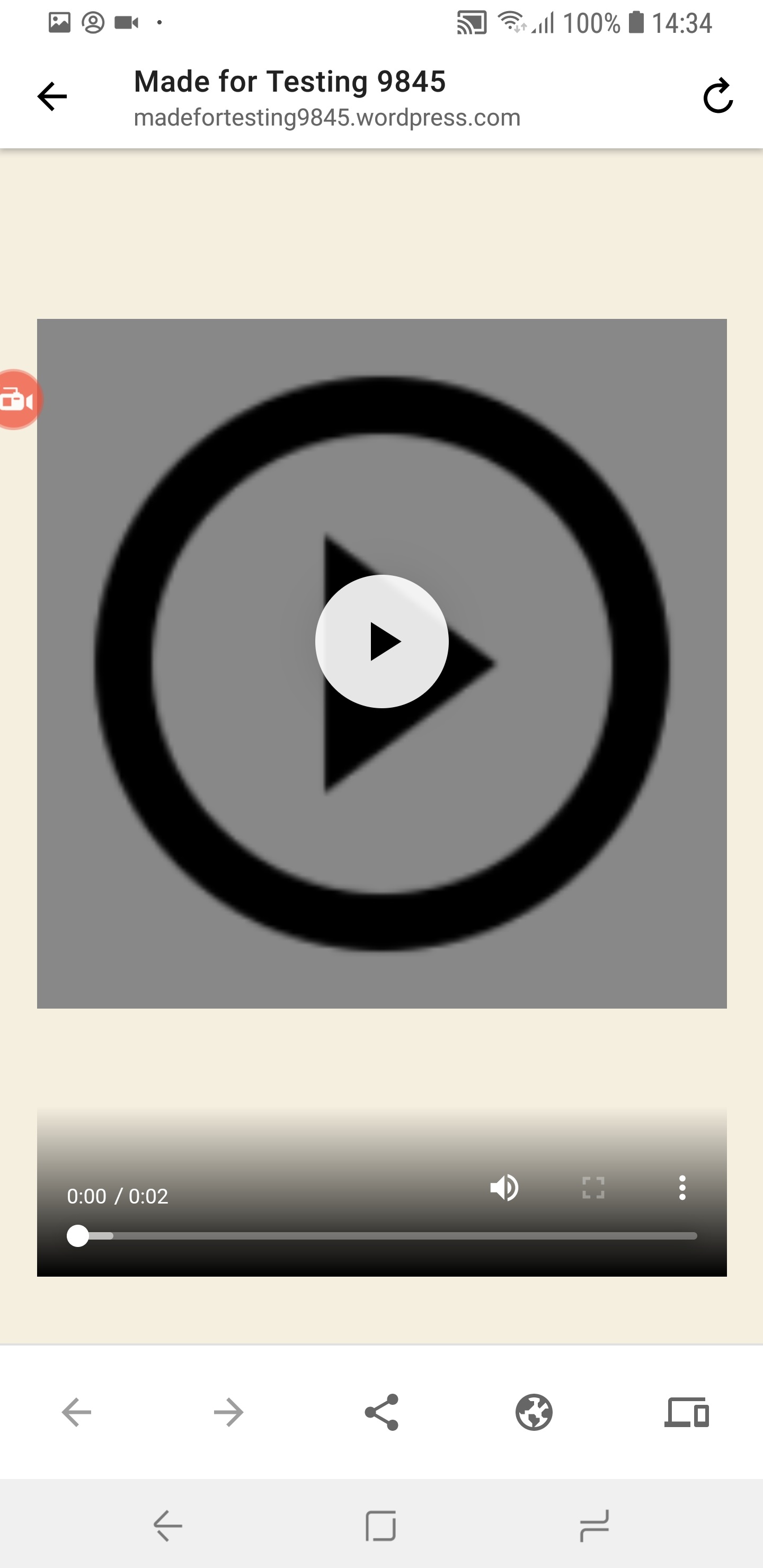
When viewing a post consisting of a Video Block, a placeholder is displayed before the video block is clicked. This placeholder can be seen as a Play Icon thumbnail and the Video controls, however, these two components are split and the page’s background can be observed in between.
Reproduction Rate
4/4 100%
Expected behaviour
The Video Block Placeholder’s thumbnail should fit the entirety of the Video Block.
Actual behaviour
A space between the Placeholder’s thumbnail and the Video Block’s controls can be observed.
Steps to reproduce the behaviour
- Install WordPress 14.6
- Login to a valid account.
- Create a New Post.
- Add a Video Block.
- Insert a Video.
- Publish the Post.
- View the Post.
Tested on the following
Samsung Galaxy S8+ (8.0)
Please see the attached screenshot for more information
Submitted by:
Luis Pimenta
Contributor guide
First steps
- Read the whole issue, then the project's contributing guide.
- Comment on the issue to say you are picking it up — it saves two people doing the same work.
- Fork the repository and make your change on a branch.
- Open a pull request that references the issue number.
Research direction
Start by reproducing the issue on the listed Samsung Galaxy S8+ setup using the provided WordPress post and video-block steps. Done means the video placeholder thumbnail fills the entire Video Block without a visible gap before the controls.
Written by the indexing model from the issue text.
Assessment
- Tech stack
- android, kotlin
- Domain
- mobile
- Issue type
- Bug
- Difficulty
- 3/5
- Estimated time
- 1-2 days
- Activity status
- Stale
- Clarity
- Mostly clear
- Newbie friendliness
- 35/100