wordpress-mobile / wordpress-mobile/WordPress-Android
Page List: Empty editor opened after clicking on existing page item - continued
Nobody has claimed this yet.
- Dominant language
- Kotlin
- Stars
- 3.2k
- Forks
- 1.4k
- Avg merge
- 1d 11h
- Merged PRs (30d)
- 69
Description
Expected behavior
When you click a page it will open the editor with the page's contents. A solution #11413 was created that partially fixes this but the error still exists in some cases.
Actual behavior
Sometimes, when the pages aren't fully loaded in the Page List, the pageId/postId is out of sync so it cant be found. More details on this in the issue here #11339
Steps to reproduce the behavior
- Go to My Site.
- Go to Page List.
- Click on a page really quickly, as soon as a post appears and realize at times it doesn't open.
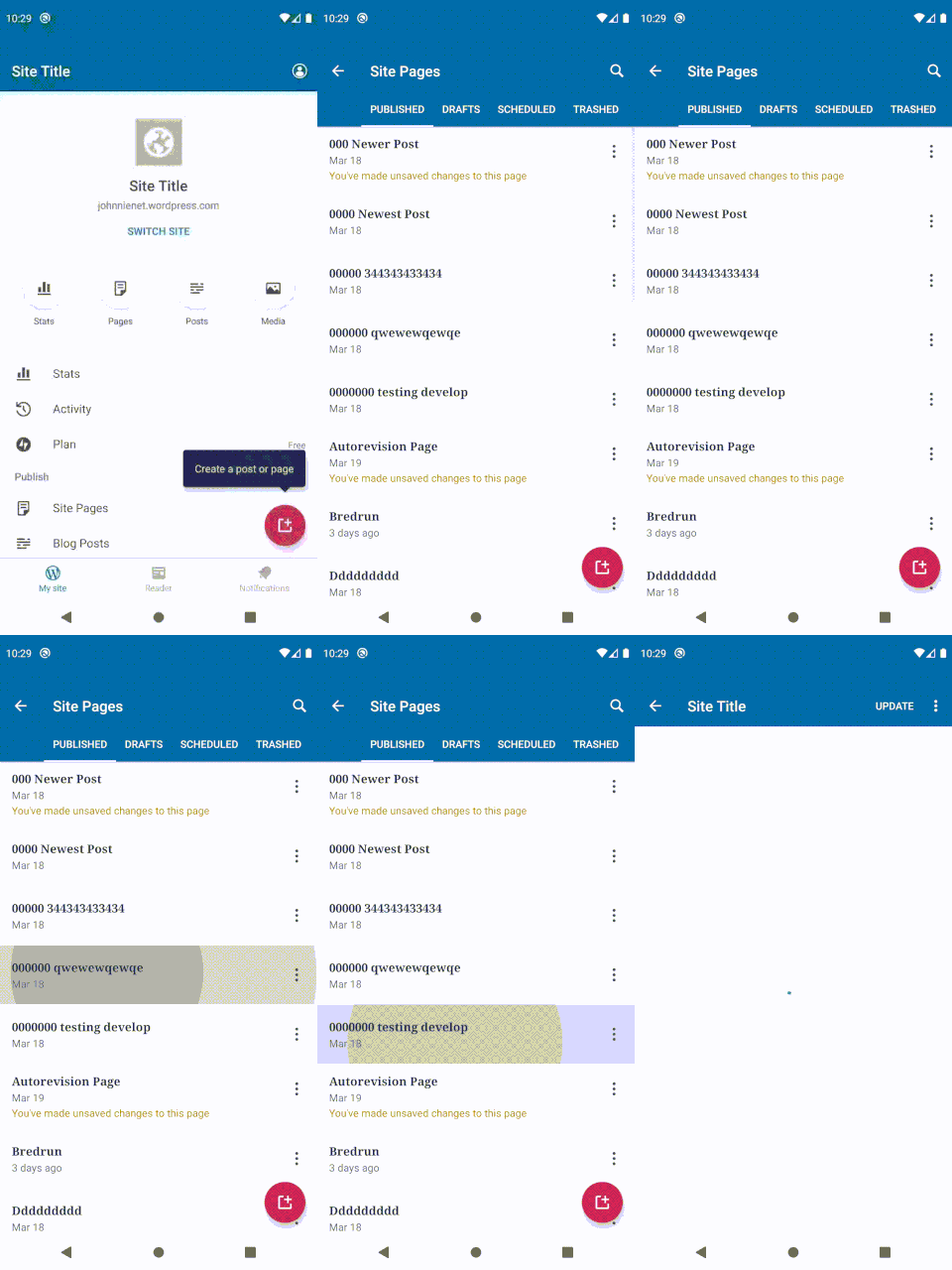
Tested on Google Pixel 4 XL, Android 10, WPAndroid develop ()
Contributor guide
First steps
- Read the whole issue, then the project's contributing guide.
- Comment on the issue to say you are picking it up — it saves two people doing the same work.
- Fork the repository and make your change on a branch.
- Open a pull request that references the issue number.
Research direction
Start by reproducing the rapid-click behavior in the Page List on the develop branch, then read the related fixes and context in issues #11413 and #11339. Done means clicking a page while the list is still loading consistently opens that page's contents rather than an empty editor.
Written by the indexing model from the issue text.
Assessment
- Tech stack
- android, kotlin
- Domain
- mobile
- Issue type
- Bug
- Difficulty
- 3/5
- Estimated time
- 1-2 days
- Activity status
- Stale
- Clarity
- Mostly clear
- Newbie friendliness
- 45/100