wordpress-mobile / wordpress-mobile/WordPress-Android
Posts are being published with the incorrect timezone on self-hosted sites
Open
Nobody has claimed this yet.
[Type] Bug
Posting/Editing
Self-hosted
- Dominant language
- Kotlin
- Stars
- 3.2k
- Forks
- 1.4k
- Avg merge
- 1d 11h
- Merged PRs (30d)
- 69
Description
For a self-hosted site:
- On the device, go to Settings > System> Date & Time and change the time zone to Tokyo.
- On the web, go to My Sites > Settings > Timezone and change the time zone to Tokyo.
- Log out of the app.
- Log in to a self-hosted site by entering your site address.
- Start a new post and add a title and content.
- Go to More > Post settings and back date the post to 3 days ago at noon.
- In a browser, open the post in WP Admin and check to see if the date and time are correct.
Result: the timestamp for the published post is set to UTC and not to the site settings timezone as expected. This happens with both the Aztec and the block editor.
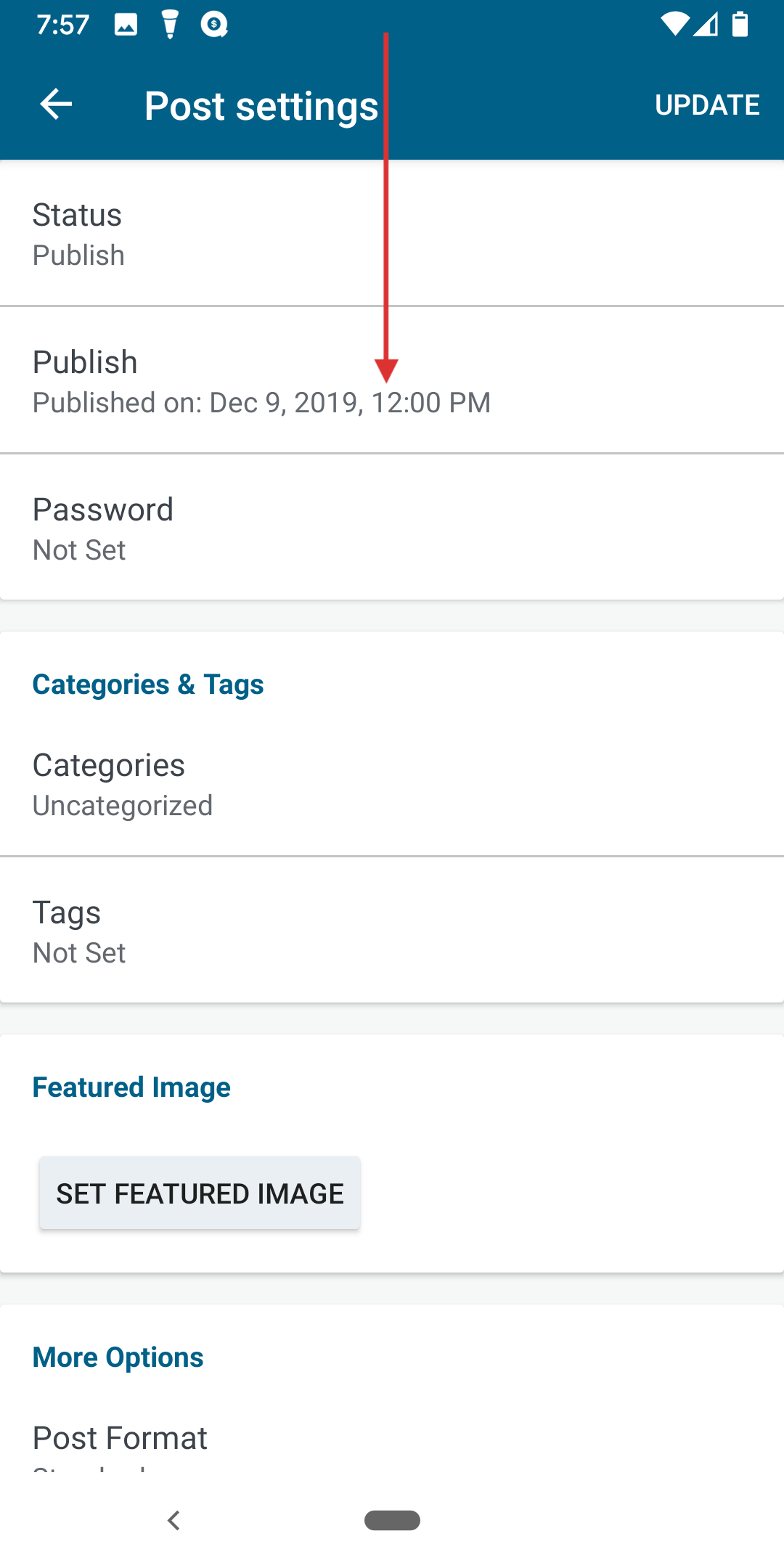
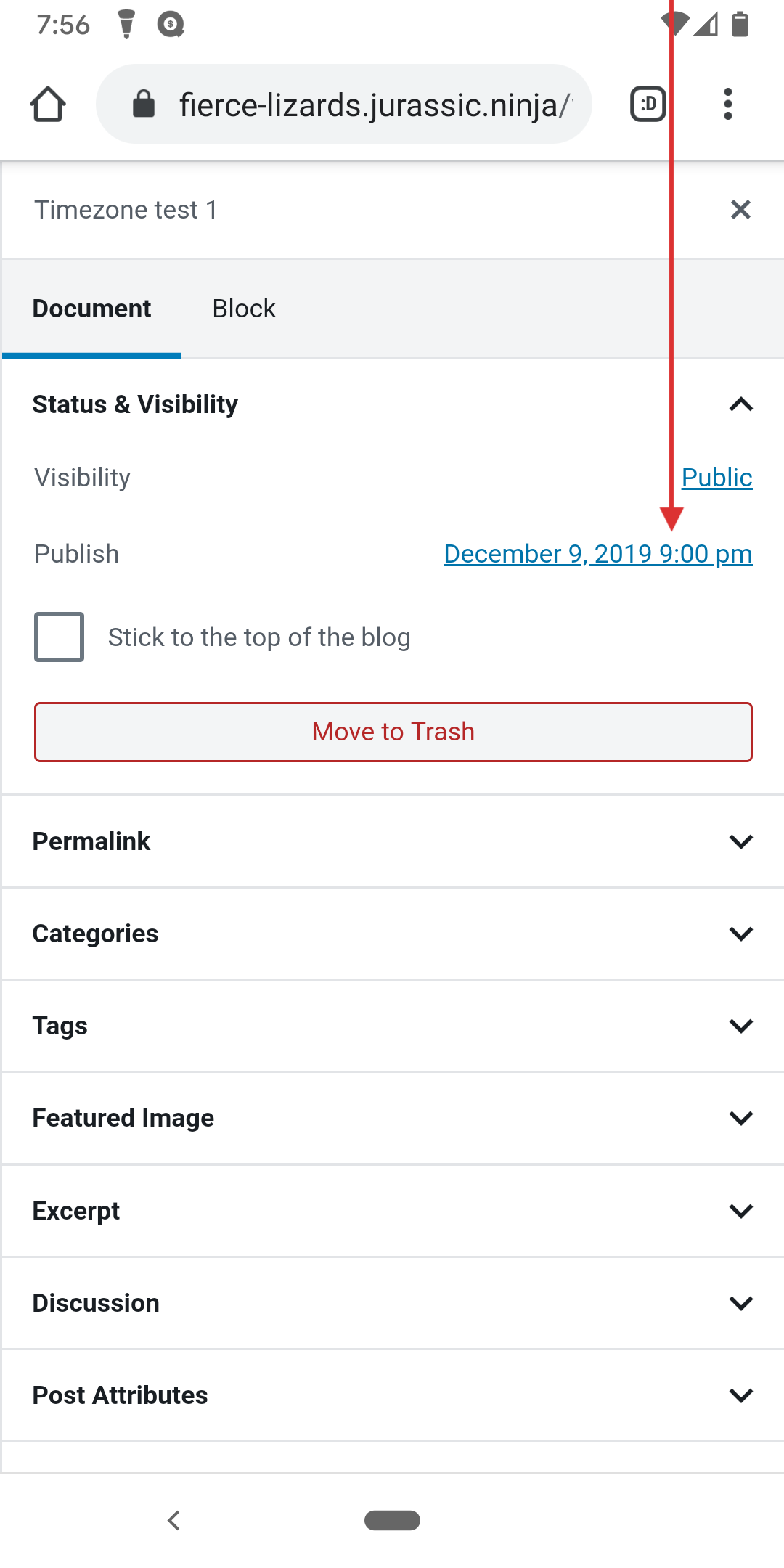
Tested with WPAndroid 13.8-rc-1 on Pixel 3 Android 10.
(internal reference: p4a5px-2tM-p2 /hat tip @melindahelt)
Contributor guide
First steps
- Read the whole issue, then the project's contributing guide.
- Comment on the issue to say you are picking it up — it saves two people doing the same work.
- Fork the repository and make your change on a branch.
- Open a pull request that references the issue number.
Research direction
No source files, tests, or entry points are named. Start by reproducing the self-hosted timezone flow with both the Aztec and block editors, then trace how the backdated timestamp is sent; done means WP Admin shows the site timezone rather than UTC.
Written by the indexing model from the issue text.
Assessment
- Tech stack
- android, kotlin
- Domain
- mobile
- Issue type
- Bug
- Difficulty
- 4/5
- Estimated time
- 3-5 days
- Activity status
- Stale
- Clarity
- Mostly clear
- Newbie friendliness
- 35/100