wordpress-mobile / wordpress-mobile/AztecEditor-iOS
Unable to move caret to last line due to keyboard
Nobody has claimed this yet.
- Dominant language
- Swift
- Stars
- 669
- Forks
- 153
- Avg merge
- 11h 27m
- Merged PRs (30d)
- 4
Description
Description
The user is unable to move the caret to last line (probably by tapping) due to the keyboard being on top of it.
Details
As reported by a user:
Here’s how I create my posts:
- Setup the outline, which usually become lists or headers
- Fill in the content
- Write seven posts to cover the week, and set one to publish each day
Now, here’s how the bug happens:
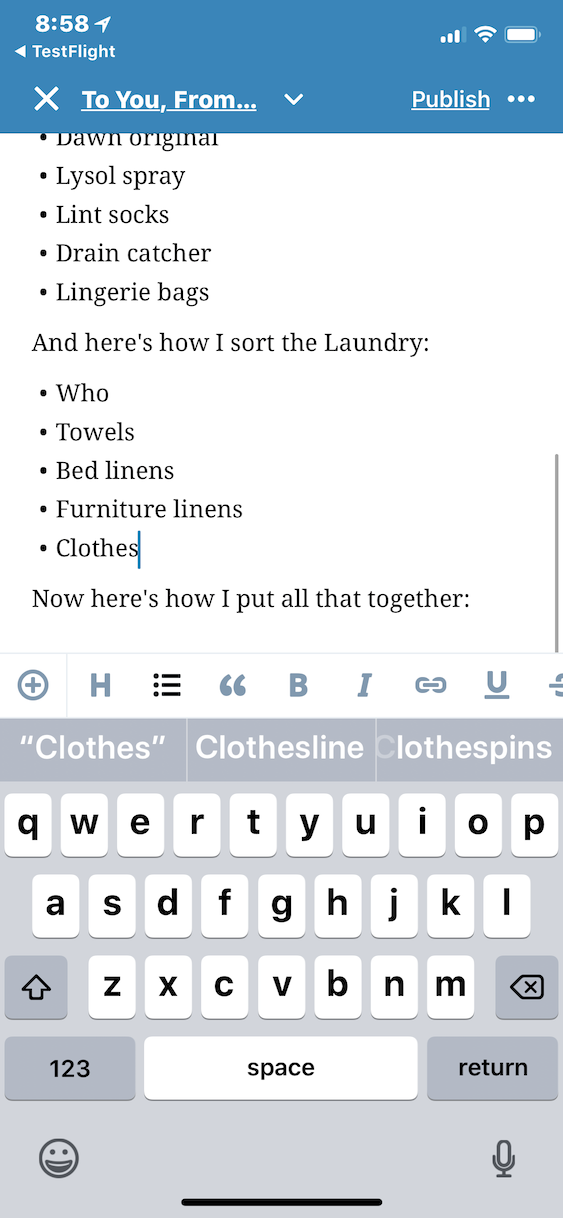
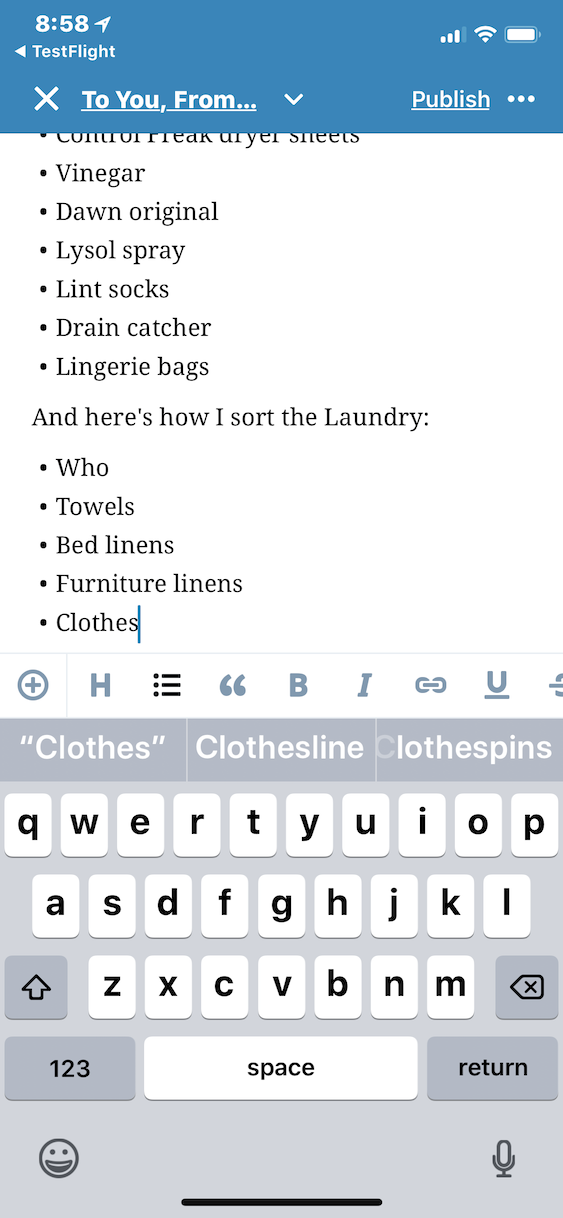
When I do the outline and start filling in all in the same edit, I can’t move the cursor to the last line because it’s hidden under the keyboard. I can scroll to see it, but then it “pops” back under the keyboard. I’ve found three options to get to the last line of the post:
- Save as a Draft
- Preview
- Make a dummy last line in the outline, usually called “Dummy”
Screenshots:
The first shows the post when I scroll, the second shows editing. Note that the cursor remains in the same place ...
Screenshots
Post when scrolling:
Post when editing:
Contributor guide
First steps
- Read the whole issue, then the project's contributing guide.
- Comment on the issue to say you are picking it up — it saves two people doing the same work.
- Fork the repository and make your change on a branch.
- Open a pull request that references the issue number.
Research direction
Start by reproducing the issue in the iOS editor with a long post and the keyboard open, using the screenshots and reported steps as the scenario. Investigate the editor's caret and scrolling behavior, then verify that the final line remains visible and tappable while editing without requiring a draft, preview, or dummy line.
Written by the indexing model from the issue text.
Assessment
- Tech stack
- swift
- Domain
- mobile-dev
- Issue type
- Bug
- Difficulty
- 4/5
- Estimated time
- 3-5 days
- Activity status
- Stale
- Clarity
- Mostly clear
- Newbie friendliness
- 35/100