In the local Simulator, I would like to know what should be the payload type and structure for Function.invoke
Nobody has claimed this yet.
- Dominant language
- TypeScript
- Stars
- 5.4k
- Forks
- 215
- Avg merge
- 2h 9m
- Merged PRs (30d)
- 27
Description
Summary
cloud.Function invoke payload structure
Feature Spec
cloud.Function invoke method expects a payload as an argument.
For a Queue.on_message handler function:
let handler = inflight (message: str): str => {
  bucket.put("hello.txt", "Hello, ${message}!");
  return message;
};

queue.on_message(handler);
The payload is:
{
  "messages": string[]
}
as can be seen in the sim target output file:
var $cap = {};
$cap["bucket"] = $simulator.findInstance(process.env["BUCKET_HANDLE_2cd0933d"]);
async function $proc({ bucket }, message) {
  bucket.put("wing.txt", `Hello, ${message}`);
}
async function $queueEventWrapper($cap2, event) {
  event = JSON.parse(event);
  if (!event.messages)
    throw new Error('No "messages" field in event.');
  for (const $message of event.messages) {
    await $proc($cap2, $message);
  }
}
exports.handler = async function(event) {
  return await $queueEventWrapper($cap, event);
};
But for any other cloud.Function, the handler can receive any other kind of paylod.
For example:
let handler = (message: str): str ~> {
  bucket.put("${message}.txt", "Hello, ${message}!");
  return message;
};

new cloud.Function(
  handler,
  env: Map<str> {}
);
Here the payload is a string
as can be seen in this sim output file:
var $cap = {};
$cap["bucket"] = $simulator.findInstance(process.env["BUCKET_HANDLE_2cd0933d"]);
async function $proc({ bucket }, message) {
  bucket.put(`${message}.txt`, `Hello, ${message}!`);
  return message;
}
exports.handler = async function(event) {
  return await $proc($cap, event);
};
It will be most useful to have the payload type and structure in the simulator.json file:
    {
      "type": "wingsdk.cloud.Function",
      "path": "root/cloud.Queue-OnMessage-d2ca8b5141f0e71b",
      "props": {
        "sourceCodeFile": "assets/cloud.Queue-OnMessage-d2ca8b5141f0e71b/index.js",
        "sourceCodeLanguage": "javascript",
        "environmentVariables": {
          "BUCKET_HANDLE_2cd0933d": "${root/cloud.Bucket#attrs.handle}"
        },
        "payload": {
          "type": {
            messages: string[]
          }
        }
      },
      "attrs": {}
    }
Use Cases
In the Wing Console we have a cloud.Function interaction view for the users to be able to invoke the function with any payload they would like.
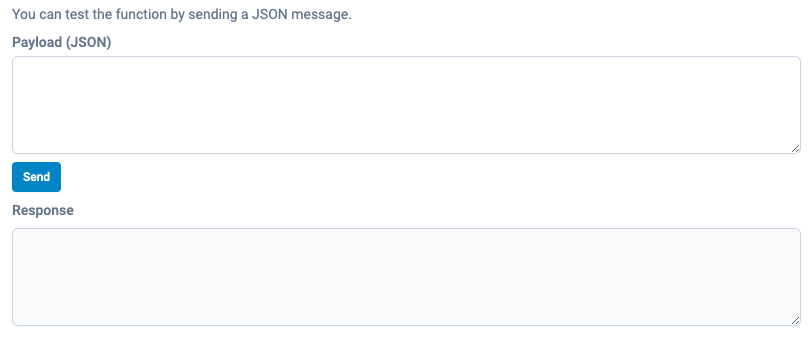
Today, there is no way of knowing what should be the type of the payload that the user needs to send to the function.
Also, from UX perspective, there is no sense in entering this interaction view if the Function doesn't receive anything as an argument, the user can just invoke it from the main view.
Implementation Notes
adding more information about the cloud.Function payload in simulator.json
Component
SDK, Wing Console
Contributor guide
First steps
- Read the whole issue, then the project's contributing guide.
- Comment on the issue to say you are picking it up — it saves two people doing the same work.
- Fork the repository and make your change on a branch.
- Open a pull request that references the issue number.
Research direction
Start by tracing how cloud.Function payloads are represented in simulator.json and consumed by the Wing Console's function interaction view. Compare the Queue.on_message and string-payload examples, then verify that simulator metadata exposes the payload type and structure and that functions without payloads are handled appropriately.
Written by the indexing model from the issue text.
Assessment
- Tech stack
- typescript
- Domain
- cloud, developer-experience, tooling
- Issue type
- Feature
- Difficulty
- 4/5
- Estimated time
- 3-5 days
- Activity status
- Stale
- Clarity
- Mostly clear
- Newbie friendliness
- 35/100