Warp is cleaning (clear command) its prompt even when it has a ssh connection opened
Nobody has claimed this yet.
Assessment
- Difficulty
- 4/5
- Estimated time
- 3-5 days
- Newbie friendliness
- 35/100
- Issue type
- Bug
- Clarity
- Mostly clear
- Activity status
- Stale
- Tech stack
- bash, macos
- Domain
- cli, networking, operating-systems
Research direction
No files or tests are named in the issue. Reproduce the behavior by opening an SSH session and running clear, then trace how Warp routes that command between the local console and remote shell. Done means clear executes in the remote prompt without moving the SSH prompt to the top of the local screen.
Written by the indexing model from the issue text.
Description
Discord username (optional)
No response
Describe the bug
I have been using the warp for the last 8 months and this unexpected behavior started to happen one month ago.
When I open a ssh connection and try to use clear command in the remote connection, warp seems to get that as a local command then it moves up the current prompt (with the remote connection still opened) to the top of the screen.
To Reproduce
- Open the warp.
- Connect to a remote instance using ssh command.
- Type clear and press enter.
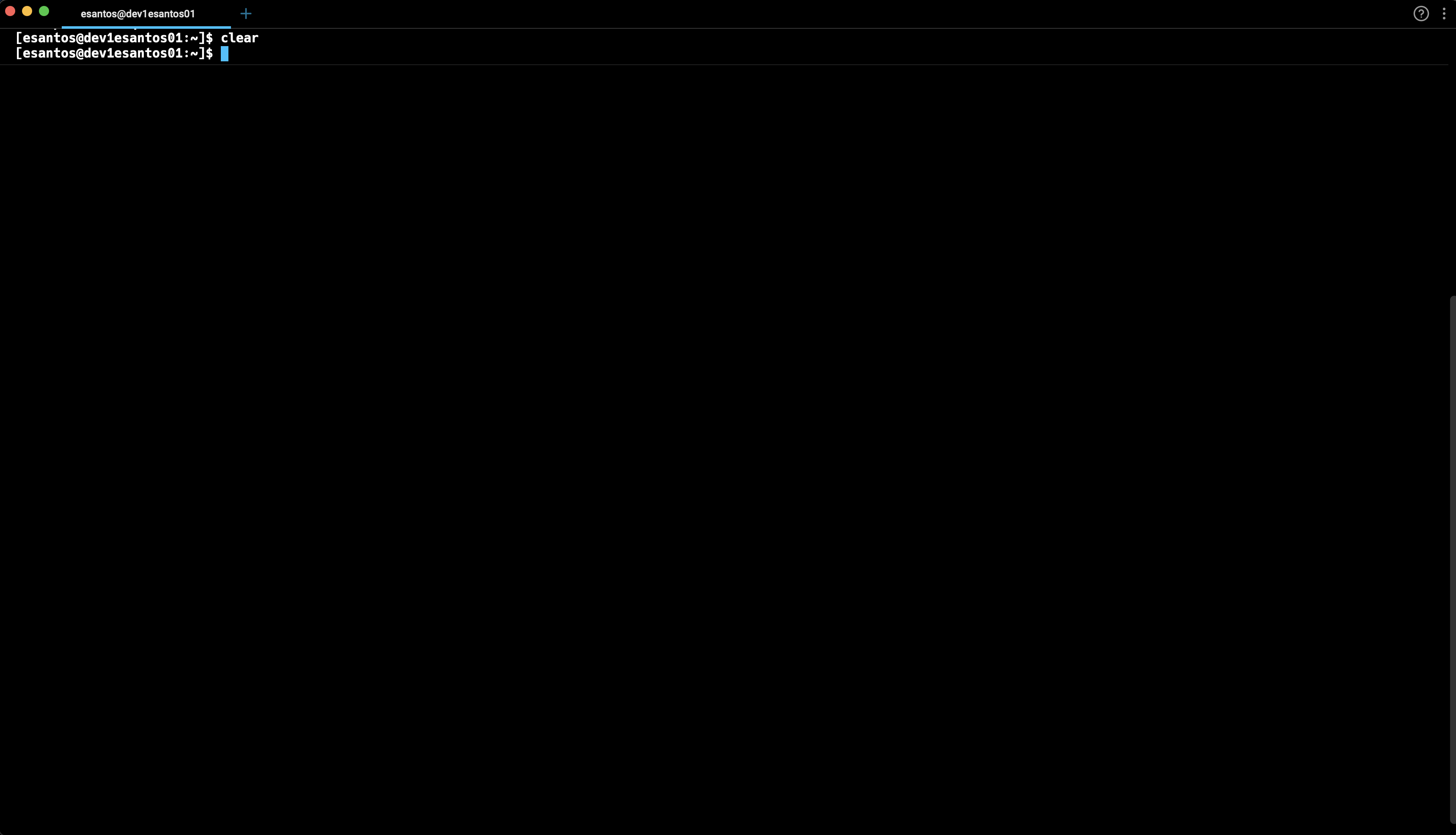
- Now, you're able to see that clear command puts the ssh prompt at the top of your screen and you are no longer able to centralize it on your warp console.
Expected behaviour
When warp has a ssh connection opened the clear command should run in the remote prompt instead of at the local warp console.
Screenshots
- Open the warp.

- Connect to a remote instance using ssh command.
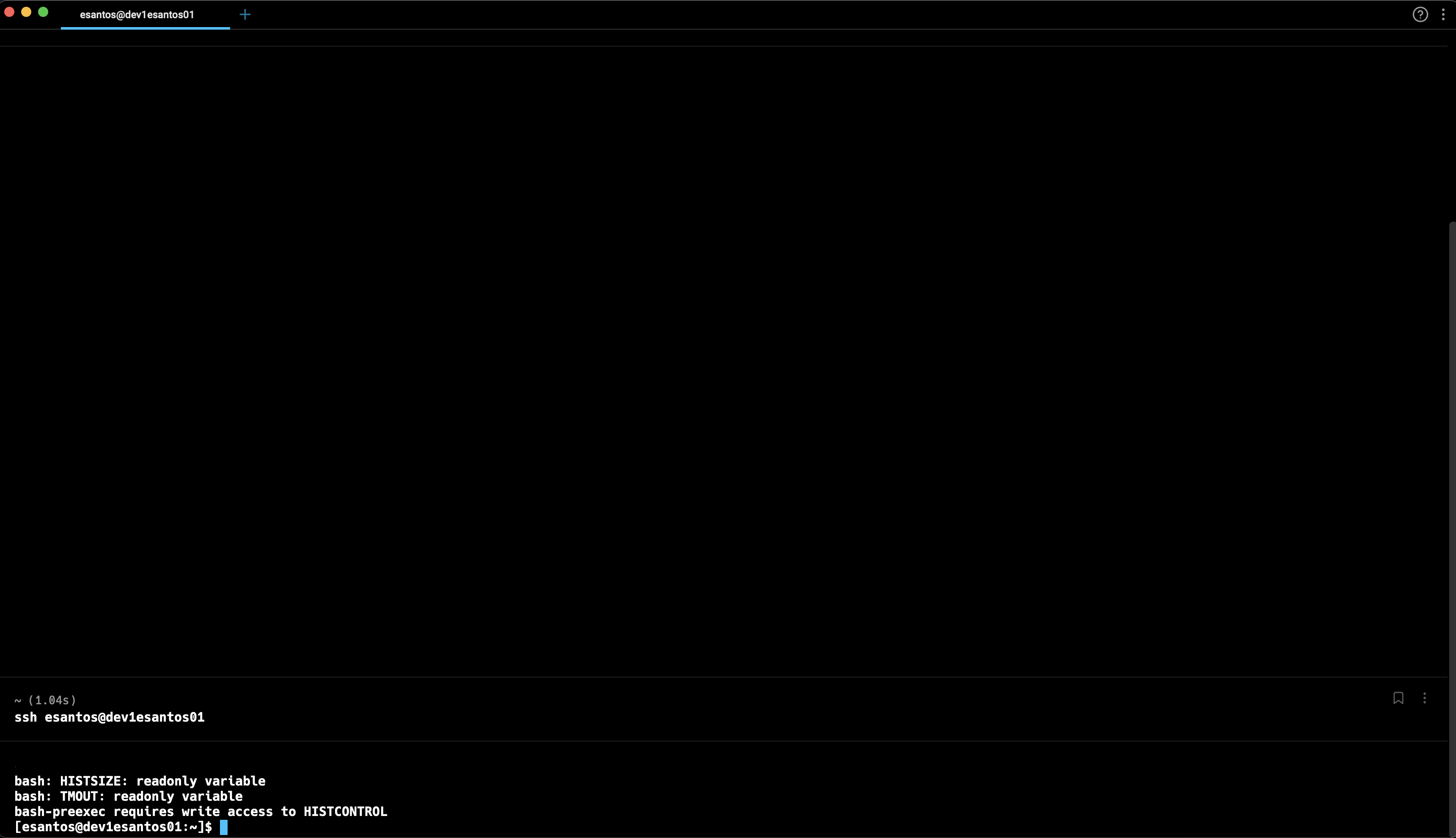
- Type clear and press enter.
- Now, you're able to see that clear command puts the ssh prompt at the top of your screen and you are no longer able to centralize it on your warp console.
Operating System
MacOS
OS Version
Monterey 12.6
Shell Version
bash 3.2.57
Warp Version
v0.2022.10.25.08.06.stable_03
Additional context
No response
Does this block you from using Warp daily?
No
Warp Internal (ignore): linear-label:b8107fdf-ba31-488d-b103-d271c89cac3e
No response
- Dominant language
- Rust
- Stars
- 65.1k
- Forks
- 5.6k
- PR merge metrics
- PR metrics pending
Contributor guide
First steps
- Read the whole issue, then the project's contributing guide.
- Comment on the issue to say you are picking it up — it saves two people doing the same work.
- Fork the repository and make your change on a branch.
- Open a pull request that references the issue number.
More from warpdotdev/warp
-
area:agent area:window-tabs-panes enhancement needs-info os:mac repro:high triaged
Difficulty 2/5 1-3 hours Newbie friendliness 68/100
warpdotdev/warp#15768 · 3 comments · 1 reaction ·
-
bug factory-auto-implement factory:revops-factory os:mac ready-to-implement repro:high triaged warp:auto-triage-review
Difficulty 1/5 Under an hour Newbie friendliness 90/100
warpdotdev/warp#15697 · 2 comments ·
-
area:editor-notebooks bug repro:high triaged warp:auto-triage-review warp:tracking
Difficulty 2/5 1-3 hours Newbie friendliness 82/100
warpdotdev/warp#13949 · 3 comments ·
-
markdown_parser: unclosed `<u>` markers pair via the emphasis algorithm and delete surrounding text Openarea:editor-notebooks bug ready-to-implement repro:high triaged warp:auto-triage-review
Difficulty 2/5 1-3 hours Newbie friendliness 78/100
warpdotdev/warp#12863 · 2 comments ·
-
bug
Difficulty 2/5 1-3 hours Newbie friendliness 76/100
warpdotdev/warp#11969 · 2 comments ·
Similar issues
-
Difficulty 2/5 1-3 hours Newbie friendliness 86/100
kwakseongjae/auto-hwp#319 ·
-
area:cli bug filter-quality good first issue priority:medium
Difficulty 2/5 1-3 hours Newbie friendliness 84/100
-
Difficulty 1/5 Under an hour Newbie friendliness 72/100
bevyengine/bevy#25861 ·
-
comp-datalake
Difficulty 2/5 1-3 hours Newbie friendliness 88/100
ClickHouse/ClickHouse#121222 ·
-
enhancement remote
Difficulty 2/5 1-3 hours Newbie friendliness 68/100