Wired User Interaction Problem for Mobile users in the hamburger Menu.
Nobody has claimed this yet.
- Dominant language
- Vue
- Stars
- 3.2k
- Forks
- 5k
- Avg merge
- 14d 17h
- Merged PRs (30d)
- 1
Description
First, I am a beginner, so I don't know how to create issues properly.
But while going through VueJs doc found kind of a weird thing in VueJs Websites main Menu.
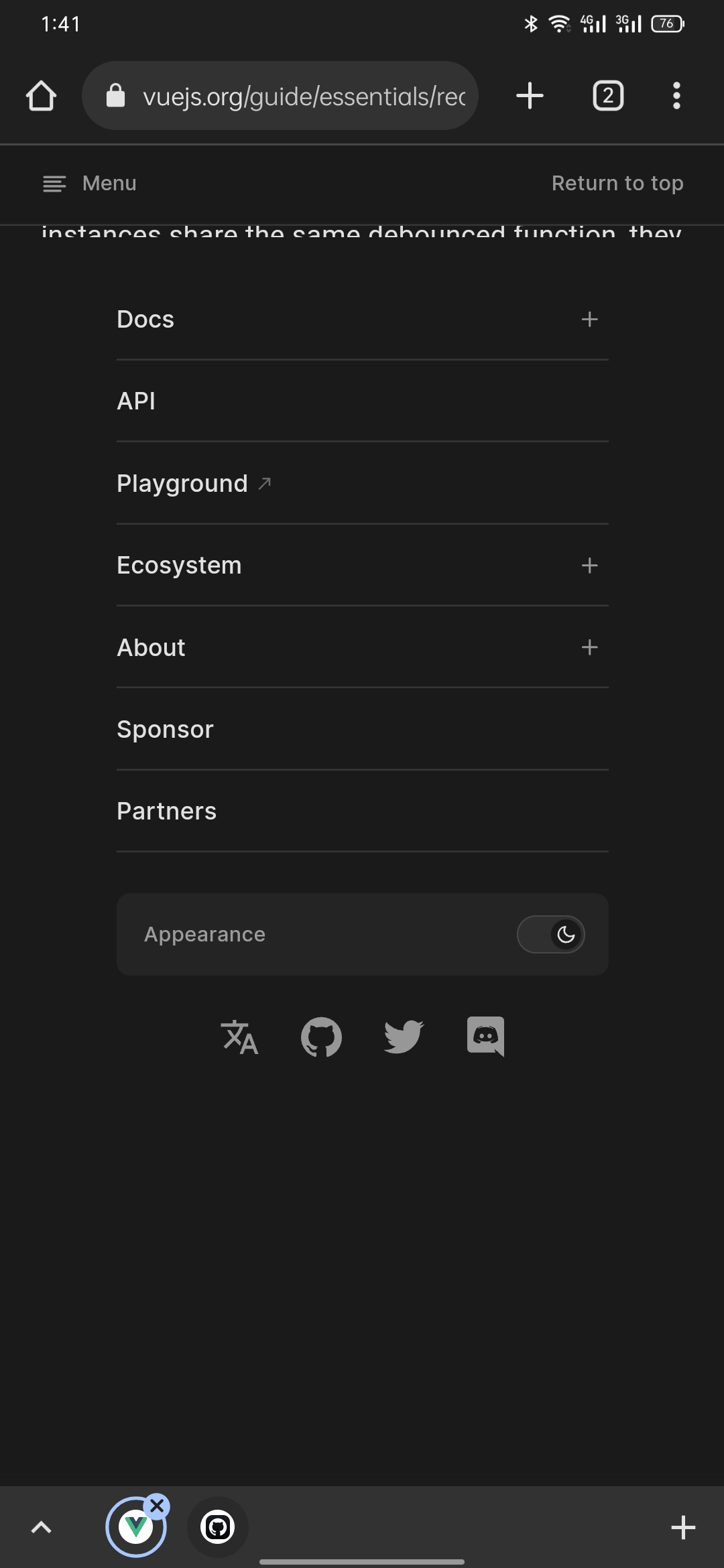
So the problem is (in the mobile version) - There's a hamburger Menu at the top which shows the API, docs, about, ecosystem, etc., and helps you navigate the whole site. When I activate it and move to another page by clicking on any button/link works fine.
But when I open the menu and press back, instead of disabling the Menu, it moves back to the previous page I visited earlier. ( Ex- Vuejs API page to Vuejs faq page, which I visited first with the menu on) . Which I think is an inconvenience.
This becomes much more inconvenient. A scenario where you are reading the guide, and you are at the bottom of the page, and in that case, instead of the cross button to close the menu, the page shows Return to top, that's okay. Now you go to the next page of the guide and click on an API reference. So to come back to the docs/guide, you try to use the hamburger Menu suddenly, you remember you can go back by pressing the back button. But as you push back to turn off the menu and want to go back where you were, instead of removing the menu, you end up on the previous page with the menu on and also no way to close the menu because it's now showing a return to the top button instead of a cross button. So now you have to press Return to top of the page and then press the cross to close the menu.
Here's an image showing that.
I think it's an easy fix 🤗
Contributor guide
No contributing guide indexed for this repository
First steps
- Read the whole issue, then the project's contributing guide.
- Comment on the issue to say you are picking it up — it saves two people doing the same work.
- Fork the repository and make your change on a branch.
- Open a pull request that references the issue number.
Research direction
Start by reproducing the hamburger-menu behavior on the mobile Vue documentation site, using the described navigation sequence and screenshot as reference. Inspect the menu's interaction with browser back navigation; done means pressing back closes the menu without navigating to an earlier page, including when the page is scrolled.
Written by the indexing model from the issue text.
Assessment
- Domain
- frontend, web-dev
- Issue type
- Bug
- Difficulty
- 3/5
- Estimated time
- 1-2 days
- Activity status
- Stale
- Clarity
- Mostly clear
- Newbie friendliness
- 35/100