笔记的快速浏览与打开状态
Nobody has claimed this yet.
- Dominant language
- C++
- Stars
- 13k
- Forks
- 1.3k
- Avg merge
- 14h 3m
- Merged PRs (30d)
- 3
Description
OS Version (操作系统): Windows 10
VNote Version (Help - About VNote - Version: )(VNote版本): 2.3
Symptoms (表现):
在文件夹下的笔记列表中单击选择时默认固定打开新的标签页。如下图所示,只是在笔记列表中单击,就全部打开了不同的标签页。
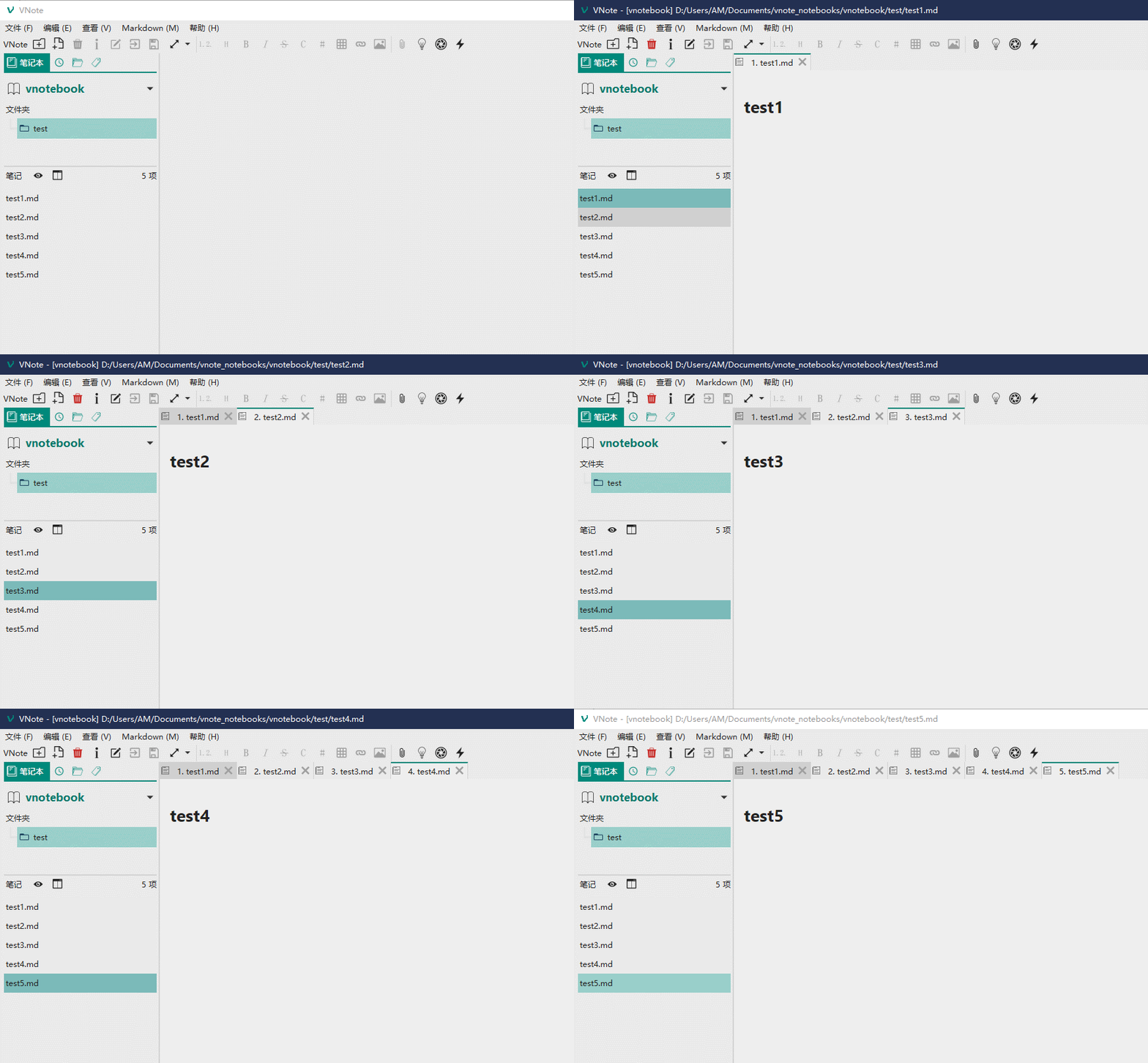
与 #210 中第 6 点的诉求是一致的,但是回复中给出的解决方案并不完美。当设置了[单击在当前标签页打开笔记]后,会将上一个已经作为固定打开的标签页内容改变。相当于销毁了一个想要固定打开的文件标签。
Hope:
希望能够实现的是如 VS Code 中的表现(当我再次点击 vnote.cpp 文件时是双击,所以打开的标签页固定下来了,再点击其它的文件是又开了个新的标签页)。如下图
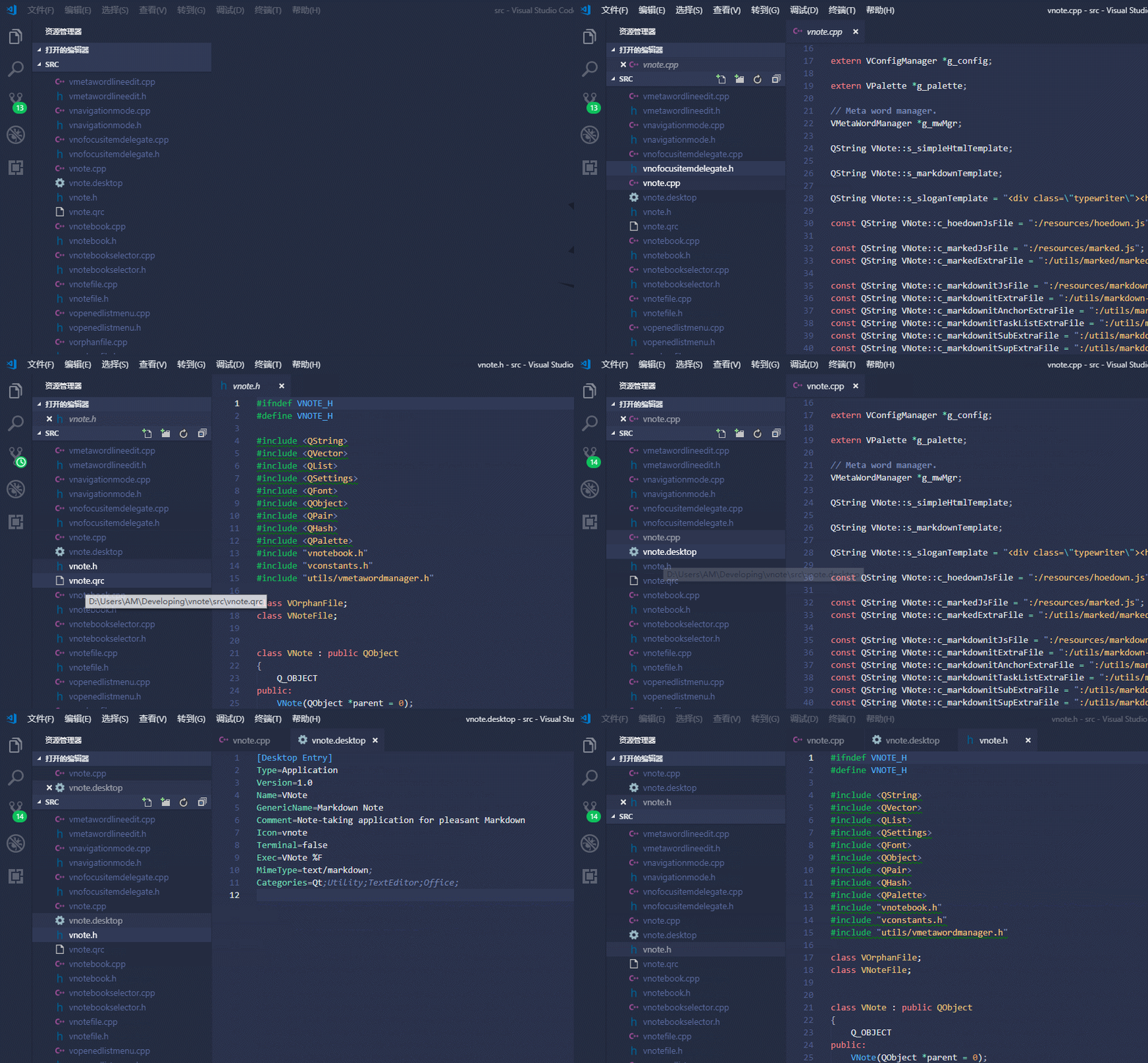
也就是,在笔记列表中单击时临时在新的标签页打开,但是标签并不固定下来,当单击其它笔记时候还是在当前临时打开的标签页中切换显示。只有在双击笔记时候,打开的标签页才会固定下来。
Contributor guide
No contributing guide indexed for this repository
First steps
- Read the whole issue, then the project's contributing guide.
- Comment on the issue to say you are picking it up — it saves two people doing the same work.
- Fork the repository and make your change on a branch.
- Open a pull request that references the issue number.
Research direction
Start by reproducing the note-list behavior on Windows 10 with VNote 2.3, comparing single-click and double-click actions with the current-tab setting and the behavior described in #210. Done means a single click uses one temporary tab that switches to later selections, while a double-click keeps its tab fixed without replacing an already fixed note.
Written by the indexing model from the issue text.
Assessment
- Tech stack
- cpp
- Domain
- desktop
- Issue type
- Feature
- Difficulty
- 4/5
- Estimated time
- 3-5 days
- Activity status
- Stale
- Clarity
- Mostly clear
- Newbie friendliness
- 25/100