photon-installer not auto-started on ARM64
Open
Nobody has claimed this yet.
4.0
bug
installer
- Dominant language
- C
- Stars
- 3.2k
- Forks
- 692
- PR merge metrics
- No merged PRs in 30d
Description
Describe the bug
While I was trying to install Photon 4.0 Rev2 on an ARM64 server using the official ISO image, the installation TUI didn't show up automatically as x86_64 image does (on a x86_64 server). Below is a screenshot:
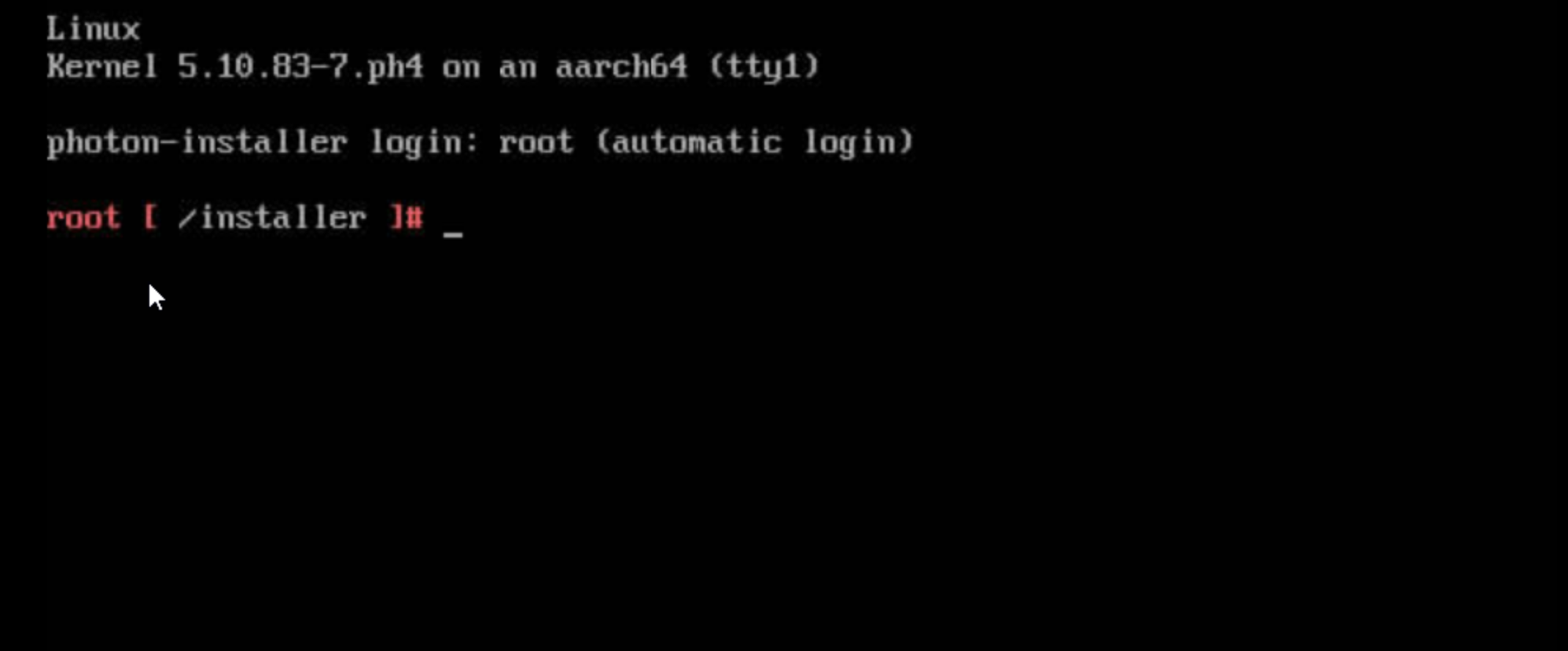
Tried both the full and the minimal ISO image, same result.
Reproduction steps
1. Download the [minimal ISO image](https://packages.vmware.com/photon/4.0/Rev2/iso/photon-minimal-4.0-c001795b8-aarch64.iso)
2. Insert the ISO image into an ARM64 machine
3. Boot the machine with the ISO image
Expected behavior
The installation TUI should show up, just like the x86_64 one does.
Additional context
No response
Contributor guide
First steps
- Read the whole issue, then the project's contributing guide.
- Comment on the issue to say you are picking it up — it saves two people doing the same work.
- Fork the repository and make your change on a branch.
- Open a pull request that references the issue number.
Research direction
Start by reproducing the boot behavior with the minimal and full ISO images on an ARM64 machine, then compare it with the x86_64 startup path. Done means the Photon installation TUI starts automatically on ARM64 as it does on x86_64.
Written by the indexing model from the issue text.
Assessment
- Tech stack
- linux
- Domain
- operating-systems
- Issue type
- Bug
- Difficulty
- 4/5
- Estimated time
- 3-5 days
- Activity status
- Stale
- Clarity
- Needs clarification
- Newbie friendliness
- 25/100